
Photo Lab, TouchRetouch & ibisPaint X Unlocked
This week is about pictures you make yourself, at three different distances from the camera. Photo Lab takes a photo you already have and turns it into something else, TouchRetouch takes out the parts of a shot you never wanted in it, and ibisPaint X starts from a blank canvas. All three are free to open and keep their best tools on a plan — in these builds the plan is already paid. No subscriptions, no waiting. Download any of them as an IPA and install on your iPhone in one tap — no PC and no developer account of your own.
Photo Lab

Photo Lab comes from VicMan, a digital imaging company founded in 2001 whose Pho.to web editor was already fixing red-eye and pasting faces into movie posters in 2009; the iPhone app has been on the App Store since 2011. The app keeps that one-tap logic: you pick an effect first, then a photo, and get a finished picture back — a pencil or oil-paint version of a portrait, a face montage, a new background cut around you by AI, a holiday card with your own text on it. The library runs past a thousand effects, with a basic editor for crop, colour and sharpness on the side. The catch is the price of the full set: the VIP plan is listed at $7.99 a week after a three-day trial, or $99.99 a year.
What’s unlocked: the subscription in version 3.12.130, so the VIP effects and styles work without a paid plan.
TouchRetouch

TouchRetouch is made by ADVA Soft, a Berlin studio, and has been on the App Store since June 2010 doing one job: making things in a photo disappear. Its party trick is lines — trace a short stretch of a power cable and the whole wire goes, a fence mesh clears in two taps, and a Clone Stamp is there for the spots where the automatic fill guesses wrong. Newer versions add Erase AI, which finds signs and bins on its own, plus people removal, face retouch and background swaps. For years it was a one-time purchase; ADVA has since moved it to a subscription and dropped the lifetime licence, so new users meet a plan where there used to be a price tag.
What’s unlocked: the subscription in version 5.9.1, so the paid removal tools work without an active plan.

ibisPaint X
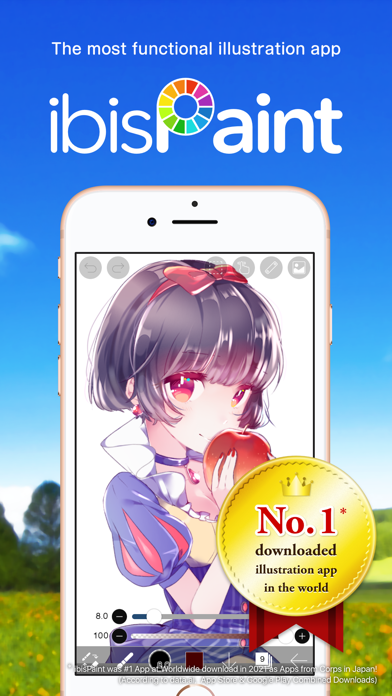
ibisPaint X is from ibis Inc., a Tokyo company listed on the Tokyo Stock Exchange since 2023, and the series has passed 500 million downloads. It behaves like desktop illustration software squeezed onto a small screen: layers with 27 blending modes, screentones, rulers, stroke stabilisation and a huge brush library, and it records your drawing as a time-lapse you can share. Version 14.1 went further into animation, adding sound to animated pieces, a 3D layer for placing models and Smart Shapes that straighten a freehand line into a clean curve.
What’s unlocked: premium access in version 14.1.3, so the paid membership tools are included in the build.
How to install
All three install from builds.io like a normal App Store download — tap GET, install, open. No PC, and no developer account of your own to keep alive. When you add a new device, Apple runs a one-time “processing” step: most devices are ready within a day, and some take up to three days while Apple works through them. It happens once, and every install after that is instant.
Last week’s apps digest was about the home screen — Widgetsmith, iScreen and Koco Widgets. If your drawings are starting to move, the next step is Alight Motion on iPhone with the membership unlocked.