
CSR 2, NFS No Limits & No Limit Drag Racing 2 for iPhone
These three racing games ask for different skills: shifting at the right moment, steering through a street race, or tuning a drag car. The builds below change the resources and controls around those races. They don’t remove the need to learn the car, and they don’t make an online account safe from enforcement. Use an account you can afford to lose in multiplayer games. Each GET card opens the current IPA for iPhone on builds.io.
CSR 2

Build the garage, then learn the launch
NaturalMotion’s CSR 2 is a drag racer built around collecting and customising cars. The official game offers wraps, decals and personalised plates, but the race itself asks you to concentrate on the launch and the shifts. A fast car still needs a run that uses it well.
The builds.io version changes the resource side. Its current notes list high gold, cash and keys, instant delivery for cars and parts, currency freeze and no fuel consumption. That gives you room to try upgrades without treating every attempt as another resource grind. The catalogue description also calls for an iOSGods account. Although the notes mention anti-ban support, it is not a guarantee against a ban.
What’s unlocked: High/custom gold, cash and keys; instant car and part delivery; currency freeze; no fuel use; purchases for 1 gold or 1 cash, as listed in the current build.
Need for Speed No Limits
Change the race from the in-game menu
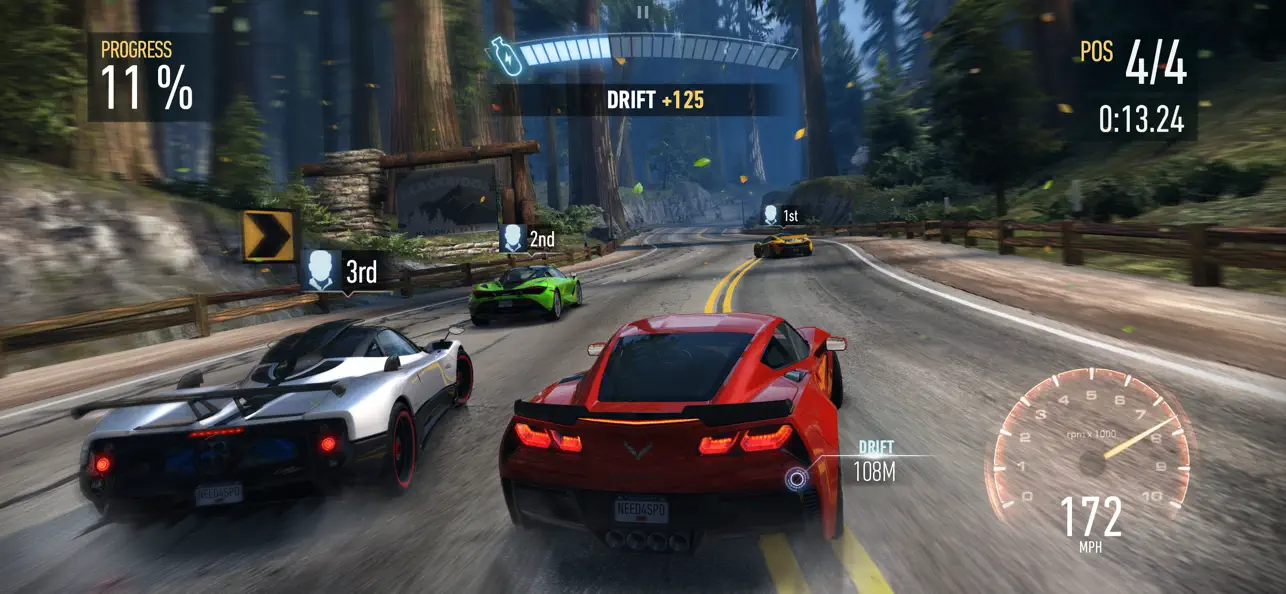
EA’s No Limits takes the racing onto Blackridge’s streets. Unlike the other two picks, the interest here is in the route and the race around the car, rather than a straight drag strip. Pick this one if you want the street-racing setting and a different set of controls to experiment with.
The current build uses the jailed iGMenu for toggles during play. It lists unlimited nitro refills, no traffic or police spawns and opponents that drive into walls. Godmode leaves visual damage on the car. These are the recorded controls for this IPA; they aren’t a claim that every currency or car is unlocked. Read the menu before enabling several options at once.
What’s unlocked: Godmode with cosmetic damage, opponent changes, no traffic/police spawns, unlimited nitro refills, higher drift/airtime/close-miss rewards and no crash camera shake.
No Limit Drag Racing 2
Try a different drag setup
No Limit Drag Racing 2 comes from Battle Creek Games, a studio whose catalogue includes several driving games. It returns this selection to drag racing and car setup. Choose it when you’d rather keep changing the car and running another pass than race through a city.
Its current builds.io notes list unlimited money, gold and XP, VIP access and no ads. That removes several obstacles between an idea for an upgrade and a chance to try it. Multiplayer still involves another service and other players, so don’t treat the unlocked build as protection for your main account. Download the No Limit Drag Racing 2 IPA for iPhone from its own card; this is a separate game from EA’s No Limits.
What’s unlocked: Unlimited money, gold and XP; VIP access; no ads. These are the current catalogue notes, not a promise about online enforcement.
How to install
Create or sign in to your builds.io account, register your device and follow the install steps on the app page. Apple processing can take a day and sometimes up to three days for a new device; one-tap installation follows once the device is ready. You won’t need a PC or a developer account of your own.
See the previous game digest and our guide to sideloading tools.
Choose the drag strip or the streets, check the build notes and use its GET card to install through builds.io.