
GBA4iOS and iNDS on iPhone: Game Boy and DS Emulators
Two of the longest-running emulators on iOS, covering the two handheld libraries people actually go looking for: Game Boy Advance and Nintendo DS. Both predate Apple’s change of heart about emulators, both still work, and neither needs a jailbreak.
If you’ve only ever used the all-in-one emulators, these are worth knowing about — they’re focused on one system each and behave better on it.
GBA4iOS
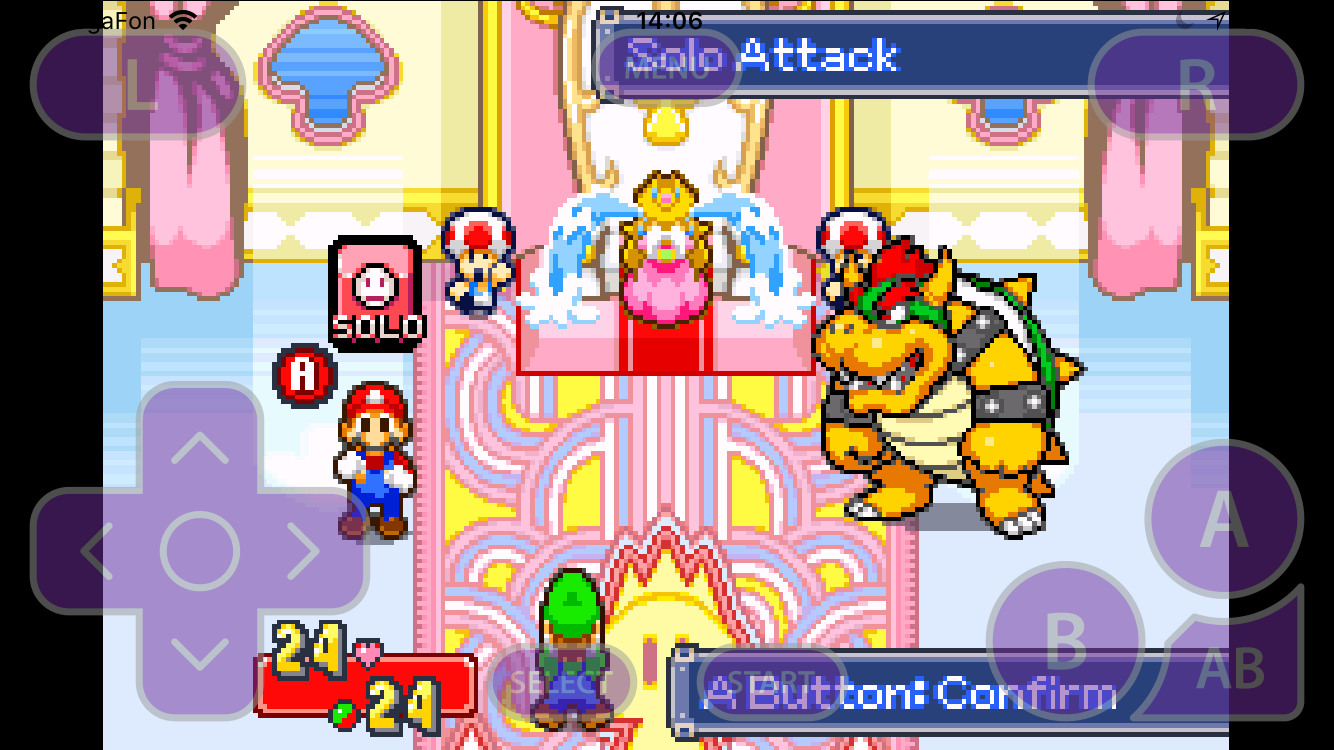
GBA4iOS is the Game Boy Advance emulator that made sideloading mainstream back in 2014 — it went viral precisely because it needed no jailbreak. Version 2.1 is still the one people install.
What you get:
- Full GBA library support, plus Game Boy and Game Boy Color titles.
- Save states anywhere, not just at the game’s own save points — the reason emulators beat original hardware for anything with a difficulty spike.
- Custom skins. The controller layout is themeable, and
gba4ios skinsis one of the most searched things about the app for a reason: the default layout isn’t for everyone, and swapping it takes a minute. - Controller support — pair a Bluetooth gamepad and the on-screen buttons get out of the way.
- Fast-forward for grinding through text and encounters.
Bring your own ROMs. The app is the emulator, nothing more.
iNDS
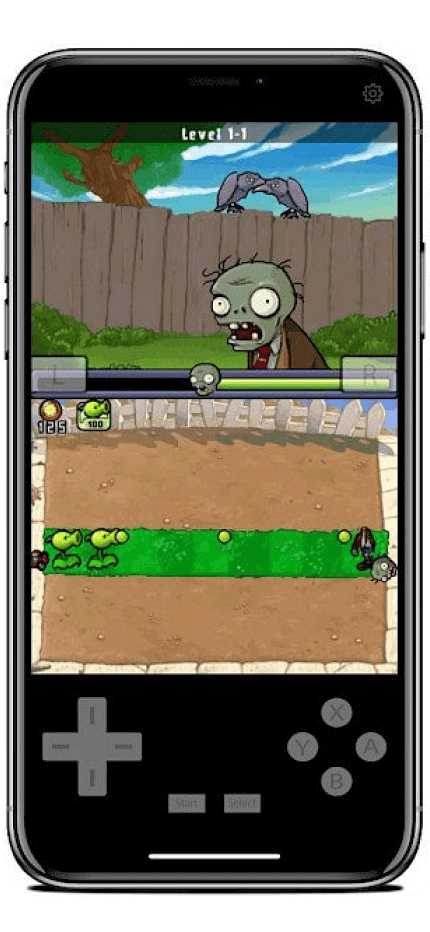
iNDS handles the harder problem: Nintendo DS had two screens and a stylus, and a phone has one screen and a finger. iNDS solves it with layout options rather than pretending the second screen doesn’t exist.
What you get:
- Dual-screen layouts — stacked, side-by-side, or one screen scaled up with the other as an overlay. Which one you want depends entirely on the game.
- Touch input mapped straight to the bottom screen, which is what makes the stylus-heavy library playable at all.
- Save states, same as GBA4iOS.
- Controller support for the games that don’t need touch.
- Speed-up toggle, useful in RPGs.
DS emulation is heavier than GBA — on a modern iPhone that’s irrelevant, but it’s why the two apps exist separately rather than as one.

Which one
Not an either/or — they cover different libraries. Install GBA4iOS for the Advance catalog, iNDS for anything that used the second screen. Together they cover roughly a decade of handheld games.
If you’d rather have one app for everything including GameCube and 3DS, that’s a different tier of emulator — see our emulator round-up.
Installing on iPhone
Neither is on the App Store. Both install from builds.io in one tap:
- Open builds.io on the iPhone and sign in.
- Tap GET on the emulator you want.
- Add your ROMs and launch.
No jailbreak, no computer, no seven-day re-signing.
Common questions
Do emulators still work after iOS updates? Yes. When a build breaks on a new iOS version, the catalog version gets updated — you’re not left hunting for a working IPA.
Where do save files live? Inside each app’s own storage. Back them up before deleting an app, because removing the app removes the saves with it.
Do I need a controller? No — both have on-screen controls. A Bluetooth gamepad is nicer for anything action-heavy, and both support it.
Are ROMs included? No. The apps are emulators only; what you run on them is up to you.