
DolphiniOS and emuThreeDS: GameCube and 3DS on iPhone
This is the heavy end of iOS emulation. Game Boy and DS emulators run on anything; GameCube and 3DS ask more of the phone and more of the setup. Both are doable on a current iPhone, and the questions people actually ask about them — JIT, performance, whether it still works after an iOS update — have concrete answers.
DolphiniOS
DolphiniOS is the iOS port of Dolphin, the GameCube and Wii emulator that’s been in development since 2003. On a modern iPhone it plays a large part of the GameCube library at full speed.
The JIT question, since it’s the first thing everyone searches:
Dolphin runs fastest with a just-in-time recompiler, and iOS normally forbids JIT. There are builds that require JIT to be enabled and builds that run without it — the no-JIT path is slower but needs no computer and no developer mode gymnastics. On recent hardware, no-JIT is playable for a lot of the catalog; demanding titles are where you’ll feel the difference.
What else matters:
- Controller support — GameCube games were built for a physical controller, and a Bluetooth gamepad transforms this from a demo into something you’d actually play.
- Save states, plus native memory-card saves.
- Resolution scaling — you can render above original resolution, which is what makes a 2002 game look reasonable on an OLED phone.
- Wii support as well as GameCube, with the obvious caveat that motion controls are awkward without real Wii remotes.
emuThreeDS
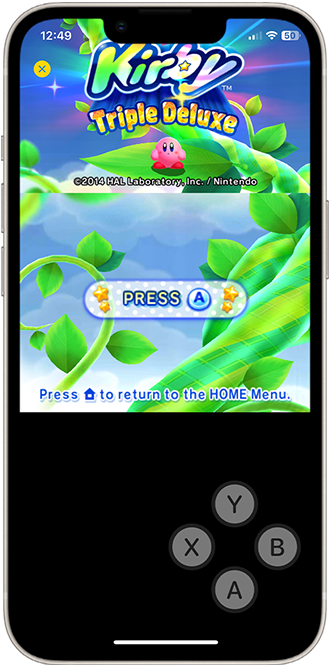
emuThreeDS brings Nintendo 3DS emulation to iPhone — the newest and least mature of the systems here, and the one with the most active interest right now.
What you get:
- Dual-screen handling, same problem as DS but with more pixels to place: stacked or scaled layouts, with the touch screen mapped for the games that need it.
- Save states and native saves.
- Growing compatibility. 3DS emulation is younger than the rest; expect most of the library to run and a tail of titles that don’t yet.
- Runs without a jailbreak — the reason to use this build rather than trying to get a desktop emulator onto a phone.
Set expectations honestly: this is the one where “does game X run” is a real question rather than a formality.

Which one
Different systems, so it depends on the library you want. DolphiniOS is the more mature and more predictable of the two — GameCube support has had two decades of work behind it. emuThreeDS is the newer frontier.
If you want the lighter handheld libraries instead, see GBA4iOS and iNDS; for the full picture across systems, the emulator round-up covers PSP as well.

Installing on iPhone
Neither is on the App Store. Both install from builds.io in one tap:
- Open builds.io on the iPhone and sign in.
- Tap GET on the emulator you want.
- Add your game files and launch.
No jailbreak, no computer, and the build stays signed instead of expiring in a week.
Common questions
Do I need JIT for DolphiniOS? Not necessarily. There are no-JIT builds that trade some speed for zero setup, and on recent iPhones that trade is worth it for most of the catalog.
Will these survive an iOS update? When a build breaks on new iOS, the catalog version is updated — you’re not searching forums for a working IPA.
How much storage do I need? More than for handheld emulators: GameCube and 3DS titles are considerably larger files. Budget several gigabytes if you plan to keep a few games installed.
Do they include games? No. These are emulators; the game files are yours to provide.