
Photoshop, Express & BodyApp Premium Unlocked

Three photo editors this week, and between them they cover the whole retouch stack: layered compositing in Photoshop, the ten-second fix in Express, portrait and body work in BodyApp. All three arrive with the paid tier switched on, so the tool opens instead of asking which plan you are on. No subscriptions, no waiting. Download any of them as an IPA and install on your iPhone in one tap — no PC and no developer account of your own.
Photoshop
Adobe’s phone Photoshop is not the trimmed-down Express app — it is layers, masks and real selections on a touch screen, plus the AI tools Adobe leads with: Generative Fill running on the Firefly Fill and Expand model, Tap Select to grab a subject in one tap, and the Spot Healing Brush for everything you want gone. Those generative tools are exactly the metered part on a normal account: they spend credits that come with an Adobe plan, which is what the free tier is built to sell you. Download the Photoshop IPA for iPhone and the layer stack and the AI tools open together.
What’s unlocked: the full subscription tier in version 7.8.2 — layers, Generative Fill, Tap Select and the Spot Healing Brush. Premium switches on after you open the in-app purchase once and cancel it.
Photoshop Express
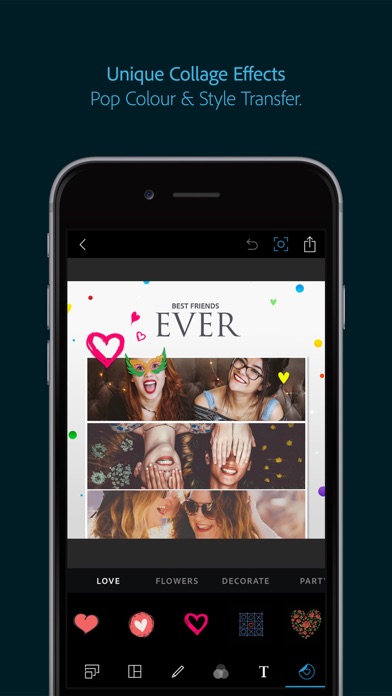
Express is the other half of Adobe’s mobile line — the one you open when a photo needs ten seconds, not ten minutes. Crop and straighten, the filter shelf, and the brightness, contrast and saturation sliders that rescue most phone photos before they go anywhere. Free Express has always been generous enough to be worth opening and stingy enough to interrupt, and the upsell reliably lands mid-edit, when you have already decided what you want. Download the Photoshop Express IPA for iPhone and the quick pass runs to the end.
What’s unlocked: the Premium tier in version 26.34.1 — crop, rotate, filters and the whole brightness-contrast-saturation stack, with no upsell screen in the middle of an edit.
BodyApp
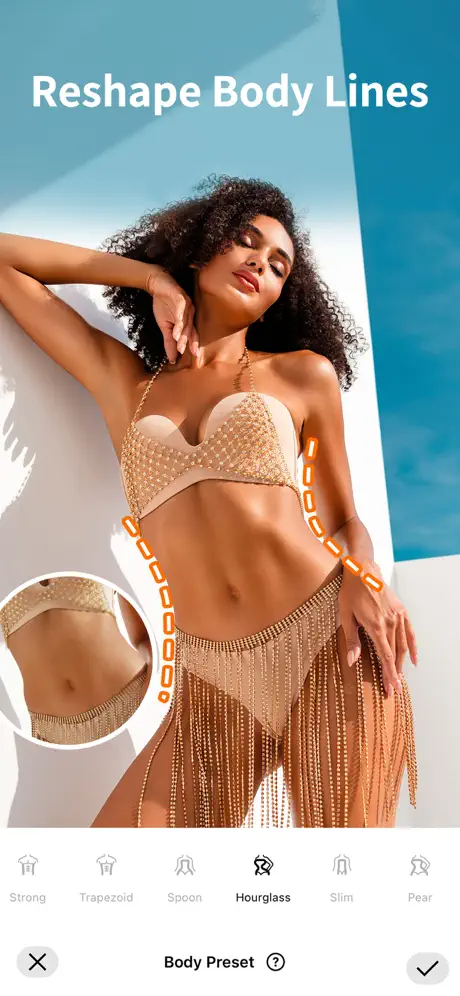
BodyApp is the portrait retoucher of the three: reshape proportions, slim or build up, adjust skin tone, swap a hairstyle, and hold the result against the original in a before-and-after view. It is also the most aggressively subscribed of the set — Pro runs roughly five dollars a month or thirty a year, with a one-time VIP tier around sixty, and nearly every tool worth opening the app for sits on the far side of it. Download the BodyApp IPA for iPhone and the paid set is simply present.
What’s unlocked: the subscription tier in version 2.2.56 — body and face reshaping, skin smoothing, hairstyle swaps and the rest of the premium editing set, with the before-and-after flow intact.

How to install
Every app here installs from builds.io like a normal App Store download — tap GET, install, edit. No PC, and no developer account of your own to keep alive. When you add a new device, Apple runs a one-time “processing” step: most devices are ready within a day, and some take up to three days while Apple works through them. It happens once, and every install after that is instant.
For a wider bench of editors with the paid tier already on, see five photo editors with premium unlocked. Last week we were in social instead — Locket Gold, Apollo and TikTok tweaks — and the general shelf is in the best apps to sideload on iOS 26.