
iPhone Games Without Ads: Every Way, and Where It Stops
You can play games on an iPhone without ads, and there are more honest ways to do it than most people expect. Apple sells a whole catalogue of games with no ads in them, Netflix includes games in its membership, many free games let you pay once to switch the ads off, and a single-player game often goes quiet in airplane mode.
The catch is that none of this reaches the game you actually play. The free game everyone has on their phone (the runner, the word puzzle, the shark) is free because of its ads, and nothing in iOS removes them. Below: why free games carry so many ads, every legitimate way around them, where each one stops, and the free hits in our catalogue whose builds have the ads already taken out.
The 30-second answer
- Want a whole library with no ads at all → Apple Arcade: no ads and no in-app purchases, $6.99 a month, shared with up to five family members.
- Already pay for Netflix → Netflix Games are included in the membership, with no ads, no extra fees and no in-app purchases.
- One free game you love → look for a Remove Ads or No Ads purchase in its shop. It usually removes the forced ads but keeps the “watch a video for a reward” offers.
- Offline games → airplane mode stops most ads in games that don’t need the internet. It also stops the rewards that come from watching ads.
- Safari ad blockers → they don’t work in games at all.
- A specific free hit without ads → a build of the game with the ads removed: Temple Run 2, Crossy Road, Hungry Shark Evolution, Wordscapes and more (cards below).
Why free iPhone games are full of ads
A free game has to earn money somewhere, and it does it in two ways: in-app purchases and ads. Most free games use both, and the ads come in three kinds.
- Interstitials are the full-screen ads between levels or after a lost run. Google’s AdMob guide for iOS developers advises showing them during natural pauses, and gives “between levels of a game” as the example.
- Rewarded ads are the videos you choose to watch for an extra life, a coin doubler or a free chest. AdMob describes them as ads users can interact with in exchange for in-app rewards, and says they must always be opt-in.
- Banners are the strips that sit at the top or bottom of the screen while you play.
That’s why one tap on “retry” can trigger a 30-second video. The game is built around these pauses. The rewarded kind is the clever one: it makes the ad feel like your choice, and it ties the game’s economy to how many videos you sit through.
Honest ways to play without ads
Apple Arcade: a whole library with no ads
Apple Arcade is Apple’s own game subscription, and it is the cleanest answer to “games without ads”. Apple’s page puts it in one line: games “without ads or in-app purchases”. There are no banners, no videos between levels and no shop asking for money, because the subscription is the whole business model.
- Price: $6.99 a month or $49.99 a year in the US. New and qualified returning subscribers get 3 months free with an eligible new Apple device.
- Family Sharing: one subscription covers up to five more people at no extra cost.
- Library: Apple says hundreds of games, playable online or offline across your Apple devices.
You find the games in the Arcade tab of the App Store. The limit is the catalogue: Arcade has its own games and special editions, but the free-to-play game you already play is rarely one of them. And when you cancel, the Arcade games stop working.
Netflix Games: included if you already subscribe
If you pay for Netflix, you already have a game library. Netflix’s help page describes its mobile games as “No ads. No extra fees. No in-app purchases.” They are included with the membership and download from the App Store like any other game. You can find them through the Netflix developer page, or in the Mobile Games row in the Netflix app. You sign in with your Netflix account and profile, and you need an internet connection to download and install each game.
Two limits. You need an active membership: no Netflix, no games. And the library changes. Licensed titles leave when their deals expire. What’s on Netflix, which tracks the library, counts more than 50 games removed so far, including the Grand Theft Auto trilogy.
Pay once: the Remove Ads purchase
Many free games sell their own way out: an item in the shop called Remove Ads, No Ads or Ad-free, usually a one-time purchase. If your favourite game has one and you play it every day, it is often the cheapest fix.
Two things to know before buying:
- It usually doesn’t remove rewarded videos. CodyCross’s help page is a typical example. Its ad-free option removes the end-of-level ads and banners, but you can still watch ads to earn rewards. So the extra life, the bonus chest and the doubler still come from a video.
- It’s a one-time item, so you can get it back. Apple’s support page says you might be able to restore a non-consumable purchase (such as an upgrade to a pro version or an extra feature in a game) after reinstalling or switching devices. Look for a Restore option in the game’s store, main menu or settings, and sign in with the same Apple Account you bought it with. Coins and gems are consumables and can’t be restored.
Airplane mode for offline games
The free trick everybody tries: turn on Airplane Mode (open Control Center and tap the airplane button) before you open a game. Most ads load from the internet, so a game that runs offline mostly can’t fetch new ones. Apple notes you can still use Wi-Fi in Airplane Mode, so check that the Wi-Fi icon in Control Center is off too.
It works best for simple single-player games: runners, puzzles, card games. It breaks down quickly beyond that:
- Some games won’t start offline. Anything with an online account, events, multiplayer or a cloud save checks the connection and stops at a “no internet” screen.
- Rewards stop with the ads. No connection means no rewarded video, and no video means no extra life, no free chest and no doubler. Games tuned around those rewards get much slower offline.
- Some ads are already on the phone. AdMob tells developers to load interstitials in advance so they show without delay. An ad that loaded before you switched off can still play.
- Progress may not sync. Purchases, leaderboards and cloud saves wait until you’re back online, and some games won’t save offline progress at all.
Ad blockers don’t work inside games
A Safari ad blocker can’t help here. Content blockers work in Safari and in the Safari-style window some apps open for links. A game draws its ads itself, inside its own app, and iOS doesn’t let one app change what another app shows. A DNS filter can block some ad networks across the whole phone, but it also cuts off the rewarded videos, so the game’s reward buttons stop working with them. The full breakdown, with the settings, is in ad blockers for iPhone.
Where the honest ways stop
Put the list together and the gap is obvious. Apple Arcade and Netflix give you ad-free games, but they’re their games. The Remove Ads purchase covers one game at a time and keeps the reward videos. Airplane mode works only for games that run offline, and it takes the rewards with it. Ad blockers don’t reach games at all.
So the free game you actually play (Temple Run, Crossy Road, Wordscapes) still has its ads, and still has its “watch a video to continue” screen. Nothing in iOS changes that, because the ads are part of the game.
What does change it is a different build of the same game. It’s the game you know, with the ads switched off from the inside, and usually the coins and unlocks that the ads were there to sell. iOS can’t install that kind of build from the App Store. It installs by sideloading, which is what the catalogue at builds.io is for.
Free iPhone games with the ads already removed
Every game below is in our catalogue, was updated in 2026, and lists ad removal in the notes for its current build. What each build changes is taken from those notes, nothing added.
Runners and arcade
The endless runner that set the template on phones: Imangi Studios’ sequel, on the App Store since January 2013. Run, jump, slide, turn, and don’t let the monkeys catch you. Our build, version 1.137.0 (October 2026), lists ad-free gameplay, infinite coins and gems that you can actually spend, a 2x coins boost and all characters unlocked. That’s a straight run from the menu every time, and every runner in the shop from the start.

Hop the chicken across roads, rivers and rail lines in an endless blocky world, and try not to get flattened by a truck. Our build, version 7.14.0 (October 2026), has no ads, unlimited coins and all characters unlocked, so the whole collection of hoppers is open without a single prize-machine spin. It also adds god mode and a score hack that gives 100 points per jump. Leave those off if you want your high score to mean something.

Ubisoft’s shark game: start small, eat everything, evolve into something that eats boats. The free version spaces its sharks out behind coins and gems. Our build, version 14.5.0 (September 2026), lists ad-free gameplay, all sharks unlocked and coin and gem modifiers. It also has speed and score multipliers, god mode, one-hit kills, unlimited boost and a no-gravity option.
Puzzle and music
The calm daily word puzzle: swipe letters into words to fill a crossword grid over a nature backdrop, through more than 6,000 levels. In the free version, the ads land between levels, exactly when the game is supposed to be relaxing. Our build, version 3.14.00 (October 2026), has no ads and infinite currencies, so hints and reveals stop costing coins too.
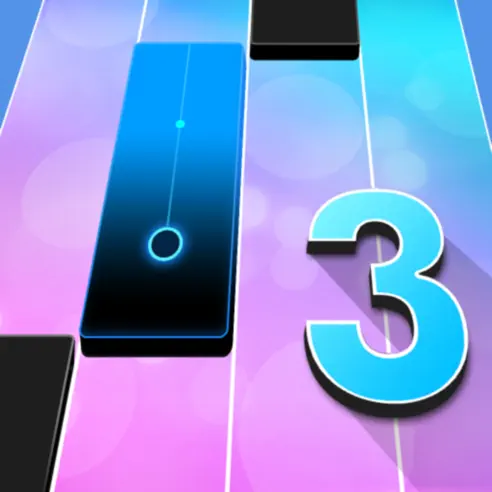
The piano rhythm game: tap the black tiles in time with the song and miss none. An ad in the middle of a rhythm game is especially annoying, because it breaks the run you’re in. Our build, version 13.097.008 (October 2026), lists no ads, all songs unlocked, premium unlocked, infinite lives and infinite currencies, so the full library of over a thousand songs is open without lives or a subscription.
Casual and anti-stress

The anti-stress ragdoll game: a dummy named Buddy, a toy box of weapons, and no rules. It’s a game you open for two minutes, which makes a 30-second ad feel even longer. Our build, version 2.10.0 (October 2026), has no ads, premium unlocked, all items owned and infinite gold and bucks. Its sibling is in the catalogue too: Kick the Buddy: Forever, with infinite currencies and ad-free play.

Outfit7’s virtual pet game: Angela’s city apartment, outfits, makeup and mini-games. Pet games run on small rewards, and in the free version many of them come from videos. Our build, version 26.5.3 (October 2026), has no ads and infinite currencies, so the wardrobe and the apartment fill up without the videos.
One that keeps the rewards

A train tycoon game: build a railway empire through the eras, from steam engines to modern electric trains. It’s the clearest example of a game built around rewarded ads, since its fuel comes from watching videos. Our build, version 2.5.0 (October 2026), works on exactly that: you skip the ads and still collect the rewards, and there’s no cooldown on rewarded ads, which effectively gives unlimited fuel. It doesn’t add currencies or unlocks. It just removes the waiting and the videos.
One honest note for any game that has an online account or leaderboards: changing a game always carries some account risk, and the game’s own rules decide what happens. If that matters to you, read can you get banned for sideloading first. The single-player runners and puzzles above have much less at stake.
Looking for more than ad removal? Hacked games for iPhone goes through 21 games by what each build unlocks, and best iPhone games with no limits covers games without energy bars and timers.
Installing the games above
None of these builds are on the App Store. They all install the same way, from the catalogue, in one tap, with no PC and no developer account of your own:
- Register your iPhone at builds.io by entering one UDID in the browser.
- Open the game’s page and tap GET. It installs like a normal download.
- If the first launch says “processing”, that’s Apple’s signing queue, not an error. Most devices are ready within a day, and some take up to three. It only happens once (what the wait is).
They stay signed for as long as your subscription runs. Apps from free signers stop opening after seven days and have to be reinstalled (why that happens), and an ad-free game that disappears every week puts you right back at the ads.
FAQ
How do I stop ads when playing games on iPhone? Depending on the game: play Apple Arcade or Netflix games, which have no ads; buy the game’s own Remove Ads item; play offline games in airplane mode; or install a build of the game with the ads removed. Safari ad blockers don’t work inside games.
Are there free iPhone games without ads? A few small paid or indie games have no ads, but almost every popular free game has them. Apple Arcade is ad-free but costs $6.99 a month; Netflix games are ad-free if you already have a Netflix membership. The builds above are the free hits with the ads taken out.
Does airplane mode stop ads in games? In many offline games, mostly. But games that need the internet won’t start, rewarded videos and their rewards disappear, and an ad that loaded before you switched off can still play. Check that Wi-Fi is off in Control Center too.
Does Apple Arcade have ads? No. Apple describes Arcade games as being without ads or in-app purchases. It costs $6.99 a month or $49.99 a year in the US and can be shared with up to five family members.
Do Netflix games have ads? No. Netflix says its mobile games have no ads, no extra fees and no in-app purchases. You need an active Netflix membership to play them.
Why do I still see ads after buying Remove Ads? Most Remove Ads purchases take out the forced ads (between levels and banners) and keep the optional “watch a video for a reward” offers. If the forced ads are back after reinstalling, use the game’s Restore option with the same Apple Account.
Can an ad blocker remove ads in iPhone games? No. Content blockers only run in Safari. A DNS filter can block some ad networks, but it also breaks the reward videos, so the game’s reward buttons stop working.
If the game you keep coming back to is a free one, start with the cards above or browse the whole catalogue at builds.io. The game stays the same, minus the ads.