
Stremio and Nuvio on iPhone: Setup and Add-ons

Two media hubs, one idea: stop juggling five apps and put everything behind one interface you control. Stremio has been doing this on desktop and Android TV for years and finally works properly on iPhone. Nuvio is the newer, lighter take on the same concept. (For the full Stremio walkthrough — install, settings, official add-ons and fixes — see Stremio on iOS.)
Neither ships content of its own — both are shells that read the catalogs and sources you add. That’s the part most guides skip, and it’s exactly why a fresh install looks empty. Below: what each one gives you, how to fill it, and how to get them onto an iPhone in one tap — no jailbreak, no computer.
Stremio
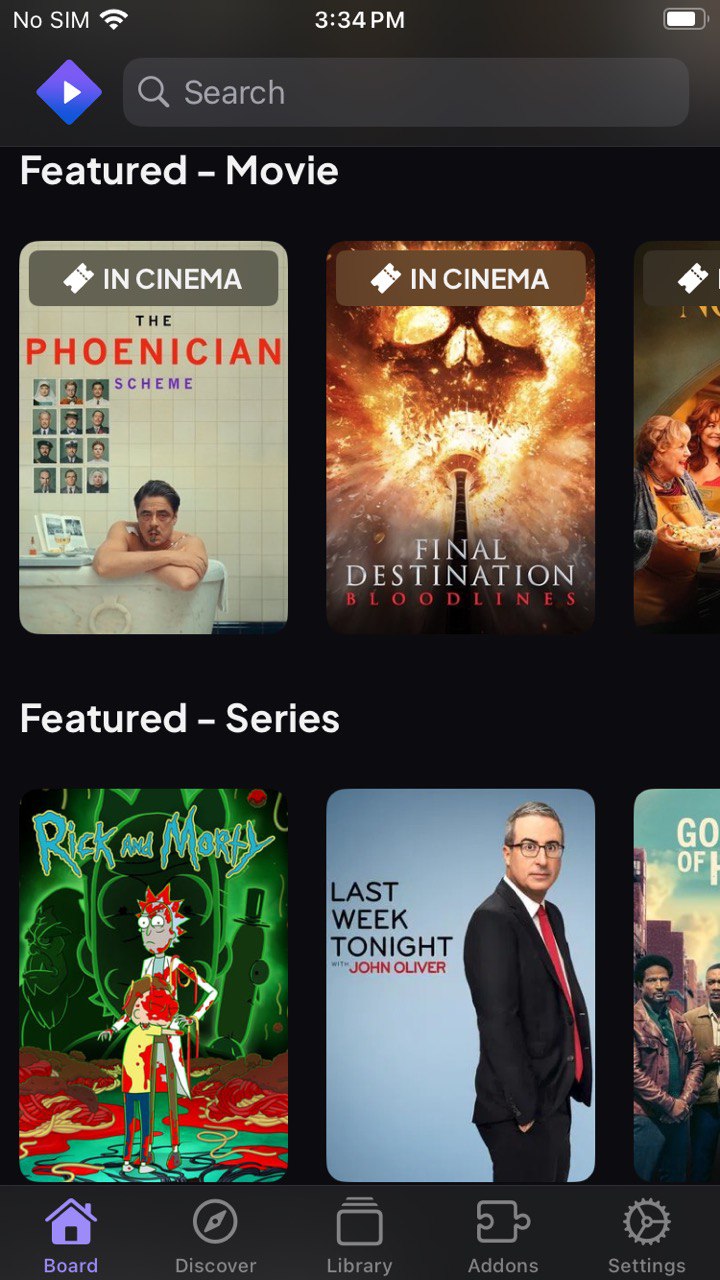
Stremio is the organiser. The Board tab gives you Featured and Popular rows for both movies and series, Discover lets you filter by type, popularity and genre, and Library keeps whatever you’ve added — synced to your account, so the same list shows up on your TV and desktop.
What actually matters after install:
- Add-ons are the whole product. The Add-ons tab is where catalogs come from. Install one and the Board fills up; remove it and it empties again. This is the single thing that confuses new users — an empty Stremio isn’t broken, it’s unconfigured.
- Subtitles as an add-on too. OpenSubtitles plugs in the same way, and once your default subtitle language is set in Settings, it holds across everything you open.
- Settings worth changing on day one. Default Subtitles Language and Default Audio Track (so you stop fixing them per episode), Use VLCKit for playback, Run on low battery, Data saver, and Blur unwatched episode images if you don’t want thumbnails spoiling a series.
Stremio’s advantage is that it’s the same app everywhere. Your Library on the iPhone is the Library on the Apple TV.
Nuvio
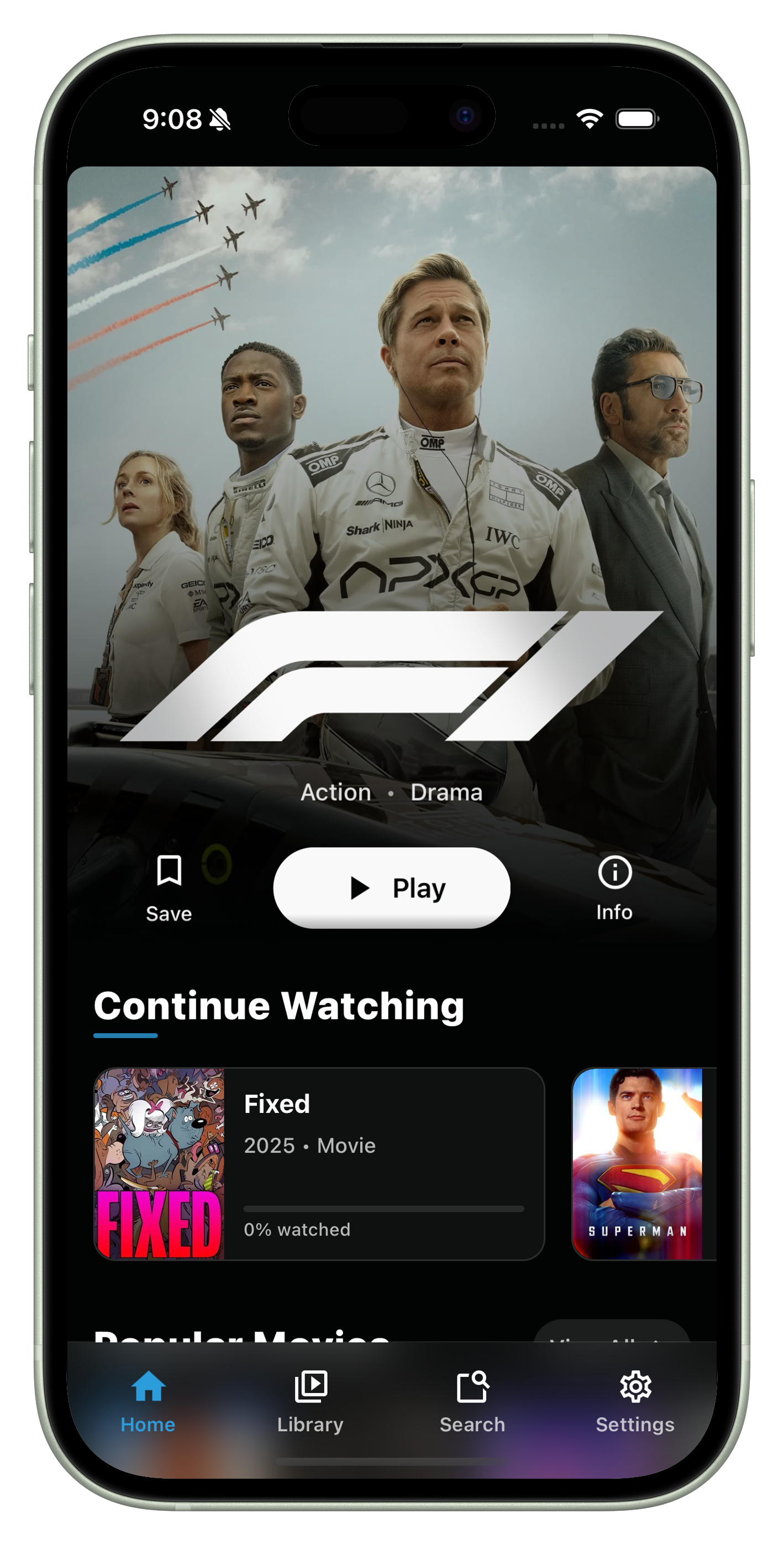
Nuvio is the lighter one. Same core idea — a shell plus the sources you add — but a cleaner first run and noticeably less setup before something appears on screen. Movies, shows and live TV sit in one interface, and the add-on mechanic works the same way: point it at what you want it to read.
It’s the better pick if Stremio felt like too much of a project, or if you mostly want one app on the phone rather than a library synced across four devices.

Which one
| Stremio | Nuvio | |
|---|---|---|
| Setup effort | More — add-ons first, then it fills | Less — usable sooner |
| Library sync across devices | Yes, tied to your account | Phone-first |
| Subtitles | Add-on + global default language | Built into playback |
| Best for | One library on every screen you own | One clean app on the iPhone |
Most people end up keeping both for a while and settling on whichever matches how they actually watch. They don’t conflict — different apps, separate libraries.

Installing either one on iPhone
Neither is on the App Store, and that’s the only real obstacle. Both install from builds.io in one tap:
- Open builds.io on the iPhone and sign in.
- Find the app and tap GET — it installs like any normal app.
- Open it and add your sources.
No jailbreak, no computer, nothing to plug in. Apps stay signed, so you’re not re-installing every seven days the way free sideloading tools make you.
Common questions
A fresh install shows nothing. Is it broken? No — that’s the expected state. Both apps are shells. Until you add a source, there’s nothing for them to display.
Do they work on iOS 26? Yes, both run on current iOS. If a build ever stops launching after an iOS update, the version in the catalog gets updated rather than you having to hunt for an IPA.
Can I use them on Apple TV or Firestick as well? Stremio, yes — that’s the point of the account sync. Nuvio is phone-first, though the same add-on sources work wherever you set it up.
Do I need a VPN? Neither app requires one to function. What you do beyond that is your call.