
Flip Clock - digital widgets
Not sure? Worry-free Premium handles revokes for you.


Version added at: Jan 25, 2026
Size: 35.72 MB
Premium Features Unlocked
This version of Flip Clock - digital widgets has premium features fully unlocked, allowing users to access all advanced functionalities without restrictions. Users are instructed to tap on restore purchases and then restart the app to activate the premium content.
Key Details
- All premium features available without additional purchase
- Seamless activation by restoring purchases in-app
- Requires a minimum iOS version of 15.0 to operate
A flip clock on the nightstand has its own quiet charm, and Flip Clock brings it to the iPhone. Download Flip Clock IPA for iPhone, then turn the phone into a desk clock for StandBy mode, the lock screen or a full-screen focus session.
What is Flip Clock?
The App Store title is Flip Clock: Digital Desk Widget. The developer is listed under the personal name 翠玲 施, the app sits in Utilities with Lifestyle as a second genre, and it has been available since December 2016. It is rated 4+ and works on both iPhone and iPad.
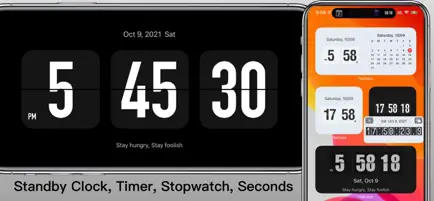
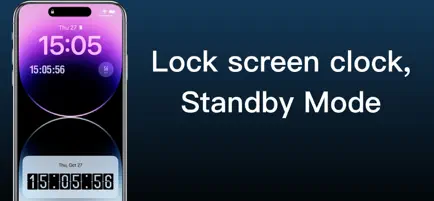
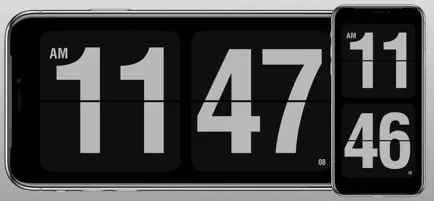
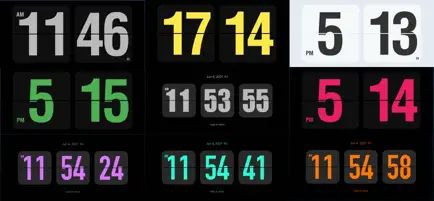
The centrepiece is a full-screen clock with a vintage flip animation and themes that change its colours, fonts and style. Seconds can be displayed on the Home Screen, Lock Screen, Dynamic Island and in StandBy, and a 12 or 24 hour format is a toggle away. A newer update added OLED burn-in protection, which shifts pixels slightly so that a screen left on for hours is not marked by the digits. When the phone is charging, the app can launch itself as a screensaver.
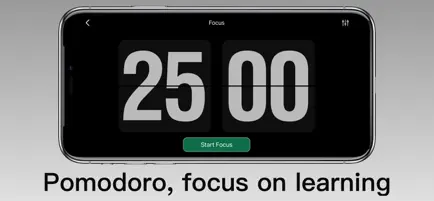
Personal touches matter here. You can write a motto or signature that appears in the app and on Lock Screen and Home Screen widgets next to the clock and calendar. For work there are a stopwatch, countdown timers, a Pomodoro timer, a floating stopwatch that stays over other apps and an event countdown for exams, birthdays or holidays. A white noise player adds soothing background sounds for concentration or sleep, and an hourly chime announces the time with a voice or sound.
Flip Clock key features
- Full-screen flip clock with customisable themes
- StandBy mode and Lock Screen widgets with seconds
- OLED burn-in protection through pixel shifting
- Smart alarm that raises the volume gradually, with online ringtones
- Count-up and countdown timers plus Pomodoro intervals
- White noise player and an hourly chime
Version and requirements
This is the ordinary App Store build with no changes. It is free to download and needs iOS 15.0 or later.
To give your desk a retro clock, open Flip Clock on builds.io, grab the IPA and let a single tap install it on your iPhone, no PC.
Similar apps
 PDF ViewerGet PDF Viewer for Mac — fast PDF search, highlighting, e-signatures, form filling and page editing built on the PSPDFKit engine. Install it via builds.io.
 TeleprompterDownload the Magic Teleprompter IPA for iPhone — subscription unlocked with mirror mode, auto-scroll and video recording. Install via builds.io.
 WeelManage your day visually with Weel’s 24-hour analog planner, designed for ADHD and anyone seeking smarter time management.
 Okio: ADHD Task ReminderDownload the Okio tweak IPA for iPhone — one task at a time, AI sorting, and swipe controls. Install via builds.io, no PC.
 CountriesDownload the Countries tweak IPA for iPhone — track Schengen days, trips, and travel history. Install via builds.io, no PC.
 Dental PlanDownload the Dental Plan Pro IPA for iPhone — create patient estimates in 60 seconds and keep calculations private. Install via builds.io, no PC.
 Tabby BusinessDownload Tabby Business for iPhone — track sales, manage orders and process refunds right from your device. Install via builds.io, no PC.
 SoulverSoulver 3 simplifies calculations with natural language input and instant results, perfect for everyday tasks on your iPhone or iPad.
 izi.TRAVELDownload the izi.TRAVEL IPA for iPhone — GPS audio tours, offline listening, and AI trip planning. Install via builds.io, no PC.