
Exif Metadata Editor & IPTC
Not sure? Worry-free Premium handles revokes for you.


Version added at: Feb 01, 2026
Size: 48.52 MB
Unlocked Unlimited Features in Exif Metadata Editor & IPTC
The app "Exif Metadata Editor & IPTC" has been modified to provide unlimited features unlocked, allowing users to access all functionalities without restrictions. This unlock removes any limitations present in the original version, enabling full use of the app's capabilities for editing and managing image metadata.
Key Benefits
- Access to all premium tools and options within the app.
- No restrictions on usage or feature access.
- Compatible with devices running iOS 17.0 or later.
Metadata Editor is the ultimate iOS app designed to help you view, edit, and manage the metadata of your photos quickly and efficiently. Whether you want to set the GPS location, adjust the date and time, or completely strip metadata for privacy protection, Metadata Editor offers a simple, modern interface tailored for photographers, investigators, and privacy-conscious users alike.
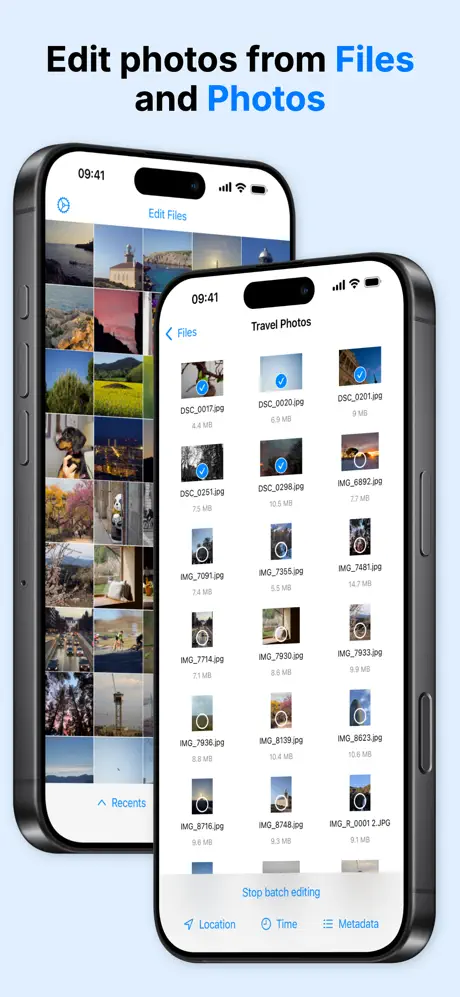
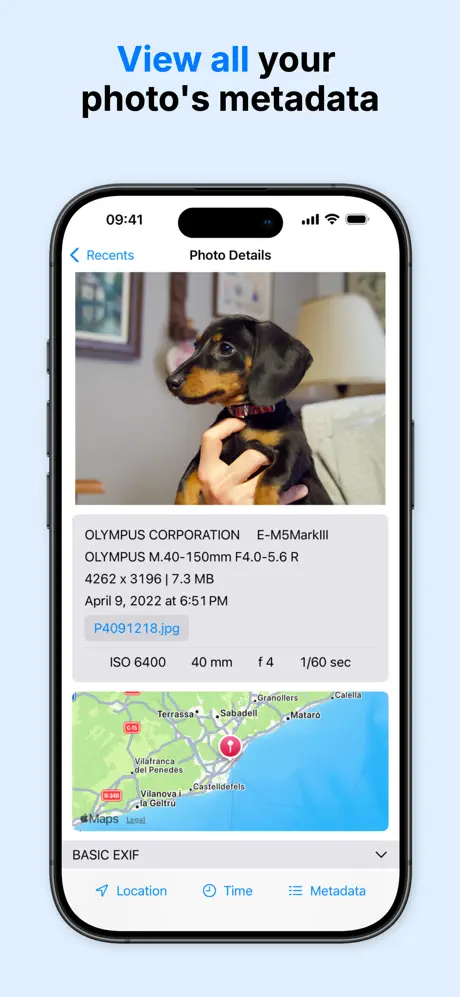
With support for photos stored in your iCloud Photo Library and the Files app, you can easily browse, view, and manipulate metadata values such as camera details (model, lens, ISO, aperture, shutter speed), location information on interactive maps, and a full list of raw metadata embedded in your images. Perfect for both amateur and professional photography workflows, Metadata Editor also supports forensic photo analysis.
Core Features
- View Metadata: Access photo metadata in the Photos Library and Files app; see detailed camera information and location on maps; organize photos by albums; display all raw metadata values.
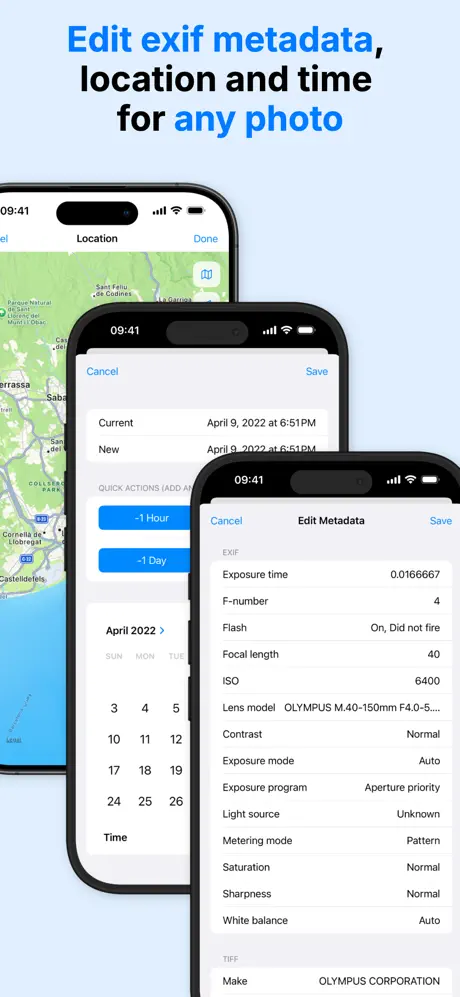
- Edit Metadata: Modify GPS coordinates, dates, and times; correct time zone errors; batch edit multiple photos simultaneously; edit EXIF, PNG, TIFF, and IPTC metadata; use templates to save common IPTC edits.
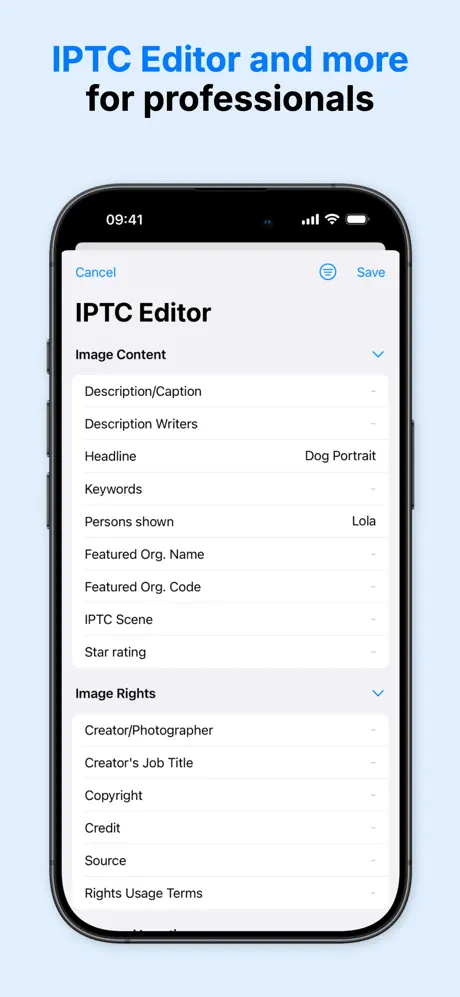
- Professional Tools: Manage copyright and artist information; add keyword tags, captions, and descriptions for agency submissions; track equipment owner names; create and apply custom IPTC templates for workflow consistency; preserve original files when exporting edited versions.
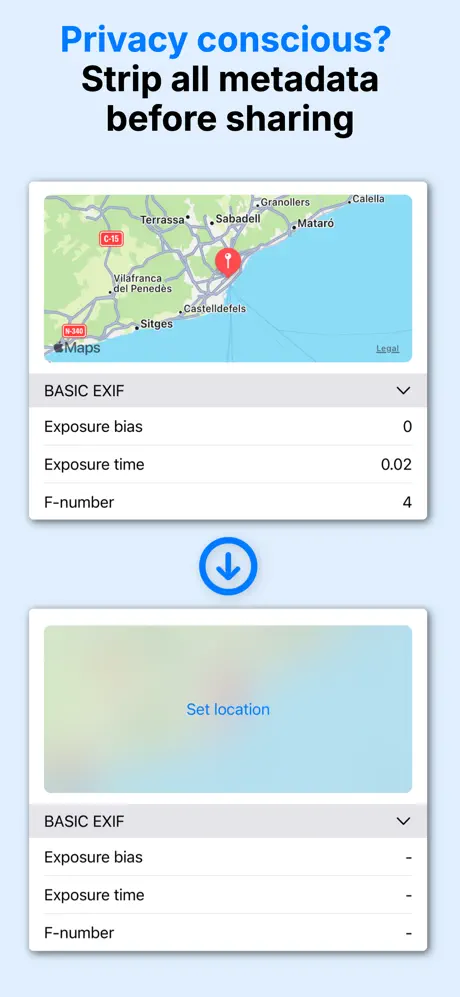
- Privacy Protection: Remove or alter GPS location data; strip all metadata to protect your privacy before sharing photos; essential for preventing tracking through shared images.
Who Should Use Metadata Editor?
- Photography enthusiasts who want to maintain an organized photo library with accurate metadata and precise locations.
- Professional photographers needing quick on-field metadata edits directly from their iPhone or iPad.
- Photojournalists preparing images to meet IPTC standards for wire services and publications.
- Stock photographers managing rights, keywords, and descriptions across multiple photo collections.
- Privacy-conscious users aiming to share photos without disclosing location or sensitive metadata.
- Photographers using analog or film cameras wanting to add metadata to digital images of their photos.
Editable Metadata Fields
You can edit over 50 metadata fields including GPS coordinates, detailed EXIF camera settings, IPTC keywords, TIFF image properties, and PNG metadata tags, providing comprehensive control over your photo information.
Metadata Editor empowers you to take full control of your photo metadata with ease and precision on your iOS device.
Similar apps
 OVF EditorEvery Pro photo-editing tool unlocked, filters, frames and text
 MagicEraserDownload the Magic Eraser IPA for iPhone and remove backgrounds and objects from photos in one tap, then export PNG or JPG. Install via builds.io.
 PurgoDeclutter your iOS photo library with Purgo
 GPS CameraCapture and organize photos with precise location stamps, notes
 SnapBGLifetime premium unlocked, AI background removal with no subscription
 iRetouchPro features unlocked for object removal and video editing
 Photo SplashCreate stunning selective color photos with Photo Splash
 PixEdit photos and videos easily with AI-powered tools
 Body Tune EditorFull Pro subscription unlocked for body and skin editing