
Photo Splash
Not sure? Worry-free Premium handles revokes for you.


Version added at: Apr 23, 2026
Size: 76.44 MB
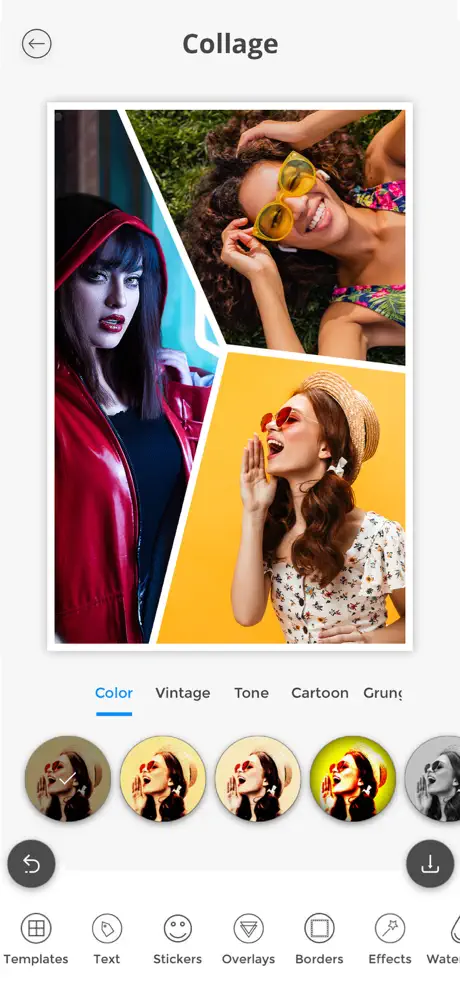
Photo Splash Photo Editor - Pro Features Unlocked
This modification of the Photo Splash photo editor app unlocks all Pro features, enabling users to access the full range of advanced editing tools without restrictions. It is designed for devices running iOS 13.0 or later.
Unlocked Features
- Access to premium editing options and filters
- Removal of limitations present in the free version
- Enhanced user experience with unlocked functionalities
Photo Splash is a powerful and user-friendly photo editing application designed exclusively for iOS devices. It allows users to create stunning selective colorization effects, popularly known as Photo Splash. This technique enables you to highlight specific colors in your photos while converting the rest to grayscale, resulting in eye-catching and artistic images.
With an intuitive interface and advanced AI technology, Photo Splash makes photo editing easy and enjoyable for both beginners and professionals. Whether you want to zoom in for precise editing or apply automatic splash styles with a single tap, this app offers a comprehensive set of tools to express your creativity.
Key Features
- Gesture Controls: Utilize pinch gestures to zoom in on your images for detailed splash work and pan gestures to move images freely across the screen, offering precise control over your edits.
- Advanced AI Technology: The app detects people automatically and applies various splash styles instantly, allowing you to enhance your photos quickly and effortlessly.
- Selective Colorization Support: Switch between gray-to-color and color-to-gray effects, giving you flexibility in how you highlight aspects of your images.
- Extensive Sharing Options: Easily share your creations via email, save to albums, or post directly to social platforms such as Facebook and Twitter. Additionally, you can copy images to the clipboard or set them on the global wall within the app.
- Creative Resources: Explore over 5000 creative collages and 5000+ social templates to enrich your photo editing experience with stylish layouts and designs.
- Preview Window: A dedicated preview window helps you monitor your edits in real-time, showing exactly what happens behind your finger during the editing process.
Restore Purchases
If you have previously made in-app purchases, you can easily restore them without any additional cost by following these steps:
- Open the app.
- Tap on the top right corner to open the Premium window.
- Tap on the RESTORE button to reactivate your in-app purchases.
- Done! Your purchases will be restored.
Photo Splash Experience
Photo Splash stands out as an entirely free application packed with valuable features, designed to bring professional photo editing into the palm of your hand. This app does not contain any ads or watermarks, ensuring a smooth and enjoyable editing process. From applying color splash effects to experimenting with creative templates, your photo editing journey will be both fun and rewarding.
Similar apps
 Photoest:ColorPopSelective-color editing with Pro features
 OVF EditorEvery Pro photo-editing tool unlocked, filters, frames and text
 iRetouchPro features unlocked for object removal and video editing
 PolarrAI retouching, selective masks and millions of community filters
 ReDoSubscription unlocked, full filters and effects, no ads
 MagicEraserDownload the Magic Eraser IPA for iPhone and remove backgrounds and objects from photos in one tap, then export PNG or JPG. Install via builds.io.
 ProCameraCapture stunning photos and videos with ProCamera’s professional iOS features
 RetouchPRO subscription unlocked, AI object removal and photo editing
 InstoriesInstories offers easy-to-use templates, video editing, and animation tools