
GPS Camera
Not sure? Worry-free Premium handles revokes for you.


Version added at: Jun 01, 2026
Size: 28.57 MB
Modified GPS Camera 55 App with PRO Subscription Unlocked
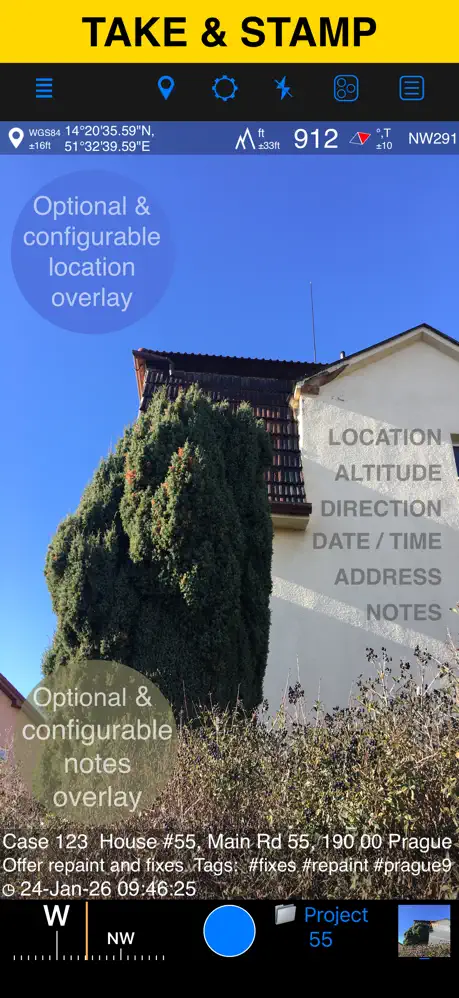
This version of GPS Camera 55 has been enhanced to include a fully unlocked PRO subscription, allowing users to access premium features without any limitations. The app enables adding GPS coordinates, addresses, timestamps, and custom notes directly to photographs, making it ideal for documenting trips, work tasks, locations, and events with precise geotagging.
Features
- Unlocked PRO subscription for full feature access
- Add coordinates, address, and time info to photos
- Attach personalized notes to images for enhanced documentation
- Suitable for professional and personal use cases requiring geo-referenced photo data
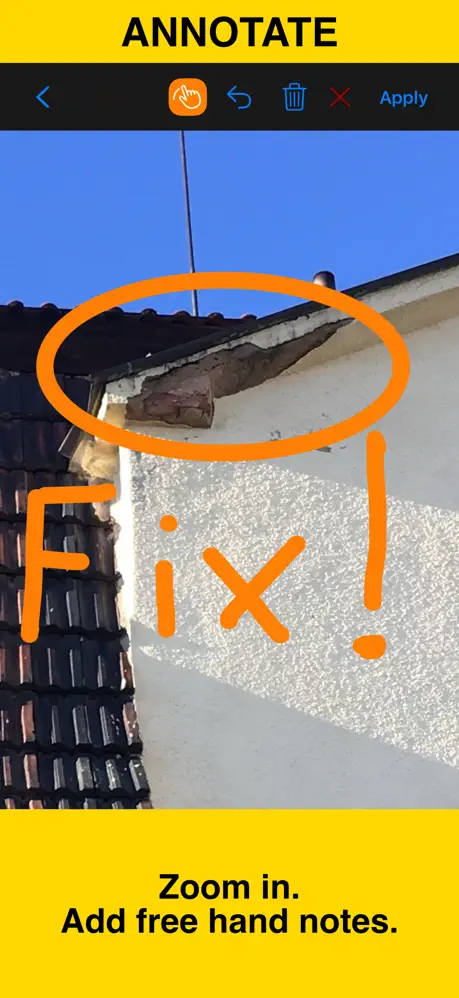
Capture and preserve your photos with precise location, date, address, and custom notes stamped directly onto the image. Enhance your fieldwork by adding hand-drawn annotations using your finger or Apple Pencil for quick, clear markups. Effortlessly search and filter your photos by title, tags, or notes, and sort them by proximity or date, enabling you to manage your images with accuracy and efficiency. Organize your work into folders or collections to maintain structured and comprehensive reports. Import older photos from your library and automatically restore their location, direction, and notes to keep your archives complete and usable.
Location Overlay
- Supports multiple coordinate formats including decimal, DM, DMS, UTM, and MGRS.
- Displays true or magnetic heading in degrees or mils.
- Shows accuracy and altitude in feet or meters.
Camera and Capture Settings
- Automatically save photos or preview and annotate before saving.
- Optionally save copies to the photo library as original, stamped, or both versions.
Annotate and Comment
- Zoom in and out to draw directly on photos before or after saving.
- Crop, resize, rotate, or tilt photos at any stage.
- Notes overlay supports Title, Note, Tags/Folder, and Address fields.
- Address can be auto-filled from GPS or entered manually.
- Edit notes and add annotations later through a user-friendly editor.
- Add audio notes to images by tapping a point row.
- Supports timestamps in various formats and languages.
- Scan QR codes, barcodes, or text and use the results as titles or notes.
Share and Exchange
- Share multiple points or entire collections with flexible options.
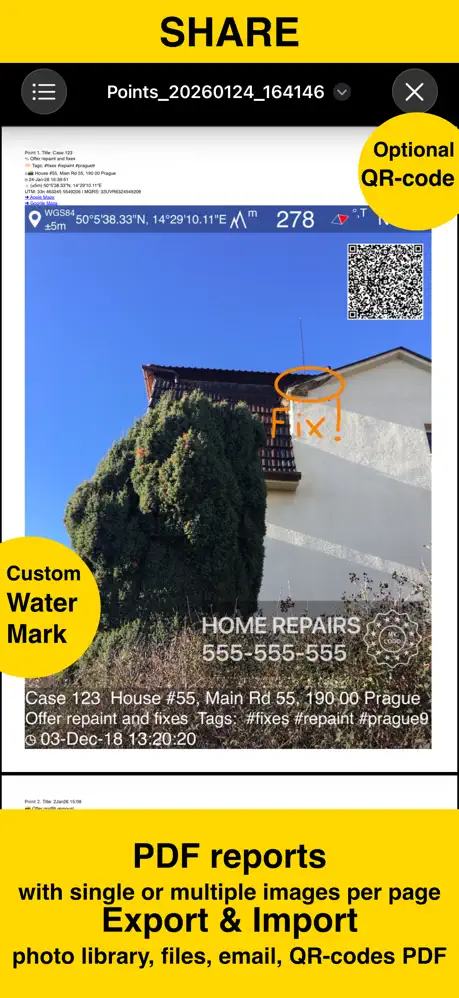
- Share images with or without location, notes, or overlays included.
- Customize photo filenames with titles, notes, addresses, tags, collections, coordinates, altitude, heading, or capture date.
- Transfer points and images between devices using KMZ files, including all annotations and audio notes.
PDF Reports
- Create and share PDF documents featuring selected photos or complete collections.
- Adjust the number of images per page and include photo descriptions in reports.
Organize, Search & Sort
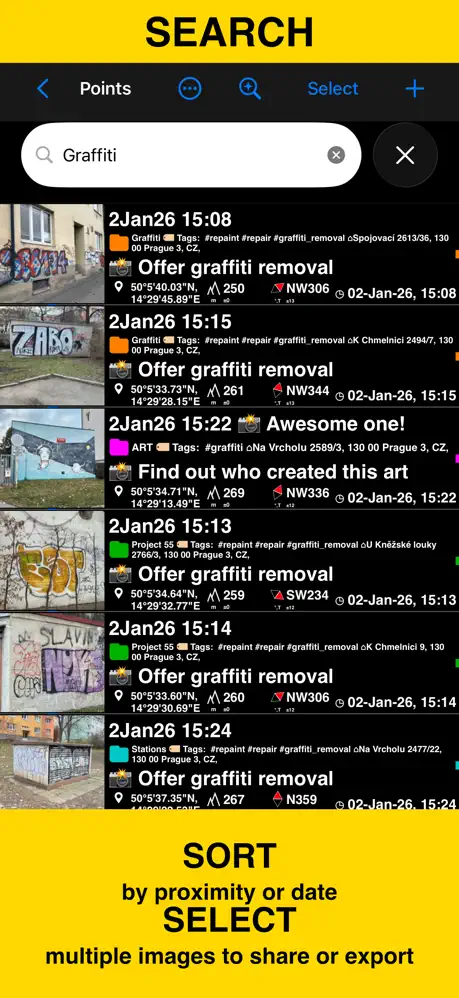
- Organize images into collections or folders with easy reallocation between them.
- Perform powerful searches by notes, addresses, or tags.
- Filter by creation month and sort by proximity or specific collections.
Import
- Import photos from the library using TIFF, EXIF, GPS, or IPTC metadata to restore location, direction, and notes automatically.
Navigate
- Navigate directly to your captured points or images from the app’s point editor screen.
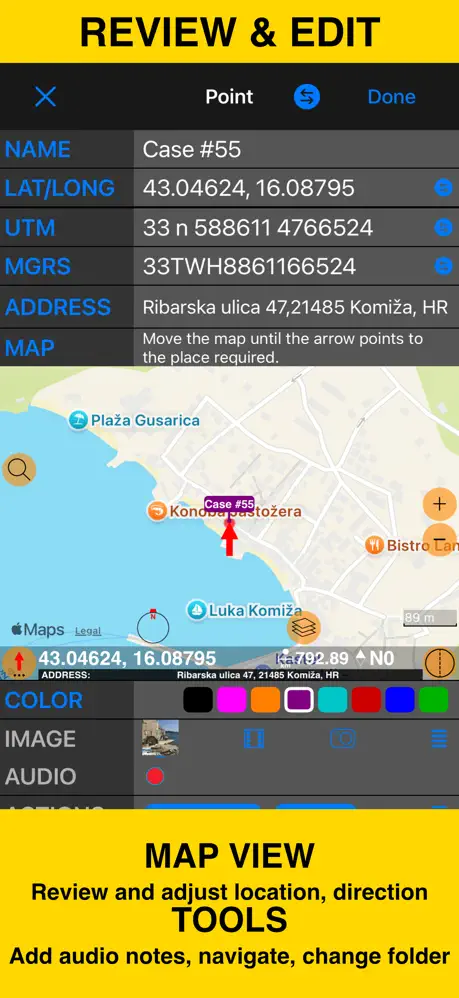
Map View
- Quickly review each image’s location on an interactive map from the point editor.
Similar apps
 Exif Metadata Editor & IPTCEdit and protect your photo metadata on iOS
 AlpenglowPlan perfect sunrise and sunset shots with precise times, quality forecasts
 Pro Camera-Omnipotent CameraSubscription unlocked, no in-app purchase required
 AlfotoCapture photos hands-free with Alfoto’s voice commands
 TeleprompterPremium script tools unlocked free
 PosePal170+ pose guides, AI retouch, and background removal
 LDEnhance your photos and videos with stunning effects, precise tools
 VSCOEdit photos and videos with advanced AI tools and over 200 filters
 ReFrameDual landscape and portrait video with Pro features unlocked