
ReFrame
Not sure? Worry-free Premium handles revokes for you.


Version added at: Jul 01, 2026
Size: 5.38 MB
Pro Features Unlocked
The app ReFrame: Multi-Angle Recorder has been modified to unlock all Pro features, allowing users to access advanced functionalities without any restrictions. This tweak removes limitations and provides full access to premium tools designed for multi-angle recording.
Unlock Features
- Access to all Pro functionalities
- No restrictions on recording options
- Enhanced user experience with premium tools
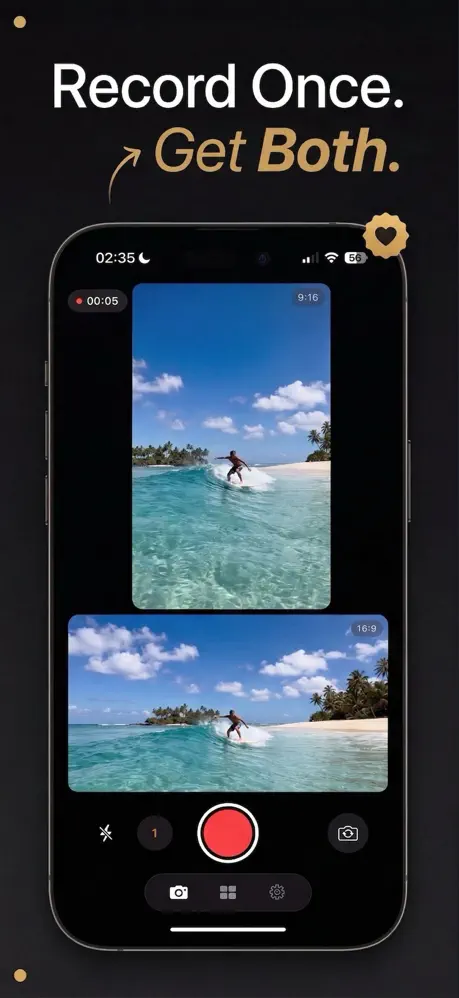
One take, two orientations: ReFrame records horizontal and vertical video at the same moment, and you can download the ReFrame IPA for iPhone with the Pro tier already open. Installation goes through builds.io.
About ReFrame
The App Store lists the app as ReFrame: Dual Camera Recorder, published by Damien and Nathanael Elledge in the Photo & Video category. It solves a very specific annoyance for people who post to several platforms. A normal camera forces a choice before you press record, and if you picked wrong, the footage has to be cropped or reshot. ReFrame saves a 16:9 clip suited to YouTube and a 9:16 clip suited to Reels, Shorts and TikTok from the same recording.
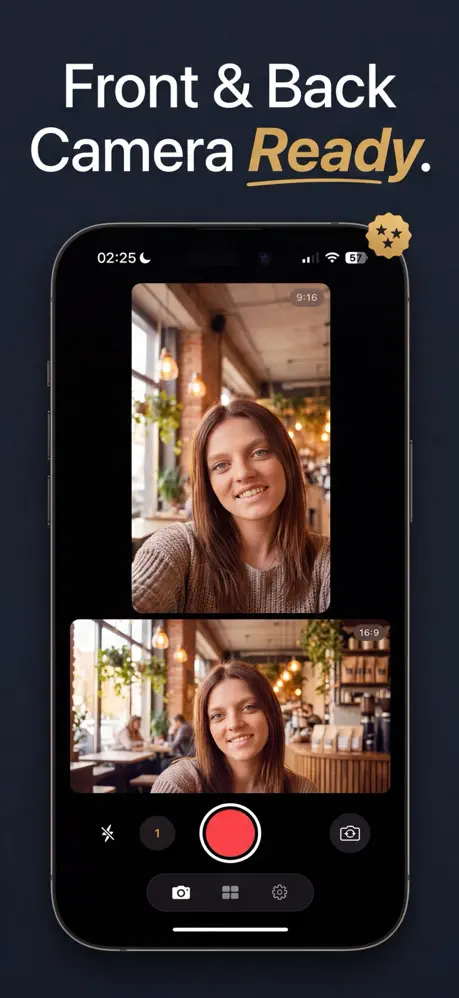
It does this by using the camera's full sensor instead of cropping afterwards, so neither output is a trimmed leftover of the other. Before you start, you can compose the shot in a split view that stacks both frames, or in a picture-in-picture layout that keeps one frame large with the other as a small overlay. After the take, a built-in studio edits both versions together: trimming, captions, text, music, filters and merging takes apply to the pair at once, and either clip can still be nudged on its own.
A script mode works as a teleprompter that never shows up in the recording, auto-captions are transcribed on the phone without uploading anything, and face tracking keeps you centred in both crops while you move. Photo mode takes a portrait and a landscape still in a single tap, and recording can also begin from a widget on either screen or with the Camera Control button. Processing stays on the device, with no accounts and no servers.
What the ReFrame tweak unlocks
- All Pro functionality from the first launch, with no subscription needed
- No restrictions on recording options, according to the changelog
- Simultaneous landscape and portrait capture in one take
- Split view and picture-in-picture preview layouts
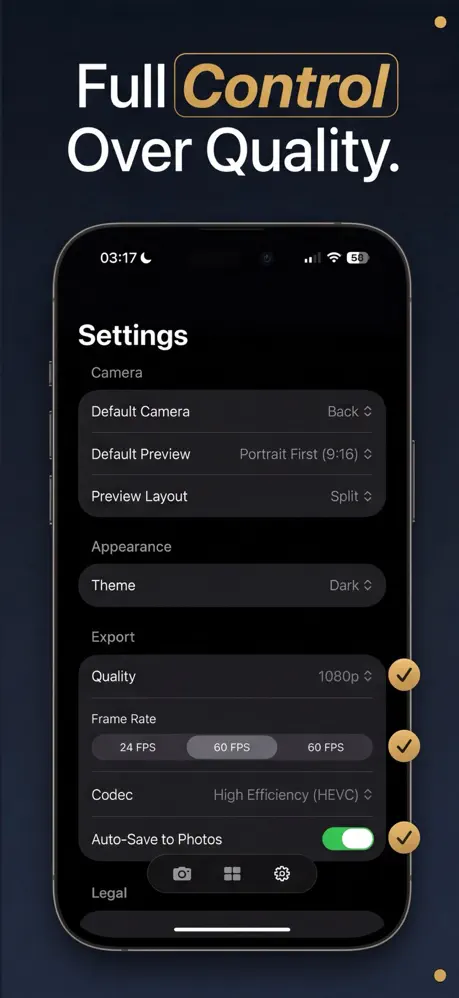
- Custom export quality and frame rate for each video
- The higher-end tier of the paid upgrade: smoother 60 fps at 4K, HDR footage, auto face tracking, subtitles, extra filters and no export limits
Pricing and requirements
In the App Store, ReFrame is free to use at 1080p and 30 frames per second, while the Pro upgrade is what adds the higher resolutions and extra tools; this build removes that gate. The app first shipped in April 2026 and needs iOS 17.0 or later. Its most recent release notes only mention bug fixes and performance improvements.
Ready to film once and post twice? ReFrame is on builds.io, and it lands on your iPhone without a PC.
Similar apps
 Pause Camera Video RecorderPause-and-resume recording, dual camera and 4K HDR editing
 2CameraPRO subscription unlocked for dual-camera PiP, split-screen and 4K recording
 DoubleTakeDoubleTake lets you record simultaneously from two cameras on iPhone
 FuzionFull subscription unlocked, no restrictions
 BeautyPlusAI portraits, background removal, makeup tools and 400+ filters
 iRetouchPro features unlocked for object removal and video editing
 KineMaster - RAKPro features unlocked, multi-layer editing, transitions and 4K export
 GPS CameraCapture and organize photos with precise location stamps, notes
 ReminiSubscription unlocked and watermarks removed from AI photo