Remote Mouse Pro | BuildStore\*,::after,::before{box-sizing:border-box}\*{margin:0;padding:0;border:0}:active,:focus,a:active,a:focus{outline:0}aside,footer,header,nav{display:block}body,html{width:100%;height:100%;font-size:14px;line-height:1;text-size-adjust:100%;-webkit-tap-highlight-color:transparent}button,input,textarea{font-family:inherit}input::-ms-clear{display:none}input::-webkit-search-cancel-button,input::-webkit-search-decoration,input::-webkit-search-results-button,input::-webkit-search-results-decoration{display:none}button{cursor:pointer}button::-moz-focus-inner{padding:0;border:0}a,a:any-link,a:visited{text-decoration:none}a:hover{text-decoration:none}ul li{list-style:none}img{vertical-align:top}h1,h2,h3,h4,h5,h6{font-size:inherit;font-weight:400}mark{color:inherit;background:inherit}:root{--height-header:58px;--height-notifications:58px}body{min-width:320px;background-color:#1e1449}.container{width:904px;max-width:100vw;margin:0 auto;padding-right:24px;padding-left:24px}{"@context":"https://schema.org","@type":"WebSite","name":"BuildStore","url":"https://builds.io","description":"BuildStore – safe and trustworthy app store for iOS. Access favorite apps, games, emulators, tweaks, and more.","publisher":{"@type":"Organization","name":"BuildStore","url":"https://builds.io","logo":{"@type":"ImageObject","url":"https://d7umw8mitnngt.cloudfront.net/favicons/favicon-200.png"}}}.ibYncV{cursor:pointer;transition:$transition;text-decoration:none;color:#440FB7;}/\*!sc\*/ @media (hover: hover){.ibYncV:hover{color:#FFBA07!important;}}/\*!sc\*/ data-styled.g2\[id="styles\_\_SDStyledLinkSpan-sc-21db73dc-1"\]{content:"ibYncV,"}/\*!sc\*/ .iApkZQ{cursor:pointer;transition:$transition;text-decoration:none;color:inherit;}/\*!sc\*/ @media (hover: hover){.iApkZQ:hover{color:#FFBA07!important;}}/\*!sc\*/ data-styled.g3\[id="styles\_\_SDStyledRouterLink-sc-21db73dc-2"\]{content:"iApkZQ,"}/\*!sc\*/ .jpjsPu{background-color:transparent;border:1px solid #440FB7;border-radius:24px;color:#440FB7;cursor:pointer;font-weight:800;height:43px;margin-left:0.5rem;padding:0 16px;display:flex;flex-direction:row;align-items:center;justify-content:center;}/\*!sc\*/ data-styled.g14\[id="styles\_\_NGStyledDownloadIPAButton-sc-c56850ef-0"\]{content:"jpjsPu,"}/\*!sc\*/

{"@context":"https://schema.org","@type":"SoftwareApplication","name":"Remote Mouse Pro","description":"Remote Mouse™ turns your iPhone or iPad into a user-friendly remote control for your computer. It simulates the function of wireless mouse, keyboard and touchpad, also provides a variety of specialty control panels, such as Media Remote, Application Switcher and Web Browsing Remote, which helps you perform specific operations more quickly. The small features designed for one-handed use or intuitive operations will also delight you.<p>\\r\\n<p>\\r\\nIntroduced on CNET, Mashable and Product Hunt, considered to be one of the most elegant and easy to use computer remote apps, Remote Mouse has been used by over 20 million users all over the world.<p>\\r\\n<p>\\r\\nWatching an online movie? Giving a presentation? Or shutting down computer with one click? Nothing can be more convenient than a mobile phone remote that is right at your fingertips.<p>\\r\\n<p>\\r\\n<hr/>\\r\\n<p>\\r\\n<b>Mouse</b><p>\\r\\n• Fully simulated wireless mouse<p>\\r\\n• Gyro mouse that enables moving mouse cursor with gyro sensor<p>\\r\\n• Left-handed mode<p>\\r\\n<p>\\r\\n<b>Keyboard</b><p>\\r\\n• Integrated with system and third-party keyboards, supports typing in various languages<p>\\r\\n• Remotely typing by voice if the soft keyboard supports voice recognition<p>\\r\\n• Supports for sending various shortcuts<p>\\r\\n• Displays different keypads for Mac or PC<p>\\r\\n<p>\\r\\n<b>Touchpad</b><p>\\r\\nImitates the Apple Magic Trackpad and supports multi-touch gestures<p>\\r\\n<p>\\r\\n<b>Specialty Control Panels</b><p>\\r\\n• Media Remote: Supports iTunes, VLC, Windows Media Player, Keynote, PowerPoint and Windows Photo Viewer, and will support more<p>\\r\\n• Web Remote: Supports Chrome, Firefox, and Opera<p>\\r\\n• Application Switcher: quickly launch and switch between programs<p>\\r\\n• Power Options: Supports remotely shutdown, sleep, restart and logoff<p>\\r\\n<p>\\r\\n<b>Other Features</b><p>\\r\\n• Use the physical volume buttons on the mobile device for remote control<p>\\r\\n• Set password for connection<p>\\r\\n• Customizable wallpaper<p>\\r\\n<p>\\r\\n<b>Connection Method</b><p>\\r\\n• Auto connect<p>\\r\\n• Connect via IP address or QR code<p>\\r\\n• Connect via history<p>\\r\\n<p>\\r\\n<b>Operating Environment</b><p>\\r\\n• Compatible with Windows 10, 8, 7, Vista, Mac OSX 10.8+ and Linux<p>\\r\\n• Works under Wi-Fi or 3G / 4G network<p>\\r\\n<p>\\r\\n<b>To Get Started</b><p>\\r\\n1. Visit www.remotemouse.net on your computer and download the Remote Mouse computer server<p>\\r\\n2. Install and run the computer server<p>\\r\\n3. Connect your mobile device to the same Wi-Fi or hotspot as your computer<p>\\r\\n<p>\\r\\n<hr/>\\r\\n<p>\\r\\n<h3>Hack Features</h3><p>\\r\\n<b>Free App</b><p>","image":"https://d7umw8mitnngt.cloudfront.net/icons/Remote\_Mouse\_Pro.icon.jpg","url":"https://builds.io/apps/productivity-business/remotemousepro","applicationCategory":"MobileApplication","operatingSystem":"iOS"}

[Explore](/apps)[Productivity Tools](/apps/productivity-business)

Sign Up

Version 5.205

Version 5.205

Version 5.204

Version 5.200

Version 5.107

Version 5.105

Version 5.104

Version 5.103

Version 5.000

# Remote Mouse Pro

install app.ipa

Two ways to install apps

Pick a plan to sign this app to your device.  
Not sure? **Budget is fine to start.**

![](https://d7umw8mitnngt.cloudfront.net/app_page_fighters/fighter-budget.png)Cheap & simple

$7

for a full year

If the certificate gets revoked,  
you'll need to reinstall

Start here![](https://d7umw8mitnngt.cloudfront.net/app_page_fighters/fighter-premium.png)Worry-free

$4.59

/month

Certificate revoked? We  
fix it automatically, for free

Go Premium

Choose your fighter

[How does app signing work?](/how-signing-works)

Version added at: Apr 25, 2023

Size: 63.18 MB

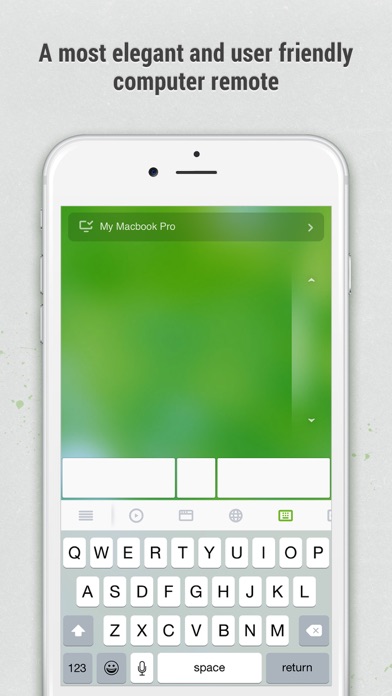
Remote Mouse™ turns your iPhone or iPad into a user-friendly remote control for your computer. It simulates the function of wireless mouse, keyboard and touchpad, also provides a variety of specialty control panels, such as Media Remote, Application Switcher and Web Browsing Remote, which helps you perform specific operations more quickly. The small features designed for one-handed use or intuitive operations will also delight you.

Introduced on CNET, Mashable and Product Hunt, considered to be one of the most elegant and easy to use computer remote apps, Remote Mouse has been used by over 20 million users all over the world.

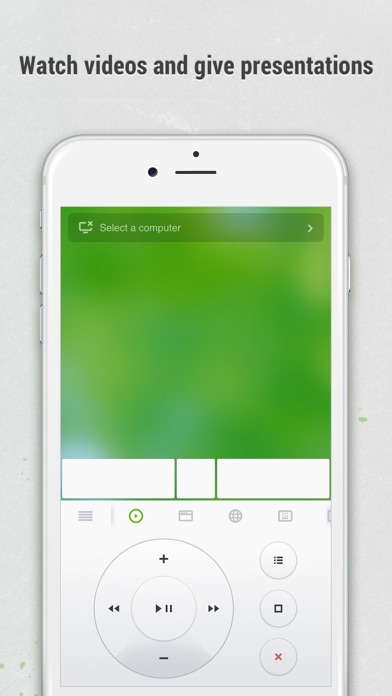
Watching an online movie? Giving a presentation? Or shutting down computer with one click? Nothing can be more convenient than a mobile phone remote that is right at your fingertips.

* * *

**Mouse**

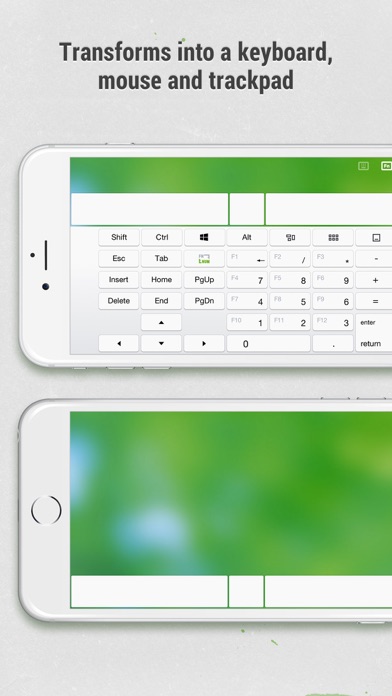
• Fully simulated wireless mouse

• Gyro mouse that enables moving mouse cursor with gyro sensor

• Left-handed mode

**Keyboard**

• Integrated with system and third-party keyboards, supports typing in various languages

• Remotely typing by voice if the soft keyboard supports voice recognition

• Supports for sending various shortcuts

• Displays different keypads for Mac or PC

**Touchpad**

Imitates the Apple Magic Trackpad and supports multi-touch gestures

**Specialty Control Panels**

• Media Remote: Supports iTunes, VLC, Windows Media Player, Keynote, PowerPoint and Windows Photo Viewer, and will support more

• Web Remote: Supports Chrome, Firefox, and Opera

• Application Switcher: quickly launch and switch between programs

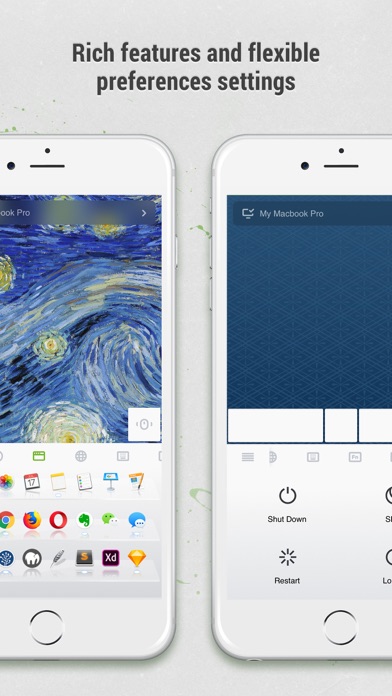
• Power Options: Supports remotely shutdown, sleep, restart and logoff

**Other Features**

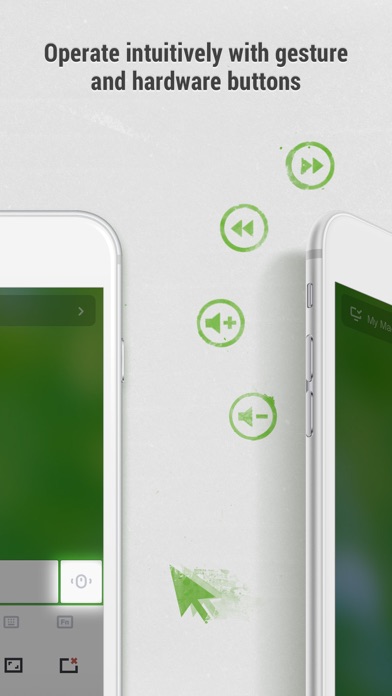
• Use the physical volume buttons on the mobile device for remote control

• Set password for connection

• Customizable wallpaper

**Connection Method**

• Auto connect

• Connect via IP address or QR code

• Connect via history

**Operating Environment**

• Compatible with Windows 10, 8, 7, Vista, Mac OSX 10.8+ and Linux

• Works under Wi-Fi or 3G / 4G network

**To Get Started**

1\. Visit www.remotemouse.net on your computer and download the Remote Mouse computer server

2\. Install and run the computer server

3\. Connect your mobile device to the same Wi-Fi or hotspot as your computer

* * *

### Hack Features

**Free App**

Developer

RemoteMouse

* * *

(self.\_\_next\_f=self.\_\_next\_f||\[\]).push(\[0\])self.\_\_next\_f.push(\[1,"1:\\"$Sreact.fragment\\"\\n2:I\[19598,\[\\"/\_next/static/chunks/cf4c4c009421e500.js\\",\\"/\_next/static/chunks/680d0ca4d34983f1.js\\",\\"/\_next/static/chunks/f052f630e85bc529.js\\",\\"/\_next/static/chunks/f04435b1d07dd95b.js\\"\],\\"GoogleTagManager\\"\]\\n3:I\[8958,\[\\"/\_next/static/chunks/cf4c4c009421e500.js\\",\\"/\_next/static/chunks/680d0ca4d34983f1.js\\",\\"/\_next/static/chunks/f052f630e85bc529.js\\",\\"/\_next/static/chunks/f04435b1d07dd95b.js\\"\],\\"default\\"\]\\n4:I\[334735,\[\\"/\_next/static/chunks/cf4c4c009421e500.js\\",\\"/\_next/static/chunks/680d0ca4d34983f1.js\\",\\"/\_next/static/chunks/f052f630e85bc529.js\\",\\"/\_next/static/chunks/f04435b1d07dd95b.js\\"\],\\"default\\"\]\\n5:I\[339756,\[\\"/\_next/static/chunks/08da02ed5df22a04.js\\",\\"/\_next/static/chunks/41d9c723989d7418.js\\"\],\\"default\\"\]\\n6:I\[758298,\[\\"/\_next/static/chunks/cf4c4c009421e500.js\\",\\"/\_next/static/chunks/680d0ca4d34983f1.js\\",\\"/\_next/static/chunks/f052f630e85bc529.js\\",\\"/\_next/static/chunks/f04435b1d07dd95b.js\\",\\"/\_next/static/chunks/5785432d56776104.js\\",\\"/\_next/static/chunks/3068e0cf6eda0957.js\\",\\"/\_next/static/chunks/1ab5a85a9491994c.js\\"\],\\"default\\"\]\\n7:I\[837457,\[\\"/\_next/static/chunks/08da02ed5df22a04.js\\",\\"/\_next/static/chunks/41d9c723989d7418.js\\"\],\\"default\\"\]\\n10:I\[563491,\[\\"/\_next/static/chunks/08da02ed5df22a04.js\\",\\"/\_next/static/chunks/41d9c723989d7418.js\\"\],\\"default\\"\]\\n11:I\[654576,\[\\"/\_next/static/chunks/cf4c4c009421e500.js\\",\\"/\_next/static/chunks/680d0ca4d34983f1.js\\",\\"/\_next/static/chunks/f052f630e85bc529.js\\",\\"/\_next/static/chunks/f04435b1d07dd95b.js\\"\],\\"GoogleAnalytics\\"\]\\n13:I\[897367,\[\\"/\_next/static/chunks/08da02ed5df22a04.js\\",\\"/\_next/static/chunks/41d9c723989d7418.js\\"\],\\"OutletBoundary\\"\]\\n14:\\"$Sreact.suspense\\"\\n16:I\[897367,\[\\"/\_next/static/chunks/08da02ed5df22a04.js\\",\\"/\_next/static/chunks/41d9c723989d7418.js\\"\],\\"ViewportBoundary\\"\]\\n18:I\[897367,\[\\"/\_next/static/chunks/08da02ed5df22a04.js\\",\\"/\_next/static/chunks/41d9c723989d7418.js\\"\],\\"MetadataBoundary\\"\]\\n1a:I\[973536,\[\\"/\_next/static/chunks/cf4c4c009421e500.js\\",\\"/\_next/static/chunks/680d0ca4d34983f1.js\\",\\"/\_next/static/chunks/f052f630e85bc529.js\\",\\"/\_next/static/chunks/f04435b1d07dd95b.js\\",\\"/\_next/static/chunks/18b67e8ebb9438ba.js\\",\\"/\_next/static/chunks/1ab5a85a9491994c.js\\",\\"/\_next/static/chunks/0e91ac68b44c3bca.js\\",\\"/\_next/static/chunks/3068e0cf6eda0957.js\\",\\"/\_next/static/chunks/7626099cbbf095ab.js\\",\\"/\_next/static/chunks/800ba2f60d8547c5.js\\",\\"/\_next/static/chunks/4fc62e9025f55f8a.js\\"\],\\"default\\"\]\\n1b:I\[407306,\[\\"/\_next/static/chunks/cf4c4c009421e500.js\\",\\"/\_next/static/chunks/680d0ca4d34983f1.js\\",\\"/\_next/static/chunks/f052f630e85bc529.js\\",\\"/\_next/static/chunks/f04435b1d07dd95b.js\\",\\"/\_next/static/chunks/70deea7cf7c47c75.js\\",\\"/\_next/static/chunks/3068e0cf6eda0957.js\\",\\"/\_next/static/chunks/1ab5a85a9491994c.js\\"\],\\"default\\"\]\\n:HL\[\\"/\_next/static/chunks/55e6a7451923c121.css\\",\\"style\\"\]\\n:HL\[\\"/\_next/static/media/f141b5b7abe57afc-s.p.0de3c900.woff2\\",\\"font\\",{\\"crossOrigin\\":\\"\\",\\"type\\":\\"font/woff2\\"}\]\\n:HL\[\\"/\_next/static/chunks/0f0be85087185b28.css\\",\\"style\\"\]\\n:HL\[\\"/\_next/static/chunks/f4c536a1cb1223b9.css\\",\\"style\\"\]\\n:HL\[\\"/\_next/static/chunks/f47420dd6445abf8.css\\",\\"style\\"\]\\n:HL\[\\"/\_next/static/chunks/4e1be3d7c0891ed6.css\\",\\"style\\"\]\\n:HL\[\\"/\_next/static/chunks/f7eb669682772961.css\\",\\"style\\"\]\\n:HL\[\\"/\_next/static/chunks/208812355301fa26.css\\",\\"style\\"\]\\n"\])self.\_\_next\_f.push(\[1,"0:{\\"P\\":null,\\"b\\":\\"pje\_nLXviBnR-\_hL2zbm5\\",\\"c\\":\[\\"\\",\\"apps\\",\\"productivity-business\\",\\"remotemousepro\\"\],\\"q\\":\\"\\",\\"i\\":false,\\"f\\":\[\[\[\\"\\",{\\"children\\":\[\\"apps\\",{\\"children\\":\[\[\\"category\\",\\"productivity-business\\",\\"d\\"\],{\\"children\\":\[\[\\"slug\\",\\"remotemousepro\\",\\"d\\"\],{\\"children\\":\[\\"\_\_PAGE\_\_\\",{}\]}\]}\]}\]},\\"$undefined\\",\\"$undefined\\",true\],\[\[\\"$\\",\\"$1\\",\\"c\\",{\\"children\\":\[\[\[\\"$\\",\\"link\\",\\"0\\",{\\"rel\\":\\"stylesheet\\",\\"href\\":\\"/\_next/static/chunks/55e6a7451923c121.css\\",\\"precedence\\":\\"next\\",\\"crossOrigin\\":\\"$undefined\\",\\"nonce\\":\\"$undefined\\"}\],\[\\"$\\",\\"script\\",\\"script-0\\",{\\"src\\":\\"/\_next/static/chunks/cf4c4c009421e500.js\\",\\"async\\":true,\\"nonce\\":\\"$undefined\\"}\],\[\\"$\\",\\"script\\",\\"script-1\\",{\\"src\\":\\"/\_next/static/chunks/680d0ca4d34983f1.js\\",\\"async\\":true,\\"nonce\\":\\"$undefined\\"}\],\[\\"$\\",\\"script\\",\\"script-2\\",{\\"src\\":\\"/\_next/static/chunks/f052f630e85bc529.js\\",\\"async\\":true,\\"nonce\\":\\"$undefined\\"}\],\[\\"$\\",\\"script\\",\\"script-3\\",{\\"src\\":\\"/\_next/static/chunks/f04435b1d07dd95b.js\\",\\"async\\":true,\\"nonce\\":\\"$undefined\\"}\]\],\[\\"$\\",\\"html\\",null,{\\"lang\\":\\"en\\",\\"className\\":\\"nunito\_sans\_3b39f7e7-module\_\_PDbDFW\_\_className\\",\\"children\\":\[\[\\"$\\",\\"head\\",null,{\\"children\\":\[\[\\"$\\",\\"style\\",null,{\\"dangerouslySetInnerHTML\\":{\\"\_\_html\\":\\"\*,::after,::before{box-sizing:border-box}\*{margin:0;padding:0;border:0}:active,:focus,a:active,a:focus{outline:0}aside,footer,header,nav{display:block}body,html{width:100%;height:100%;font-size:14px;line-height:1;text-size-adjust:100%;-webkit-tap-highlight-color:transparent}button,input,textarea{font-family:inherit}input::-ms-clear{display:none}input::-webkit-search-cancel-button,input::-webkit-search-decoration,input::-webkit-search-results-button,input::-webkit-search-results-decoration{display:none}button{cursor:pointer}button::-moz-focus-inner{padding:0;border:0}a,a:any-link,a:visited{text-decoration:none}a:hover{text-decoration:none}ul li{list-style:none}img{vertical-align:top}h1,h2,h3,h4,h5,h6{font-size:inherit;font-weight:400}mark{color:inherit;background:inherit}:root{--height-header:58px;--height-notifications:58px}body{min-width:320px;background-color:#1e1449}.container{width:904px;max-width:100vw;margin:0 auto;padding-right:24px;padding-left:24px}\\"}}\],\[\\"$\\",\\"script\\",null,{\\"type\\":\\"application/ld+json\\",\\"dangerouslySetInnerHTML\\":{\\"\_\_html\\":\\"{\\\\\\"@context\\\\\\":\\\\\\"https://schema.org\\\\\\",\\\\\\"@type\\\\\\":\\\\\\"WebSite\\\\\\",\\\\\\"name\\\\\\":\\\\\\"BuildStore\\\\\\",\\\\\\"url\\\\\\":\\\\\\"https://builds.io\\\\\\",\\\\\\"description\\\\\\":\\\\\\"BuildStore – safe and trustworthy app store for iOS. Access favorite apps, games, emulators, tweaks, and more.\\\\\\",\\\\\\"publisher\\\\\\":{\\\\\\"@type\\\\\\":\\\\\\"Organization\\\\\\",\\\\\\"name\\\\\\":\\\\\\"BuildStore\\\\\\",\\\\\\"url\\\\\\":\\\\\\"https://builds.io\\\\\\",\\\\\\"logo\\\\\\":{\\\\\\"@type\\\\\\":\\\\\\"ImageObject\\\\\\",\\\\\\"url\\\\\\":\\\\\\"https://d7umw8mitnngt.cloudfront.net/favicons/favicon-200.png\\\\\\"}}}\\"}}\]\]}\],\[\\"$\\",\\"$L2\\",null,{\\"gtmId\\":\\"GTM-TK6RTQL\\"}\],\[\\"$\\",\\"body\\",null,{\\"children\\":\[\[\\"$\\",\\"$L3\\",null,{}\],\[\\"$\\",\\"$L4\\",null,{\\"children\\":\[\\"$\\",\\"$L5\\",null,{\\"parallelRouterKey\\":\\"children\\",\\"error\\":\\"$6\\",\\"errorStyles\\":\[\[\\"$\\",\\"link\\",\\"0\\",{\\"rel\\":\\"stylesheet\\",\\"href\\":\\"/\_next/static/chunks/4e1be3d7c0891ed6.css\\",\\"precedence\\":\\"next\\",\\"crossOrigin\\":\\"$undefined\\",\\"nonce\\":\\"$undefined\\"}\],\[\\"$\\",\\"link\\",\\"1\\",{\\"rel\\":\\"stylesheet\\",\\"href\\":\\"/\_next/static/chunks/0f0be85087185b28.css\\",\\"precedence\\":\\"next\\",\\"crossOrigin\\":\\"$undefined\\",\\"nonce\\":\\"$undefined\\"}\],\[\\"$\\",\\"link\\",\\"2\\",{\\"rel\\":\\"stylesheet\\",\\"href\\":\\"/\_next/static/chunks/f4c536a1cb1223b9.css\\",\\"precedence\\":\\"next\\",\\"crossOrigin\\":\\"$undefined\\",\\"nonce\\":\\"$undefined\\"}\],\[\\"$\\",\\"link\\",\\"3\\",{\\"rel\\":\\"stylesheet\\",\\"href\\":\\"/\_next/static/chunks/f47420dd6445abf8.css\\",\\"precedence\\":\\"next\\",\\"crossOrigin\\":\\"$undefined\\",\\"nonce\\":\\"$undefined\\"}\]\],\\"errorScripts\\":\[\[\\"$\\",\\"script\\",\\"script-0\\",{\\"src\\":\\"/\_next/static/chunks/5785432d56776104.js\\",\\"async\\":true}\],\[\\"$\\",\\"script\\",\\"script-1\\",{\\"src\\":\\"/\_next/static/chunks/3068e0cf6eda0957.js\\",\\"async\\":true}\],\[\\"$\\",\\"script\\",\\"script-2\\",{\\"src\\":\\"/\_next/static/chunks/1ab5a85a9491994c.js\\",\\"async\\":true}\]\],\\"template\\":\[\\"$\\",\\"$L7\\",null,{}\],\\"templateStyles\\":\\"$undefined\\",\\"templateScripts\\":\\"$undefined\\",\\"notFound\\":\[\\"$L8\\",\[\[\\"$\\",\\"link\\",\\"0\\",{\\"rel\\":\\"stylesheet\\",\\"href\\":\\"/\_next/static/chunks/0f0be85087185b28.css\\",\\"precedence\\":\\"next\\",\\"crossOrigin\\":\\"$undefined\\",\\"nonce\\":\\"$undefined\\"}\],\[\\"$\\",\\"link\\",\\"1\\",{\\"rel\\":\\"stylesheet\\",\\"href\\":\\"/\_next/static/chunks/f4c536a1cb1223b9.css\\",\\"precedence\\":\\"next\\",\\"crossOrigin\\":\\"$undefined\\",\\"nonce\\":\\"$undefined\\"}\],\[\\"$\\",\\"link\\",\\"2\\",{\\"rel\\":\\"stylesheet\\",\\"href\\":\\"/\_next/static/chunks/f47420dd6445abf8.css\\",\\"precedence\\":\\"next\\",\\"crossOrigin\\":\\"$undefined\\",\\"nonce\\":\\"$undefined\\"}\],\\"$L9\\"\]\],\\"forbidden\\":\\"$undefined\\",\\"unauthorized\\":\\"$undefined\\"}\]}\]\]}\],\\"$La\\"\]}\]\]}\],{\\"children\\":\[\\"$Lb\\",{\\"children\\":\[\\"$Lc\\",{\\"children\\":\[\\"$Ld\\",{\\"children\\":\[\\"$Le\\",{},null,false,false\]},null,false,false\]},null,false,false\]},null,false,false\]},null,false,false\],\\"$Lf\\",false\]\],\\"m\\":\\"$undefined\\",\\"G\\":\[\\"$10\\",\[\]\],\\"S\\":false}\\n"\])self.\_\_next\_f.push(\[1,"9:\[\\"$\\",\\"link\\",\\"3\\",{\\"rel\\":\\"stylesheet\\",\\"href\\":\\"/\_next/static/chunks/4e1be3d7c0891ed6.css\\",\\"precedence\\":\\"next\\",\\"crossOrigin\\":\\"$undefined\\",\\"nonce\\":\\"$undefined\\"}\]\\na:\[\\"$\\",\\"$L11\\",null,{\\"gaId\\":\\"G-TFTZSC58VT\\"}\]\\nb:\[\\"$\\",\\"$1\\",\\"c\\",{\\"children\\":\[null,\[\\"$\\",\\"$L5\\",null,{\\"parallelRouterKey\\":\\"children\\",\\"error\\":\\"$undefined\\",\\"errorStyles\\":\\"$undefined\\",\\"errorScripts\\":\\"$undefined\\",\\"template\\":\[\\"$\\",\\"$L7\\",null,{}\],\\"templateStyles\\":\\"$undefined\\",\\"templateScripts\\":\\"$undefined\\",\\"notFound\\":\\"$undefined\\",\\"forbidden\\":\\"$undefined\\",\\"unauthorized\\":\\"$undefined\\"}\]\]}\]\\nc:\[\\"$\\",\\"$1\\",\\"c\\",{\\"children\\":\[null,\[\\"$\\",\\"$L5\\",null,{\\"parallelRouterKey\\":\\"children\\",\\"error\\":\\"$undefined\\",\\"errorStyles\\":\\"$undefined\\",\\"errorScripts\\":\\"$undefined\\",\\"template\\":\[\\"$\\",\\"$L7\\",null,{}\],\\"templateStyles\\":\\"$undefined\\",\\"templateScripts\\":\\"$undefined\\",\\"notFound\\":\\"$undefined\\",\\"forbidden\\":\\"$undefined\\",\\"unauthorized\\":\\"$undefined\\"}\]\]}\]\\nd:\[\\"$\\",\\"$1\\",\\"c\\",{\\"children\\":\[null,\[\\"$\\",\\"$L5\\",null,{\\"parallelRouterKey\\":\\"children\\",\\"error\\":\\"$undefined\\",\\"errorStyles\\":\\"$undefined\\",\\"errorScripts\\":\\"$undefined\\",\\"template\\":\[\\"$\\",\\"$L7\\",null,{}\],\\"templateStyles\\":\\"$undefined\\",\\"templateScripts\\":\\"$undefined\\",\\"notFound\\":\\"$undefined\\",\\"forbidden\\":\\"$undefined\\",\\"unauthorized\\":\\"$undefined\\"}\]\]}\]\\n"\])self.\_\_next\_f.push(\[1,"e:\[\\"$\\",\\"$1\\",\\"c\\",{\\"children\\":\[\\"$L12\\",\[\[\\"$\\",\\"link\\",\\"0\\",{\\"rel\\":\\"stylesheet\\",\\"href\\":\\"/\_next/static/chunks/0f0be85087185b28.css\\",\\"precedence\\":\\"next\\",\\"crossOrigin\\":\\"$undefined\\",\\"nonce\\":\\"$undefined\\"}\],\[\\"$\\",\\"link\\",\\"1\\",{\\"rel\\":\\"stylesheet\\",\\"href\\":\\"/\_next/static/chunks/f4c536a1cb1223b9.css\\",\\"precedence\\":\\"next\\",\\"crossOrigin\\":\\"$undefined\\",\\"nonce\\":\\"$undefined\\"}\],\[\\"$\\",\\"link\\",\\"2\\",{\\"rel\\":\\"stylesheet\\",\\"href\\":\\"/\_next/static/chunks/f47420dd6445abf8.css\\",\\"precedence\\":\\"next\\",\\"crossOrigin\\":\\"$undefined\\",\\"nonce\\":\\"$undefined\\"}\],\[\\"$\\",\\"link\\",\\"3\\",{\\"rel\\":\\"stylesheet\\",\\"href\\":\\"/\_next/static/chunks/4e1be3d7c0891ed6.css\\",\\"precedence\\":\\"next\\",\\"crossOrigin\\":\\"$undefined\\",\\"nonce\\":\\"$undefined\\"}\],\[\\"$\\",\\"link\\",\\"4\\",{\\"rel\\":\\"stylesheet\\",\\"href\\":\\"/\_next/static/chunks/f7eb669682772961.css\\",\\"precedence\\":\\"next\\",\\"crossOrigin\\":\\"$undefined\\",\\"nonce\\":\\"$undefined\\"}\],\[\\"$\\",\\"link\\",\\"5\\",{\\"rel\\":\\"stylesheet\\",\\"href\\":\\"/\_next/static/chunks/208812355301fa26.css\\",\\"precedence\\":\\"next\\",\\"crossOrigin\\":\\"$undefined\\",\\"nonce\\":\\"$undefined\\"}\],\[\\"$\\",\\"script\\",\\"script-0\\",{\\"src\\":\\"/\_next/static/chunks/18b67e8ebb9438ba.js\\",\\"async\\":true,\\"nonce\\":\\"$undefined\\"}\],\[\\"$\\",\\"script\\",\\"script-1\\",{\\"src\\":\\"/\_next/static/chunks/1ab5a85a9491994c.js\\",\\"async\\":true,\\"nonce\\":\\"$undefined\\"}\],\[\\"$\\",\\"script\\",\\"script-2\\",{\\"src\\":\\"/\_next/static/chunks/0e91ac68b44c3bca.js\\",\\"async\\":true,\\"nonce\\":\\"$undefined\\"}\],\[\\"$\\",\\"script\\",\\"script-3\\",{\\"src\\":\\"/\_next/static/chunks/3068e0cf6eda0957.js\\",\\"async\\":true,\\"nonce\\":\\"$undefined\\"}\],\[\\"$\\",\\"script\\",\\"script-4\\",{\\"src\\":\\"/\_next/static/chunks/7626099cbbf095ab.js\\",\\"async\\":true,\\"nonce\\":\\"$undefined\\"}\],\[\\"$\\",\\"script\\",\\"script-5\\",{\\"src\\":\\"/\_next/static/chunks/800ba2f60d8547c5.js\\",\\"async\\":true,\\"nonce\\":\\"$undefined\\"}\],\[\\"$\\",\\"script\\",\\"script-6\\",{\\"src\\":\\"/\_next/static/chunks/4fc62e9025f55f8a.js\\",\\"async\\":true,\\"nonce\\":\\"$undefined\\"}\]\],\[\\"$\\",\\"$L13\\",null,{\\"children\\":\[\\"$\\",\\"$14\\",null,{\\"name\\":\\"Next.MetadataOutlet\\",\\"children\\":\\"$@15\\"}\]}\]\]}\]\\n"\])self.\_\_next\_f.push(\[1,"f:\[\\"$\\",\\"$1\\",\\"h\\",{\\"children\\":\[null,\[\\"$\\",\\"$L16\\",null,{\\"children\\":\\"$L17\\"}\],\[\\"$\\",\\"div\\",null,{\\"hidden\\":true,\\"children\\":\[\\"$\\",\\"$L18\\",null,{\\"children\\":\[\\"$\\",\\"$14\\",null,{\\"name\\":\\"Next.Metadata\\",\\"children\\":\\"$L19\\"}\]}\]}\],\[\\"$\\",\\"meta\\",null,{\\"name\\":\\"next-size-adjust\\",\\"content\\":\\"\\"}\]\]}\]\\n8:\[\\"$\\",\\"$L1a\\",null,{\\"cookies\\":\[\],\\"access\\":\\"$undefined\\",\\"areCookiesShouldBeSet\\":\\"$undefined\\",\\"refresh\\":\\"$undefined\\",\\"user\\":\\"$undefined\\",\\"headerTransparent\\":true,\\"footerTransparent\\":true,\\"children\\":\[\\"$\\",\\"$L1b\\",null,{}\]}\]\\n17:\[\[\\"$\\",\\"meta\\",\\"0\\",{\\"charSet\\":\\"utf-8\\"}\],\[\\"$\\",\\"meta\\",\\"1\\",{\\"name\\":\\"viewport\\",\\"content\\":\\"width=device-width, initial-scale=1, maximum-scale=1\\"}\],\[\\"$\\",\\"meta\\",\\"2\\",{\\"name\\":\\"theme-color\\",\\"content\\":\\"#1e1449\\"}\]\]\\n"\])self.\_\_next\_f.push(\[1,"1c:Tb9d,"\])self.\_\_next\_f.push(\[1,"{\\"@context\\":\\"https://schema.org\\",\\"@type\\":\\"SoftwareApplication\\",\\"name\\":\\"Remote Mouse Pro\\",\\"description\\":\\"Remote Mouse™ turns your iPhone or iPad into a user-friendly remote control for your computer. It simulates the function of wireless mouse, keyboard and touchpad, also provides a variety of specialty control panels, such as Media Remote, Application Switcher and Web Browsing Remote, which helps you perform specific operations more quickly. The small features designed for one-handed use or intuitive operations will also delight you.\\u003cp\\u003e\\\\r\\\\n\\u003cp\\u003e\\\\r\\\\nIntroduced on CNET, Mashable and Product Hunt, considered to be one of the most elegant and easy to use computer remote apps, Remote Mouse has been used by over 20 million users all over the world.\\u003cp\\u003e\\\\r\\\\n\\u003cp\\u003e\\\\r\\\\nWatching an online movie? Giving a presentation? Or shutting down computer with one click? Nothing can be more convenient than a mobile phone remote that is right at your fingertips.\\u003cp\\u003e\\\\r\\\\n\\u003cp\\u003e\\\\r\\\\n\\u003chr/\\u003e\\\\r\\\\n\\u003cp\\u003e\\\\r\\\\n\\u003cb\\u003eMouse\\u003c/b\\u003e\\u003cp\\u003e\\\\r\\\\n• Fully simulated wireless mouse\\u003cp\\u003e\\\\r\\\\n• Gyro mouse that enables moving mouse cursor with gyro sensor\\u003cp\\u003e\\\\r\\\\n• Left-handed mode\\u003cp\\u003e\\\\r\\\\n\\u003cp\\u003e\\\\r\\\\n\\u003cb\\u003eKeyboard\\u003c/b\\u003e\\u003cp\\u003e\\\\r\\\\n• Integrated with system and third-party keyboards, supports typing in various languages\\u003cp\\u003e\\\\r\\\\n• Remotely typing by voice if the soft keyboard supports voice recognition\\u003cp\\u003e\\\\r\\\\n• Supports for sending various shortcuts\\u003cp\\u003e\\\\r\\\\n• Displays different keypads for Mac or PC\\u003cp\\u003e\\\\r\\\\n\\u003cp\\u003e\\\\r\\\\n\\u003cb\\u003eTouchpad\\u003c/b\\u003e\\u003cp\\u003e\\\\r\\\\nImitates the Apple Magic Trackpad and supports multi-touch gestures\\u003cp\\u003e\\\\r\\\\n\\u003cp\\u003e\\\\r\\\\n\\u003cb\\u003eSpecialty Control Panels\\u003c/b\\u003e\\u003cp\\u003e\\\\r\\\\n• Media Remote: Supports iTunes, VLC, Windows Media Player, Keynote, PowerPoint and Windows Photo Viewer, and will support more\\u003cp\\u003e\\\\r\\\\n• Web Remote: Supports Chrome, Firefox, and Opera\\u003cp\\u003e\\\\r\\\\n• Application Switcher: quickly launch and switch between programs\\u003cp\\u003e\\\\r\\\\n• Power Options: Supports remotely shutdown, sleep, restart and logoff\\u003cp\\u003e\\\\r\\\\n\\u003cp\\u003e\\\\r\\\\n\\u003cb\\u003eOther Features\\u003c/b\\u003e\\u003cp\\u003e\\\\r\\\\n• Use the physical volume buttons on the mobile device for remote control\\u003cp\\u003e\\\\r\\\\n• Set password for connection\\u003cp\\u003e\\\\r\\\\n• Customizable wallpaper\\u003cp\\u003e\\\\r\\\\n\\u003cp\\u003e\\\\r\\\\n\\u003cb\\u003eConnection Method\\u003c/b\\u003e\\u003cp\\u003e\\\\r\\\\n• Auto connect\\u003cp\\u003e\\\\r\\\\n• Connect via IP address or QR code\\u003cp\\u003e\\\\r\\\\n• Connect via history\\u003cp\\u003e\\\\r\\\\n\\u003cp\\u003e\\\\r\\\\n\\u003cb\\u003eOperating Environment\\u003c/b\\u003e\\u003cp\\u003e\\\\r\\\\n• Compatible with Windows 10, 8, 7, Vista, Mac OSX 10.8+ and Linux\\u003cp\\u003e\\\\r\\\\n• Works under Wi-Fi or 3G / 4G network\\u003cp\\u003e\\\\r\\\\n\\u003cp\\u003e\\\\r\\\\n\\u003cb\\u003eTo Get Started\\u003c/b\\u003e\\u003cp\\u003e\\\\r\\\\n1. Visit www.remotemouse.net on your computer and download the Remote Mouse computer server\\u003cp\\u003e\\\\r\\\\n2. Install and run the computer server\\u003cp\\u003e\\\\r\\\\n3. Connect your mobile device to the same Wi-Fi or hotspot as your computer\\u003cp\\u003e\\\\r\\\\n\\u003cp\\u003e\\\\r\\\\n\\u003chr/\\u003e\\\\r\\\\n\\u003cp\\u003e\\\\r\\\\n\\u003ch3\\u003eHack Features\\u003c/h3\\u003e\\u003cp\\u003e\\\\r\\\\n\\u003cb\\u003eFree App\\u003c/b\\u003e\\u003cp\\u003e\\",\\"image\\":\\"https://d7umw8mitnngt.cloudfront.net/icons/Remote\_Mouse\_Pro.icon.jpg\\",\\"url\\":\\"https://builds.io/apps/productivity-business/remotemousepro\\",\\"applicationCategory\\":\\"MobileApplication\\",\\"operatingSystem\\":\\"iOS\\"}"\])self.\_\_next\_f.push(\[1,"12:\[\[\\"$\\",\\"script\\",null,{\\"type\\":\\"application/ld+json\\",\\"dangerouslySetInnerHTML\\":{\\"\_\_html\\":\\"$1c\\"}}\],\\"$@1d\\"\]\\n15:null\\n1e:T9fa,"\])self.\_\_next\_f.push(\[1,"Remote Mouse™ turns your iPhone or iPad into a user-friendly remote control for your computer. It simulates the function of wireless mouse, keyboard and touchpad, also provides a variety of specialty control panels, such as Media Remote, Application Switcher and Web Browsing Remote, which helps you perform specific operations more quickly. The small features designed for one-handed use or intuitive operations will also delight you.\\u003cp\\u003e\\r\\n\\u003cp\\u003e\\r\\nIntroduced on CNET, Mashable and Product Hunt, considered to be one of the most elegant and easy to use computer remote apps, Remote Mouse has been used by over 20 million users all over the world.\\u003cp\\u003e\\r\\n\\u003cp\\u003e\\r\\nWatching an online movie? Giving a presentation? Or shutting down computer with one click? Nothing can be more convenient than a mobile phone remote that is right at your fingertips.\\u003cp\\u003e\\r\\n\\u003cp\\u003e\\r\\n\\u003chr/\\u003e\\r\\n\\u003cp\\u003e\\r\\n\\u003cb\\u003eMouse\\u003c/b\\u003e\\u003cp\\u003e\\r\\n• Fully simulated wireless mouse\\u003cp\\u003e\\r\\n• Gyro mouse that enables moving mouse cursor with gyro sensor\\u003cp\\u003e\\r\\n• Left-handed mode\\u003cp\\u003e\\r\\n\\u003cp\\u003e\\r\\n\\u003cb\\u003eKeyboard\\u003c/b\\u003e\\u003cp\\u003e\\r\\n• Integrated with system and third-party keyboards, supports typing in various languages\\u003cp\\u003e\\r\\n• Remotely typing by voice if the soft keyboard supports voice recognition\\u003cp\\u003e\\r\\n• Supports for sending various shortcuts\\u003cp\\u003e\\r\\n• Displays different keypads for Mac or PC\\u003cp\\u003e\\r\\n\\u003cp\\u003e\\r\\n\\u003cb\\u003eTouchpad\\u003c/b\\u003e\\u003cp\\u003e\\r\\nImitates the Apple Magic Trackpad and supports multi-touch gestures\\u003cp\\u003e\\r\\n\\u003cp\\u003e\\r\\n\\u003cb\\u003eSpecialty Control Panels\\u003c/b\\u003e\\u003cp\\u003e\\r\\n• Media Remote: Supports iTunes, VLC, Windows Media Player, Keynote, PowerPoint and Windows Photo Viewer, and will support more\\u003cp\\u003e\\r\\n• Web Remote: Supports Chrome, Firefox, and Opera\\u003cp\\u003e\\r\\n• Application Switcher: quickly launch and switch between programs\\u003cp\\u003e\\r\\n• Power Options: Supports remotely shutdown, sleep, restart and logoff\\u003cp\\u003e\\r\\n\\u003cp\\u003e\\r\\n\\u003cb\\u003eOther Features\\u003c/b\\u003e\\u003cp\\u003e\\r\\n• Use the physical volume buttons on the mobile device for remote control\\u003cp\\u003e\\r\\n• Set password for connection\\u003cp\\u003e\\r\\n• Customizable wallpaper\\u003cp\\u003e\\r\\n\\u003cp\\u003e\\r\\n\\u003cb\\u003eConnection Method\\u003c/b\\u003e\\u003cp\\u003e\\r\\n• Auto connect\\u003cp\\u003e\\r\\n• Connect via IP address or QR code\\u003cp\\u003e\\r\\n• Connect via history\\u003cp\\u003e\\r\\n\\u003cp\\u003e\\r\\n\\u003cb\\u003eOperating Environment\\u003c/b\\u003e\\u003cp\\u003e\\r\\n• Compatible with Windows 10, 8, 7, Vista, Mac OSX 10.8+ and Linux\\u003cp\\u003e\\r\\n• Works under Wi-Fi or 3G / 4G network\\u003cp\\u003e\\r\\n\\u003cp\\u003e\\r\\n\\u003cb\\u003eTo Get Started\\u003c/b\\u003e\\u003cp\\u003e\\r\\n1. Visit www.remotemouse.net on your computer and download the Remote Mouse computer server\\u003cp\\u003e\\r\\n2. Install and run the computer server\\u003cp\\u003e\\r\\n3. Connect your mobile device to the same Wi-Fi or hotspot as your computer\\u003cp\\u003e\\r\\n\\u003cp\\u003e\\r\\n\\u003chr/\\u003e\\r\\n\\u003cp\\u003e\\r\\n\\u003ch3\\u003eHack Features\\u003c/h3\\u003e\\u003cp\\u003e\\r\\n\\u003cb\\u003eFree App\\u003c/b\\u003e\\u003cp\\u003e"\])self.\_\_next\_f.push(\[1,"1f:T9fa,"\])self.\_\_next\_f.push(\[1,"Remote Mouse™ turns your iPhone or iPad into a user-friendly remote control for your computer. It simulates the function of wireless mouse, keyboard and touchpad, also provides a variety of specialty control panels, such as Media Remote, Application Switcher and Web Browsing Remote, which helps you perform specific operations more quickly. The small features designed for one-handed use or intuitive operations will also delight you.\\u003cp\\u003e\\r\\n\\u003cp\\u003e\\r\\nIntroduced on CNET, Mashable and Product Hunt, considered to be one of the most elegant and easy to use computer remote apps, Remote Mouse has been used by over 20 million users all over the world.\\u003cp\\u003e\\r\\n\\u003cp\\u003e\\r\\nWatching an online movie? Giving a presentation? Or shutting down computer with one click? Nothing can be more convenient than a mobile phone remote that is right at your fingertips.\\u003cp\\u003e\\r\\n\\u003cp\\u003e\\r\\n\\u003chr/\\u003e\\r\\n\\u003cp\\u003e\\r\\n\\u003cb\\u003eMouse\\u003c/b\\u003e\\u003cp\\u003e\\r\\n• Fully simulated wireless mouse\\u003cp\\u003e\\r\\n• Gyro mouse that enables moving mouse cursor with gyro sensor\\u003cp\\u003e\\r\\n• Left-handed mode\\u003cp\\u003e\\r\\n\\u003cp\\u003e\\r\\n\\u003cb\\u003eKeyboard\\u003c/b\\u003e\\u003cp\\u003e\\r\\n• Integrated with system and third-party keyboards, supports typing in various languages\\u003cp\\u003e\\r\\n• Remotely typing by voice if the soft keyboard supports voice recognition\\u003cp\\u003e\\r\\n• Supports for sending various shortcuts\\u003cp\\u003e\\r\\n• Displays different keypads for Mac or PC\\u003cp\\u003e\\r\\n\\u003cp\\u003e\\r\\n\\u003cb\\u003eTouchpad\\u003c/b\\u003e\\u003cp\\u003e\\r\\nImitates the Apple Magic Trackpad and supports multi-touch gestures\\u003cp\\u003e\\r\\n\\u003cp\\u003e\\r\\n\\u003cb\\u003eSpecialty Control Panels\\u003c/b\\u003e\\u003cp\\u003e\\r\\n• Media Remote: Supports iTunes, VLC, Windows Media Player, Keynote, PowerPoint and Windows Photo Viewer, and will support more\\u003cp\\u003e\\r\\n• Web Remote: Supports Chrome, Firefox, and Opera\\u003cp\\u003e\\r\\n• Application Switcher: quickly launch and switch between programs\\u003cp\\u003e\\r\\n• Power Options: Supports remotely shutdown, sleep, restart and logoff\\u003cp\\u003e\\r\\n\\u003cp\\u003e\\r\\n\\u003cb\\u003eOther Features\\u003c/b\\u003e\\u003cp\\u003e\\r\\n• Use the physical volume buttons on the mobile device for remote control\\u003cp\\u003e\\r\\n• Set password for connection\\u003cp\\u003e\\r\\n• Customizable wallpaper\\u003cp\\u003e\\r\\n\\u003cp\\u003e\\r\\n\\u003cb\\u003eConnection Method\\u003c/b\\u003e\\u003cp\\u003e\\r\\n• Auto connect\\u003cp\\u003e\\r\\n• Connect via IP address or QR code\\u003cp\\u003e\\r\\n• Connect via history\\u003cp\\u003e\\r\\n\\u003cp\\u003e\\r\\n\\u003cb\\u003eOperating Environment\\u003c/b\\u003e\\u003cp\\u003e\\r\\n• Compatible with Windows 10, 8, 7, Vista, Mac OSX 10.8+ and Linux\\u003cp\\u003e\\r\\n• Works under Wi-Fi or 3G / 4G network\\u003cp\\u003e\\r\\n\\u003cp\\u003e\\r\\n\\u003cb\\u003eTo Get Started\\u003c/b\\u003e\\u003cp\\u003e\\r\\n1. Visit www.remotemouse.net on your computer and download the Remote Mouse computer server\\u003cp\\u003e\\r\\n2. Install and run the computer server\\u003cp\\u003e\\r\\n3. Connect your mobile device to the same Wi-Fi or hotspot as your computer\\u003cp\\u003e\\r\\n\\u003cp\\u003e\\r\\n\\u003chr/\\u003e\\r\\n\\u003cp\\u003e\\r\\n\\u003ch3\\u003eHack Features\\u003c/h3\\u003e\\u003cp\\u003e\\r\\n\\u003cb\\u003eFree App\\u003c/b\\u003e\\u003cp\\u003e"\])self.\_\_next\_f.push(\[1,"19:\[\[\\"$\\",\\"title\\",\\"0\\",{\\"children\\":\\"Remote Mouse Pro | BuildStore\\"}\],\[\\"$\\",\\"meta\\",\\"1\\",{\\"name\\":\\"description\\",\\"content\\":\\"$1e\\"}\],\[\\"$\\",\\"link\\",\\"2\\",{\\"rel\\":\\"manifest\\",\\"href\\":\\"/site.webmanifest\\",\\"crossOrigin\\":\\"$undefined\\"}\],\[\\"$\\",\\"link\\",\\"3\\",{\\"rel\\":\\"canonical\\",\\"href\\":\\"https://builds.io/apps/productivity-business/remotemousepro\\"}\],\[\\"$\\",\\"meta\\",\\"4\\",{\\"property\\":\\"og:title\\",\\"content\\":\\"Remote Mouse Pro\\"}\],\[\\"$\\",\\"meta\\",\\"5\\",{\\"property\\":\\"og:description\\",\\"content\\":\\"$1f\\"}\],\\"$L20\\",\\"$L21\\",\\"$L22\\",\\"$L23\\",\\"$L24\\",\\"$L25\\",\\"$L26\\",\\"$L27\\",\\"$L28\\",\\"$L29\\",\\"$L2a\\",\\"$L2b\\",\\"$L2c\\",\\"$L2d\\",\\"$L2e\\",\\"$L2f\\",\\"$L30\\"\]\\n"\])self.\_\_next\_f.push(\[1,"32:I\[27201,\[\\"/\_next/static/chunks/08da02ed5df22a04.js\\",\\"/\_next/static/chunks/41d9c723989d7418.js\\"\],\\"IconMark\\"\]\\n33:I\[357586,\[\\"/\_next/static/chunks/cf4c4c009421e500.js\\",\\"/\_next/static/chunks/680d0ca4d34983f1.js\\",\\"/\_next/static/chunks/f052f630e85bc529.js\\",\\"/\_next/static/chunks/f04435b1d07dd95b.js\\",\\"/\_next/static/chunks/18b67e8ebb9438ba.js\\",\\"/\_next/static/chunks/1ab5a85a9491994c.js\\",\\"/\_next/static/chunks/0e91ac68b44c3bca.js\\",\\"/\_next/static/chunks/3068e0cf6eda0957.js\\",\\"/\_next/static/chunks/7626099cbbf095ab.js\\",\\"/\_next/static/chunks/800ba2f60d8547c5.js\\",\\"/\_next/static/chunks/4fc62e9025f55f8a.js\\"\],\\"default\\"\]\\n20:\[\\"$\\",\\"meta\\",\\"6\\",{\\"property\\":\\"og:url\\",\\"content\\":\\"https://builds.io/apps/productivity-business/remotemousepro\\"}\]\\n21:\[\\"$\\",\\"meta\\",\\"7\\",{\\"property\\":\\"og:site\_name\\",\\"content\\":\\"BuildStore\\"}\]\\n22:\[\\"$\\",\\"meta\\",\\"8\\",{\\"property\\":\\"og:type\\",\\"content\\":\\"website\\"}\]\\n23:\[\\"$\\",\\"meta\\",\\"9\\",{\\"name\\":\\"twitter:card\\",\\"content\\":\\"summary\\"}\]\\n24:\[\\"$\\",\\"meta\\",\\"10\\",{\\"name\\":\\"twitter:title\\",\\"content\\":\\"Remote Mouse Pro\\"}\]\\n31:T9fa,"\])self.\_\_next\_f.push(\[1,"Remote Mouse™ turns your iPhone or iPad into a user-friendly remote control for your computer. It simulates the function of wireless mouse, keyboard and touchpad, also provides a variety of specialty control panels, such as Media Remote, Application Switcher and Web Browsing Remote, which helps you perform specific operations more quickly. The small features designed for one-handed use or intuitive operations will also delight you.\\u003cp\\u003e\\r\\n\\u003cp\\u003e\\r\\nIntroduced on CNET, Mashable and Product Hunt, considered to be one of the most elegant and easy to use computer remote apps, Remote Mouse has been used by over 20 million users all over the world.\\u003cp\\u003e\\r\\n\\u003cp\\u003e\\r\\nWatching an online movie? Giving a presentation? Or shutting down computer with one click? Nothing can be more convenient than a mobile phone remote that is right at your fingertips.\\u003cp\\u003e\\r\\n\\u003cp\\u003e\\r\\n\\u003chr/\\u003e\\r\\n\\u003cp\\u003e\\r\\n\\u003cb\\u003eMouse\\u003c/b\\u003e\\u003cp\\u003e\\r\\n• Fully simulated wireless mouse\\u003cp\\u003e\\r\\n• Gyro mouse that enables moving mouse cursor with gyro sensor\\u003cp\\u003e\\r\\n• Left-handed mode\\u003cp\\u003e\\r\\n\\u003cp\\u003e\\r\\n\\u003cb\\u003eKeyboard\\u003c/b\\u003e\\u003cp\\u003e\\r\\n• Integrated with system and third-party keyboards, supports typing in various languages\\u003cp\\u003e\\r\\n• Remotely typing by voice if the soft keyboard supports voice recognition\\u003cp\\u003e\\r\\n• Supports for sending various shortcuts\\u003cp\\u003e\\r\\n• Displays different keypads for Mac or PC\\u003cp\\u003e\\r\\n\\u003cp\\u003e\\r\\n\\u003cb\\u003eTouchpad\\u003c/b\\u003e\\u003cp\\u003e\\r\\nImitates the Apple Magic Trackpad and supports multi-touch gestures\\u003cp\\u003e\\r\\n\\u003cp\\u003e\\r\\n\\u003cb\\u003eSpecialty Control Panels\\u003c/b\\u003e\\u003cp\\u003e\\r\\n• Media Remote: Supports iTunes, VLC, Windows Media Player, Keynote, PowerPoint and Windows Photo Viewer, and will support more\\u003cp\\u003e\\r\\n• Web Remote: Supports Chrome, Firefox, and Opera\\u003cp\\u003e\\r\\n• Application Switcher: quickly launch and switch between programs\\u003cp\\u003e\\r\\n• Power Options: Supports remotely shutdown, sleep, restart and logoff\\u003cp\\u003e\\r\\n\\u003cp\\u003e\\r\\n\\u003cb\\u003eOther Features\\u003c/b\\u003e\\u003cp\\u003e\\r\\n• Use the physical volume buttons on the mobile device for remote control\\u003cp\\u003e\\r\\n• Set password for connection\\u003cp\\u003e\\r\\n• Customizable wallpaper\\u003cp\\u003e\\r\\n\\u003cp\\u003e\\r\\n\\u003cb\\u003eConnection Method\\u003c/b\\u003e\\u003cp\\u003e\\r\\n• Auto connect\\u003cp\\u003e\\r\\n• Connect via IP address or QR code\\u003cp\\u003e\\r\\n• Connect via history\\u003cp\\u003e\\r\\n\\u003cp\\u003e\\r\\n\\u003cb\\u003eOperating Environment\\u003c/b\\u003e\\u003cp\\u003e\\r\\n• Compatible with Windows 10, 8, 7, Vista, Mac OSX 10.8+ and Linux\\u003cp\\u003e\\r\\n• Works under Wi-Fi or 3G / 4G network\\u003cp\\u003e\\r\\n\\u003cp\\u003e\\r\\n\\u003cb\\u003eTo Get Started\\u003c/b\\u003e\\u003cp\\u003e\\r\\n1. Visit www.remotemouse.net on your computer and download the Remote Mouse computer server\\u003cp\\u003e\\r\\n2. Install and run the computer server\\u003cp\\u003e\\r\\n3. Connect your mobile device to the same Wi-Fi or hotspot as your computer\\u003cp\\u003e\\r\\n\\u003cp\\u003e\\r\\n\\u003chr/\\u003e\\r\\n\\u003cp\\u003e\\r\\n\\u003ch3\\u003eHack Features\\u003c/h3\\u003e\\u003cp\\u003e\\r\\n\\u003cb\\u003eFree App\\u003c/b\\u003e\\u003cp\\u003e"\])self.\_\_next\_f.push(\[1,"25:\[\\"$\\",\\"meta\\",\\"11\\",{\\"name\\":\\"twitter:description\\",\\"content\\":\\"$31\\"}\]\\n26:\[\\"$\\",\\"link\\",\\"12\\",{\\"rel\\":\\"shortcut icon\\",\\"href\\":\\"https://d7umw8mitnngt.cloudfront.net/favicons/favicon-16.png\\"}\]\\n27:\[\\"$\\",\\"link\\",\\"13\\",{\\"rel\\":\\"icon\\",\\"href\\":\\"https://d7umw8mitnngt.cloudfront.net/favicons/favicon-16.png\\",\\"sizes\\":\\"16x16\\",\\"type\\":\\"image/png\\"}\]\\n28:\[\\"$\\",\\"link\\",\\"14\\",{\\"rel\\":\\"icon\\",\\"href\\":\\"https://d7umw8mitnngt.cloudfront.net/favicons/favicon-32.png\\",\\"sizes\\":\\"32x32\\",\\"type\\":\\"image/png\\"}\]\\n29:\[\\"$\\",\\"link\\",\\"15\\",{\\"rel\\":\\"icon\\",\\"href\\":\\"https://d7umw8mitnngt.cloudfront.net/favicons/favicon-96.png\\",\\"sizes\\":\\"96x96\\",\\"type\\":\\"image/png\\"}\]\\n2a:\[\\"$\\",\\"link\\",\\"16\\",{\\"rel\\":\\"icon\\",\\"href\\":\\"https://d7umw8mitnngt.cloudfront.net/favicons/favicon-192.png\\",\\"sizes\\":\\"192x192\\",\\"type\\":\\"image/png\\"}\]\\n2b:\[\\"$\\",\\"link\\",\\"17\\",{\\"rel\\":\\"icon\\",\\"href\\":\\"https://d7umw8mitnngt.cloudfront.net/favicons/310x310-ms-icon.svg\\",\\"type\\":\\"images/svg+xml\\"}\]\\n2c:\[\\"$\\",\\"link\\",\\"18\\",{\\"rel\\":\\"apple-touch-icon\\",\\"href\\":\\"https://d7umw8mitnngt.cloudfront.net/images/favicons/favicon-60@2x.png\\",\\"sizes\\":\\"120x120\\",\\"type\\":\\"image/png\\"}\]\\n2d:\[\\"$\\",\\"link\\",\\"19\\",{\\"rel\\":\\"apple-touch-icon\\",\\"href\\":\\"https://d7umw8mitnngt.cloudfront.net/images/favicons/favicon-76@2x.png\\",\\"sizes\\":\\"152x152\\",\\"type\\":\\"image/png\\"}\]\\n2e:\[\\"$\\",\\"link\\",\\"20\\",{\\"rel\\":\\"apple-touch-icon\\",\\"href\\":\\"https://d7umw8mitnngt.cloudfront.net/images/favicons/favicon-167.png\\",\\"sizes\\":\\"167x167\\",\\"type\\":\\"image/png\\"}\]\\n2f:\[\\"$\\",\\"link\\",\\"21\\",{\\"rel\\":\\"apple-touch-icon\\",\\"href\\":\\"https://d7umw8mitnngt.cloudfront.net/images/favicons/favicon-60@3x.png\\",\\"sizes\\":\\"180x180\\",\\"type\\":\\"image/png\\"}\]\\n30:\[\\"$\\",\\"$L32\\",\\"22\\",{}\]\\n34:T9fa,"\])self.\_\_next\_f.push(\[1,"Remote Mouse™ turns your iPhone or iPad into a user-friendly remote control for your computer. It simulates the function of wireless mouse, keyboard and touchpad, also provides a variety of specialty control panels, such as Media Remote, Application Switcher and Web Browsing Remote, which helps you perform specific operations more quickly. The small features designed for one-handed use or intuitive operations will also delight you.\\u003cp\\u003e\\r\\n\\u003cp\\u003e\\r\\nIntroduced on CNET, Mashable and Product Hunt, considered to be one of the most elegant and easy to use computer remote apps, Remote Mouse has been used by over 20 million users all over the world.\\u003cp\\u003e\\r\\n\\u003cp\\u003e\\r\\nWatching an online movie? Giving a presentation? Or shutting down computer with one click? Nothing can be more convenient than a mobile phone remote that is right at your fingertips.\\u003cp\\u003e\\r\\n\\u003cp\\u003e\\r\\n\\u003chr/\\u003e\\r\\n\\u003cp\\u003e\\r\\n\\u003cb\\u003eMouse\\u003c/b\\u003e\\u003cp\\u003e\\r\\n• Fully simulated wireless mouse\\u003cp\\u003e\\r\\n• Gyro mouse that enables moving mouse cursor with gyro sensor\\u003cp\\u003e\\r\\n• Left-handed mode\\u003cp\\u003e\\r\\n\\u003cp\\u003e\\r\\n\\u003cb\\u003eKeyboard\\u003c/b\\u003e\\u003cp\\u003e\\r\\n• Integrated with system and third-party keyboards, supports typing in various languages\\u003cp\\u003e\\r\\n• Remotely typing by voice if the soft keyboard supports voice recognition\\u003cp\\u003e\\r\\n• Supports for sending various shortcuts\\u003cp\\u003e\\r\\n• Displays different keypads for Mac or PC\\u003cp\\u003e\\r\\n\\u003cp\\u003e\\r\\n\\u003cb\\u003eTouchpad\\u003c/b\\u003e\\u003cp\\u003e\\r\\nImitates the Apple Magic Trackpad and supports multi-touch gestures\\u003cp\\u003e\\r\\n\\u003cp\\u003e\\r\\n\\u003cb\\u003eSpecialty Control Panels\\u003c/b\\u003e\\u003cp\\u003e\\r\\n• Media Remote: Supports iTunes, VLC, Windows Media Player, Keynote, PowerPoint and Windows Photo Viewer, and will support more\\u003cp\\u003e\\r\\n• Web Remote: Supports Chrome, Firefox, and Opera\\u003cp\\u003e\\r\\n• Application Switcher: quickly launch and switch between programs\\u003cp\\u003e\\r\\n• Power Options: Supports remotely shutdown, sleep, restart and logoff\\u003cp\\u003e\\r\\n\\u003cp\\u003e\\r\\n\\u003cb\\u003eOther Features\\u003c/b\\u003e\\u003cp\\u003e\\r\\n• Use the physical volume buttons on the mobile device for remote control\\u003cp\\u003e\\r\\n• Set password for connection\\u003cp\\u003e\\r\\n• Customizable wallpaper\\u003cp\\u003e\\r\\n\\u003cp\\u003e\\r\\n\\u003cb\\u003eConnection Method\\u003c/b\\u003e\\u003cp\\u003e\\r\\n• Auto connect\\u003cp\\u003e\\r\\n• Connect via IP address or QR code\\u003cp\\u003e\\r\\n• Connect via history\\u003cp\\u003e\\r\\n\\u003cp\\u003e\\r\\n\\u003cb\\u003eOperating Environment\\u003c/b\\u003e\\u003cp\\u003e\\r\\n• Compatible with Windows 10, 8, 7, Vista, Mac OSX 10.8+ and Linux\\u003cp\\u003e\\r\\n• Works under Wi-Fi or 3G / 4G network\\u003cp\\u003e\\r\\n\\u003cp\\u003e\\r\\n\\u003cb\\u003eTo Get Started\\u003c/b\\u003e\\u003cp\\u003e\\r\\n1. Visit www.remotemouse.net on your computer and download the Remote Mouse computer server\\u003cp\\u003e\\r\\n2. Install and run the computer server\\u003cp\\u003e\\r\\n3. Connect your mobile device to the same Wi-Fi or hotspot as your computer\\u003cp\\u003e\\r\\n\\u003cp\\u003e\\r\\n\\u003chr/\\u003e\\r\\n\\u003cp\\u003e\\r\\n\\u003ch3\\u003eHack Features\\u003c/h3\\u003e\\u003cp\\u003e\\r\\n\\u003cb\\u003eFree App\\u003c/b\\u003e\\u003cp\\u003e"\])self.\_\_next\_f.push(\[1,"1d:\[\\"$\\",\\"$L1a\\",null,{\\"cookies\\":\\"$8:props:cookies\\",\\"access\\":\\"$undefined\\",\\"areCookiesShouldBeSet\\":false,\\"refresh\\":\\"$undefined\\",\\"user\\":null,\\"headerTransparent\\":false,\\"footerFull\\":false,\\"isNewAppPageDesignEnabled\\":true,\\"children\\":\[\\"$\\",\\"$L33\\",null,{\\"appData\\":{\\"categories\\":\[{\\"buildstore\_id\\":null,\\"description\\":\\"Tasks, calendars, scans\\",\\"id\\":\\"803d0645-5c18-4a19-b4c8-bca48dbb66ce\\",\\"is\_hidden\\":false,\\"is\_hidden\_for\_guests\\":false,\\"name\\":\\"Productivity Tools\\",\\"priority\\":103,\\"slug\\":\\"productivity-business\\"}\],\\"cover\\":null,\\"created\_at\\":\\"2022-06-24T18:23:48.728374+01:00\\",\\"description\\":\\"$34\\",\\"developer\\":{\\"buildstore\_id\\":\\"219\\",\\"email\\":null,\\"id\\":\\"188f559f-ce24-4028-a9f8-0c8031d69c61\\",\\"name\\":\\"RemoteMouse\\",\\"slug\\":null,\\"url\\":\\"https://twitter.com/remotemouse?lang=en\\"},\\"icon\\":\\"https://d7umw8mitnngt.cloudfront.net/icons/Remote\_Mouse\_Pro.icon.jpg\\",\\"id\\":\\"0a31c591-e303-43ca-a417-5adb3e265ee6\\",\\"images\\":\[\\"https://d7umw8mitnngt.cloudfront.net/application\_images/Remote\_Mouse\_Pro.4.jpg.0x200\_q100\_format-WEBP.webp\\",\\"https://d7umw8mitnngt.cloudfront.net/application\_images/Remote\_Mouse\_Pro.3.jpg.0x200\_q100\_format-WEBP.webp\\",\\"https://d7umw8mitnngt.cloudfront.net/application\_images/Remote\_Mouse\_Pro.2.jpg.0x200\_q100\_format-WEBP.webp\\",\\"https://d7umw8mitnngt.cloudfront.net/application\_images/Remote\_Mouse\_Pro.5.jpg.0x200\_q100\_format-WEBP.webp\\",\\"https://d7umw8mitnngt.cloudfront.net/application\_images/Remote\_Mouse\_Pro.1.jpg.0x200\_q100\_format-WEBP.webp\\"\],\\"is\_featured\\":false,\\"is\_hidden\_for\_guests\\":false,\\"is\_hidden\_for\_search\_engines\\":false,\\"is\_new\_app\_page\_design\_enabled\\":true,\\"name\\":\\"Remote Mouse Pro\\",\\"priority\\":323,\\"seo\_description\\":\\"\\",\\"seo\_keywords\\":\[\],\\"seo\_title\\":\\"\\",\\"slug\\":\\"remotemousepro\\",\\"tags\\":\[\],\\"updated\_at\\":\\"2026-04-06T08:23:02.887196+01:00\\",\\"versions\\":\[{\\"changelog\\":\\"\\",\\"id\\":\\"a885da7d-38f6-490c-b674-92eb4b44c801\\",\\"is\_current\\":true,\\"created\_at\\":\\"2023-04-25T10:24:10.403845+00:00\\",\\"version\\":\\"5.205\\",\\"ipa\_size\\":66253022},{\\"changelog\\":\\"\\",\\"id\\":\\"2ed8ebbc-236d-4420-8788-3c68152801f6\\",\\"is\_current\\":false,\\"created\_at\\":\\"2023-02-27T14:42:11.878509+00:00\\",\\"version\\":\\"5.204\\",\\"ipa\_size\\":66214273},{\\"changelog\\":\\"\\",\\"id\\":\\"fe6f0f27-595e-4695-ab58-10edc8235d88\\",\\"is\_current\\":false,\\"created\_at\\":\\"2023-02-20T17:04:23.259044+00:00\\",\\"version\\":\\"5.200\\",\\"ipa\_size\\":63498592},{\\"changelog\\":\\"\\",\\"id\\":\\"ce2a3524-e7ee-4afa-bc83-4a33a94c106a\\",\\"is\_current\\":false,\\"created\_at\\":\\"2022-12-13T14:01:51.125773+00:00\\",\\"version\\":\\"5.107\\",\\"ipa\_size\\":63045330},{\\"changelog\\":\\"\\",\\"id\\":\\"e4d74315-8b34-41c6-baf5-acd0885ddd3b\\",\\"is\_current\\":false,\\"created\_at\\":\\"2022-12-12T14:41:22.670084+00:00\\",\\"version\\":\\"5.105\\",\\"ipa\_size\\":61658584},{\\"changelog\\":\\"\\",\\"id\\":\\"1e03c188-a489-4d19-b314-3600a5f75bc9\\",\\"is\_current\\":false,\\"created\_at\\":\\"2022-11-20T17:40:03.714864+00:00\\",\\"version\\":\\"5.104\\",\\"ipa\_size\\":63005782},{\\"changelog\\":\\"\\",\\"id\\":\\"b727ebd5-6777-4375-9e2e-a832dbc0a806\\",\\"is\_current\\":false,\\"created\_at\\":\\"2022-09-18T16:00:23.018921+00:00\\",\\"version\\":\\"5.103\\",\\"ipa\_size\\":62970715},{\\"changelog\\":\\"\\",\\"id\\":\\"3df23130-8199-4c53-bc98-5e22de4489cb\\",\\"is\_current\\":false,\\"created\_at\\":\\"2022-06-24T17:17:59.980045+00:00\\",\\"version\\":\\"5.000\\",\\"ipa\_size\\":67609942}\],\\"blur\_preview\\":false,\\"content\_addons\\":\[{\\"id\\":\\"b3fb81a5-8a59-4d91-908b-7fc0f1652898\\",\\"name\\":\\"Basic\\",\\"description\\":\\"\\"}\],\\"user\\":null,\\"success\\":true},\\"category\\":\\"productivity-business\\",\\"isNewAppPageDesignEnabled\\":true,\\"areCookiesShouldBeSet\\":false,\\"user\\":null}\]}\]\\n"\])