
Illustrator
Not sure? Worry-free Premium handles revokes for you.


Version added at: Oct 31, 2025
Size: 456.3 MB
Adobe Illustrator: Graphic Art Modification
This tweak allows users to bypass the purchase process in Adobe Illustrator by simply tapping on the buy button and then canceling the prompt. It requires a minimum OS version of 14.0 to function correctly.
Features
- Enables access to premium features without completing the purchase
- Simple activation by tapping buy and then cancel
- Compatible with devices running iOS 14.0 and above
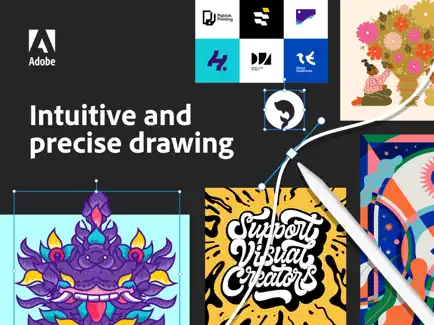
Adobe Illustrator on iPad empowers you to create logos, illustrations, graphics, and more with unmatched precision and ease. Designed to work seamlessly with your Apple Pencil, this app allows you to design anywhere, anytime—even offline—making creativity truly portable and intuitive.
Experience the natural feel of drawing as if you were using pen and paper. Craft vector lines, shapes, type, gradients, and effects with precision. Enhance your workflow by merging or cutting graphics using quick, intuitive Pencil gestures to easily remove unwanted areas. Breathe life into your creations with stunning effects and gain access to a vast collection of over 18,000 fonts, more than 20 color palettes, and carefully curated live streams featuring leading creatives. Guided tutorials included within the app help you sharpen your skills and explore new techniques.
Collaborate effortlessly across Adobe Illustrator, Photoshop, and Fresco. Your projects are automatically synced to the cloud, so you and your team can always access the latest version from your desktop or iPad, ensuring a smooth and efficient creative process.
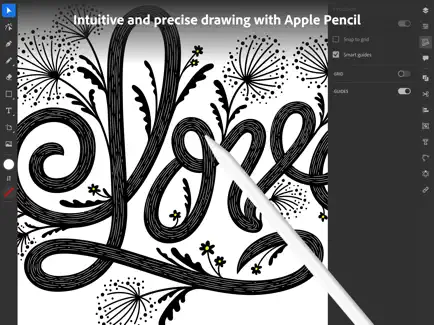
Intuitive and Precise Drawing with Apple Pencil
- Natural Drawing Tools: Create lines and curves using Pen, Pencil, and Brush tools designed for fluid, artisanal expression.
- Art and Calligraphic Brushes: Add artistic brush strokes to your artwork for enriched textures and style.
- Pinpoint Editing: Use features like Smart Delete and Simplify Path to make flawless graphics without any quality loss.
- Point Precision: Edit your designs down to exact points, radii, or angles to achieve perfect detailing.
Innovative Ways to Create Stunning Patterns and Shapes
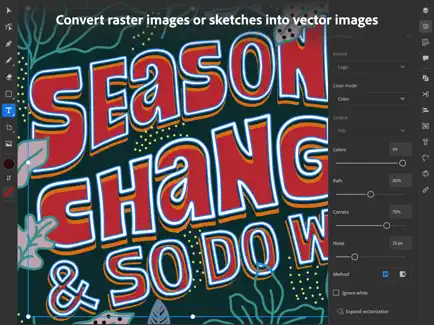
- Vectorization: Convert raster images or paper sketches into crisp vector artwork.
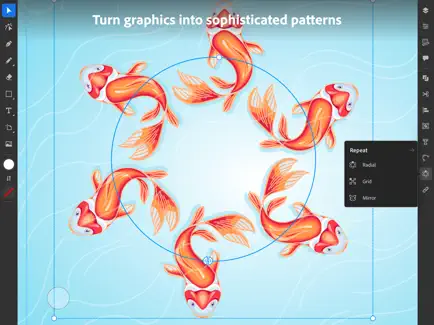
- Advanced Repetition: Use radial, grid, and mirror repeat to transform graphics into sophisticated patterns effortlessly.
- Polygon Shape Creation: Quickly generate circles, triangles, squares, and stars as vector objects.
- Transform as Shape: Modify paths and curves smoothly without manually adjusting anchor points.
- Blend Tool: Seamlessly blend one shape into another by specifying the number of transitional steps.
The Most Comprehensive Type Toolkit for iPad
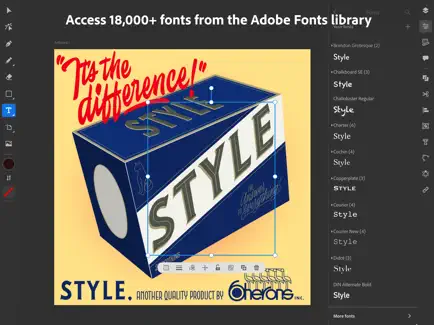
- Extensive Font Library: Access more than 18,000 high-quality fonts from the Adobe Fonts library directly within the app.
- Custom Fonts: Upload and use any of your licensed fonts across both desktop and iPad platforms.
- Type on a Path: Bend and flow text along lines and shapes to create dynamic typographic effects.
- Outlined Text: Convert text to editable outlined formats for limitless modifications.
- Variable Fonts: Customize fonts infinitely for unique typography that matches your vision.
- Color Fonts: Explore fonts featuring built-in vibrant colors and gradients for eye-catching text design.
Brilliant Colors and Gradients
- Point Gradients: Drag and drop colors to create dynamic, diffused blends that enhance your artwork.
- Color Books: Utilize over 20 industry-standard color palettes or incorporate your own to achieve perfect color harmony.
Seamless Movement Between Devices and Apps
- File Syncing: Projects automatically sync between Illustrator on your desktop and iPad, ensuring your work is always up to date.
- Photoshop Import: Easily place Photoshop images into your Illustrator designs to expand creative possibilities.
- Standard File Formats: Create, save, and open Illustrator (AI) files without loss in quality, and export in popular formats including SVG, PDF, PNG, and PSD.
Keeping Tabs on the Latest Creative Trends
- Livestreaming: Watch and learn from leading design professionals daily, right within the app.
- Trend Discovery: Explore inspiring projects shared by creatives worldwide to stay updated on current styles and techniques.
Similar apps
 ShutterControl your Sony camera remotely with Shutter app for iOS. Enjoy live view, manual settings, and easy photo management wirelessly.
 EdithCreate stunning photos and videos with over 300 presets, textures, borders, feed planning, batch editing, and professional adjustments on iOS.
 InfltrDownload the Infltr tweak IPA for iPhone — every Pro filter and editing tool unlocked free. Install via builds.io, no PC.
 MalibooMakeDownload the MalibooMake tweak IPA for iPhone — filters, retouching, and background tools in one app. Install via builds.io, no PC.
 RemakeFace AiDownload the RemakeFace Ai IPA for iPhone — premium AI face-swap and editing tools unlocked free, no subscription. Install via builds.io, no PC.
 Liit - Photo & Video EditorEnhance photos and videos with Liit’s easy-to-use editor, vintage filters, and texture effects for stunning visual content.
 DoubleTakeDoubleTake lets you record simultaneously from two cameras on iPhone, offering unique multi-cam video and creative filming features.
 WalliDiscover unique, high-quality wallpapers by global artists on Walli. Personalize your iPhone or iPad with stunning, curated backgrounds that inspire.
 CompressorDownload the Image Compressor tweak IPA for iPhone — shrink photos, videos and PDFs with the subscription unlocked. Install via builds.io, no PC.