
Linear Algebra Visualizer
Not sure? Worry-free Premium handles revokes for you.


Version added at: Sep 14, 2026
Size: 4.78 MB
What’s unlocked in this version
Linear Algebra Visualizer IPA for iOS now includes subscription unlocked, giving you full access to the app’s premium features in this updated build.
Linear Algebra Visualiser is a smart way to download Linear Algebra Visualiser IPA for iPhone and explore matrix math through motion, colour, and step-by-step visual feedback. If you want a clearer Linear Algebra Visualiser for iOS experience that turns abstract transformations into something you can actually see, this tweaked-style build is a strong pick — and on builds.io it installs in one tap, no PC required.
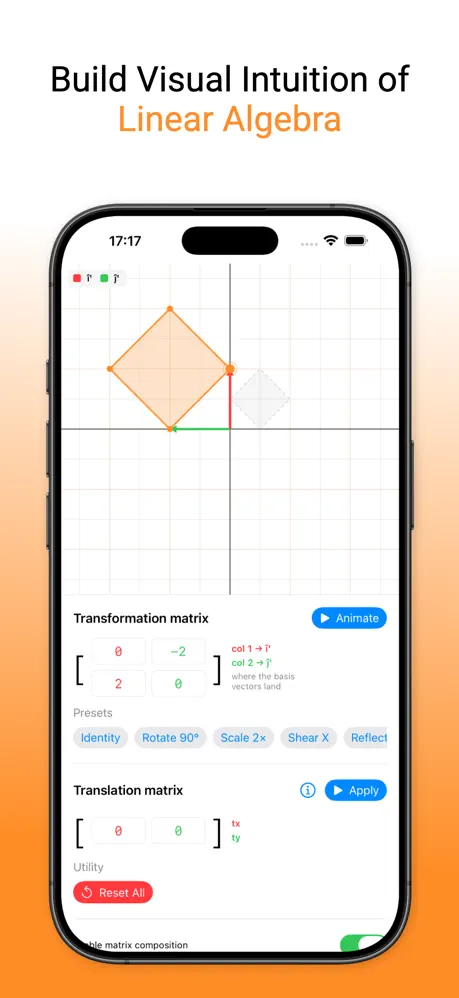
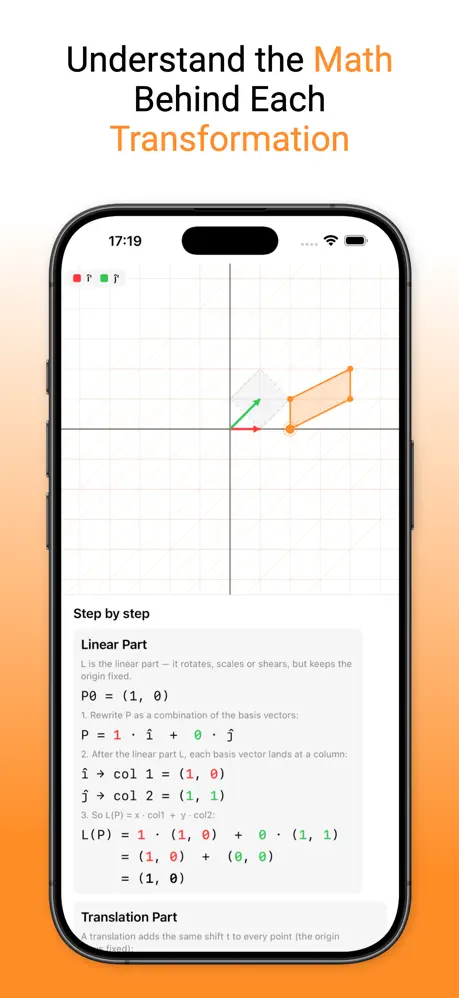
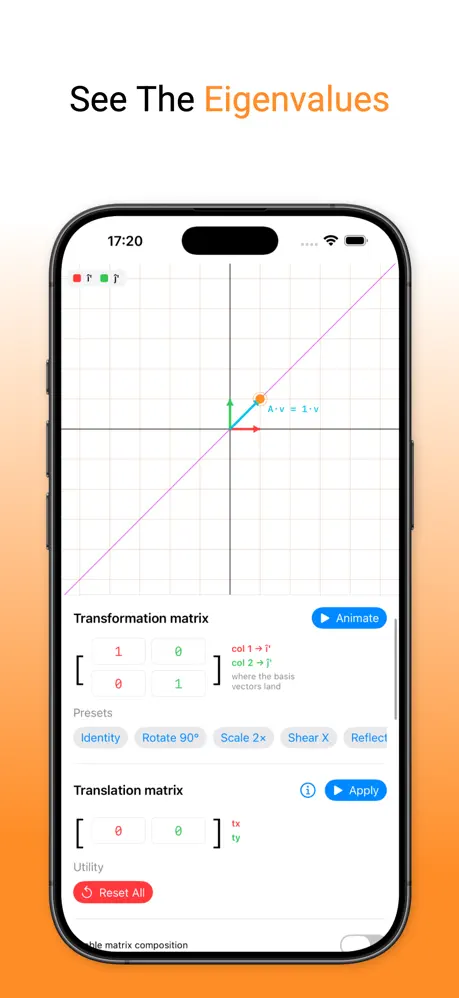
Instead of treating matrices like a wall of numbers, the app helps you trace how each value affects a shape or vector as it moves through a transformation. The core idea is simple but powerful: the matrix columns represent where the basis vectors land, so you can follow the red and green components from input to result and understand what happened at every stage. That makes it especially useful for students, teachers, and anyone who learns best by watching the math unfold.
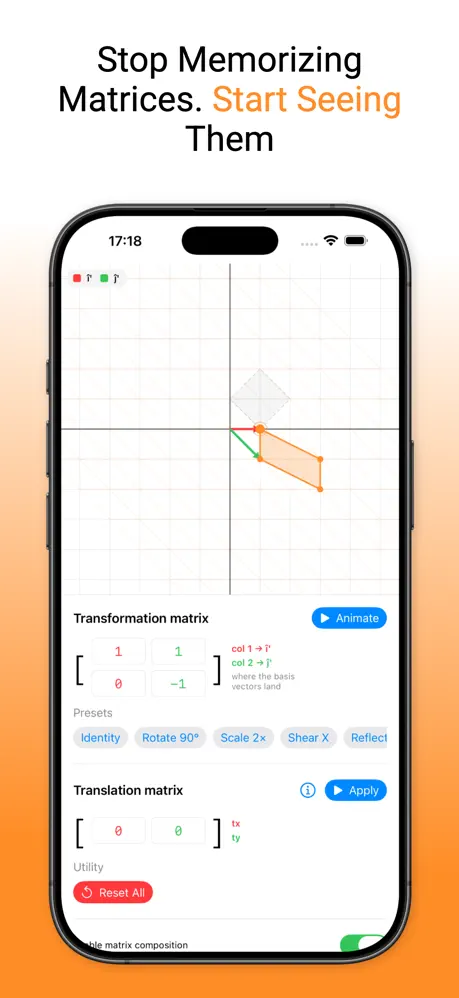
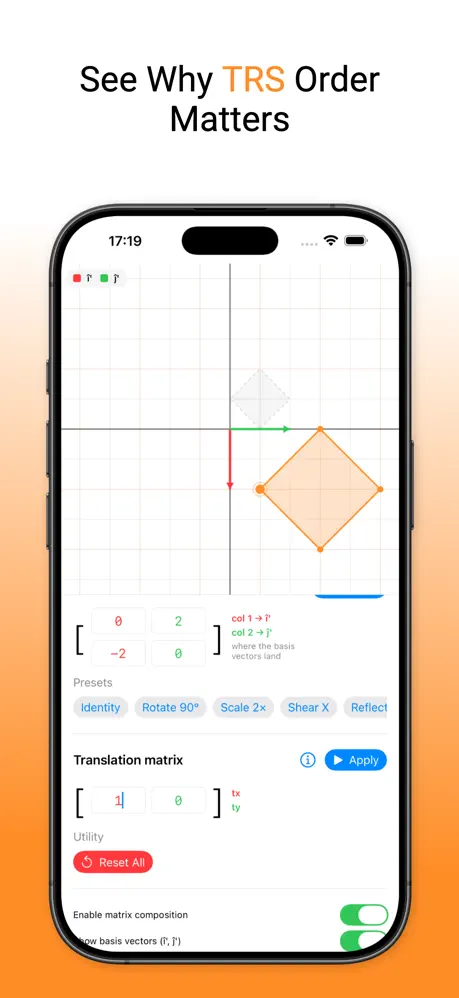
It is also a practical visual aid for topics that often feel confusing on paper. You can observe common transformation types, see how transformation order changes the outcome, and build intuition for how multiple matrices and translations combine. The app also brings eigenvectors and eigenvalues into a more understandable visual context, making it easier to connect the formulas to the geometry behind them.
What the app helps you understand
- How matrix columns map basis vectors in a visual, color-coded way
- Why transformation order matters in TRS workflows
- How translation and multiple matrices interact
- The geometric meaning behind eigenvectors and eigenvalues
- A clearer mental model for rotate, scale, shear, and reflect operations
Get the Linear Algebra Visualiser tweak on builds.io — download the IPA and install it on your iPhone in one tap, no PC.
Similar apps
 ReWord: Learn KoreanMaster Korean vocabulary easily with a smart learning app featuring thousands of words, custom lists, offline mode, and detailed progress tracking.
 ReWord: Learn ChineseDownload the ReWord Chinese IPA for iPhone — subscription unlocked and free in-app purchases for HSK 1-6 vocabulary drills. Install via builds.io, no PC.
 ReWord: Learn FinnishDownload the ReWord Finnish IPA for iPhone with the subscription unlocked and free in-app purchases for vocabulary drills. Install via builds.io, no PC.
 ЕГЭ БиологияPrepare for the 2026 Biology ЕГЭ offline with tests, theory, videos, and interactive trainers. Boost your score confidently with our all-in-one app.
 BookoverySwipe to like or dislike books and get personalized recommendations with Bookovery. Build your bookshelf and find your next favorite read today.
 Instant Translator - App for iOSDownload Instant Translator for iPhone — fast, accurate translation across dozens of languages, no PC required. Install via builds.io.
 LinguaTalksDownload the Lingua Talks tweak IPA for iPhone — AI speaking practice, feedback, and role-play lessons. Install via builds.io, no PC.
 NeubookDownload the Neubook IPA for iPhone — swipeable reading cards, Focus Mode, and offline articles. Install via builds.io, no PC.
 Play MusicDownload the Busy Kids tweak IPA for iPhone — every music lesson and the melody editor fully unlocked. Install via builds.io, no PC.