Shapr3D

Version added at: Apr 21, 2026

Size: 1.1 GB

Pro Features Unlocked in Shapr 3D CAD Modeling

This modification unlocks all Pro features of the Shapr 3D CAD modeling app, allowing users to access advanced tools and functionalities without restrictions. Designed for users with iOS version 16.0 and above, it enhances the app's capabilities for professional-grade 3D modeling and design.


Unlocked Features

  • Access to premium modeling tools and functionalities
  • Removal of limitations on project size and complexity
  • Full access to advanced export options
  • Enhanced user interface with unlocked Pro-only settings

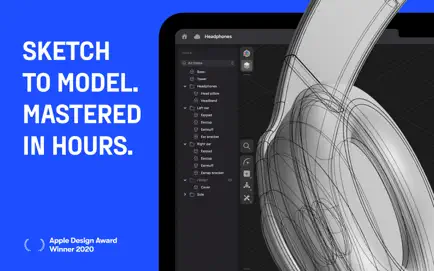
From design to manufacturing, this app empowers teams to collaborate with greater impact through an instinctive 3D design workflow that fully supports multidevice capability and seamless interoperability.

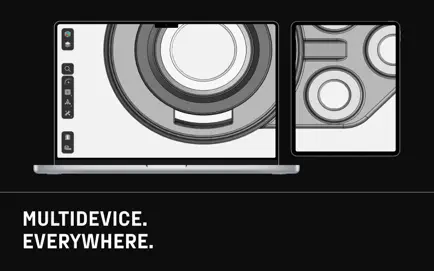
All platforms supported: Choose your preferred device and input tool with the first CAD tool built for multidevice use. Experience a hybrid workflow designed for cross-functional teams featuring automatic synchronization across devices. Work anytime, anywhere, even offline, without compromising your design and collaboration quality.

Compact tools for enhanced focus: The adaptive user interface intelligently auto-sorts tools to eliminate clutter, helping you stay focused and make high-quality design decisions efficiently.

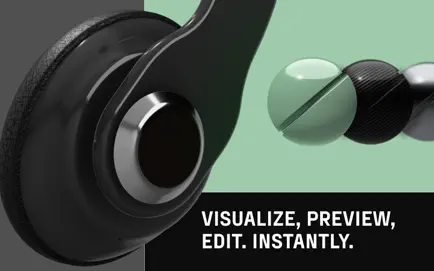
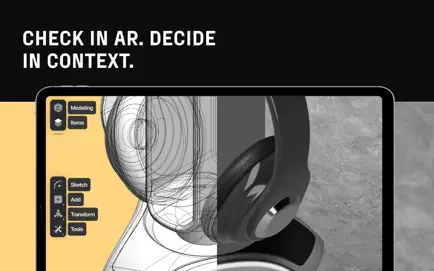
Design-driven collaboration: Transform designing into a natural reflex and enable visual communication across your entire team. Benefit from real-time 3D renders in augmented reality that can be shared via a link, allowing download-free viewing. Start from wherever you are and finish strong without the need for expensive hardware.


Key Features

  • Advanced CAD technology: Powered by Siemens™ Parasolid® modeling kernel and D-Cubed™ sketch engine ensuring industrial-grade precision.
  • Comprehensive import and export options: Supports export formats including X_T, STEP, STL, OBJ, 2D DXF, 2D DWG, IGES, 3MF, SVG and import formats such as SLDPRT, SLDASM, X_T, STEP, STL, IGES, 2D DWG, 2D DXF, JPG, PNG for seamless integration with your existing tools.
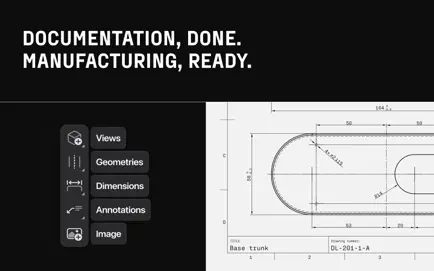
  • Output 2D drawings: Generate precise technical 2D drawings directly from your 3D models to simplify manufacturing processes.
  • Cross-device synchronization: Ensure your projects stay updated across multiple devices, enabling smooth transitions between workspaces.
  • Offline functionality: Continue designing even without an internet connection, maintaining productivity regardless of location.