
Flowdia Diagrams
Not sure? Worry-free Premium handles revokes for you.


Version added at: Jun 07, 2025
Size: 5.46 MB
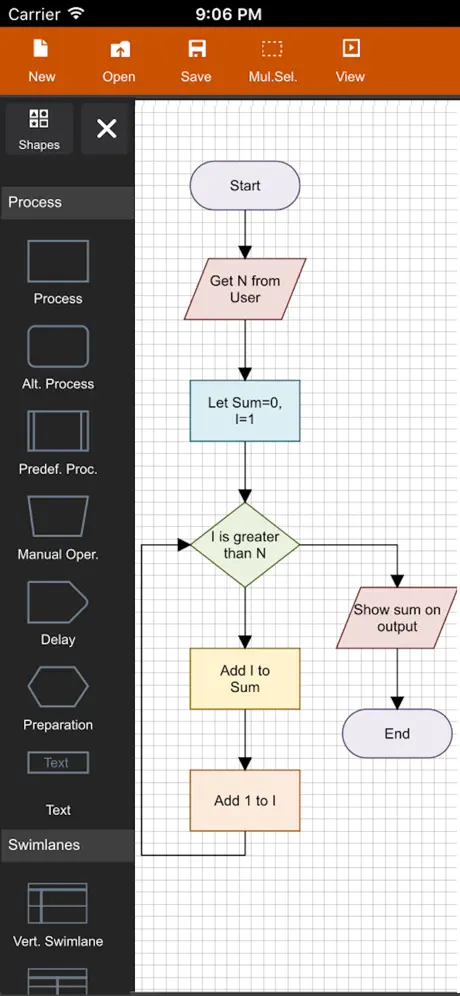
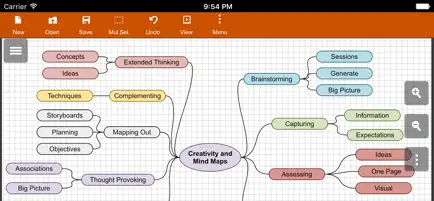
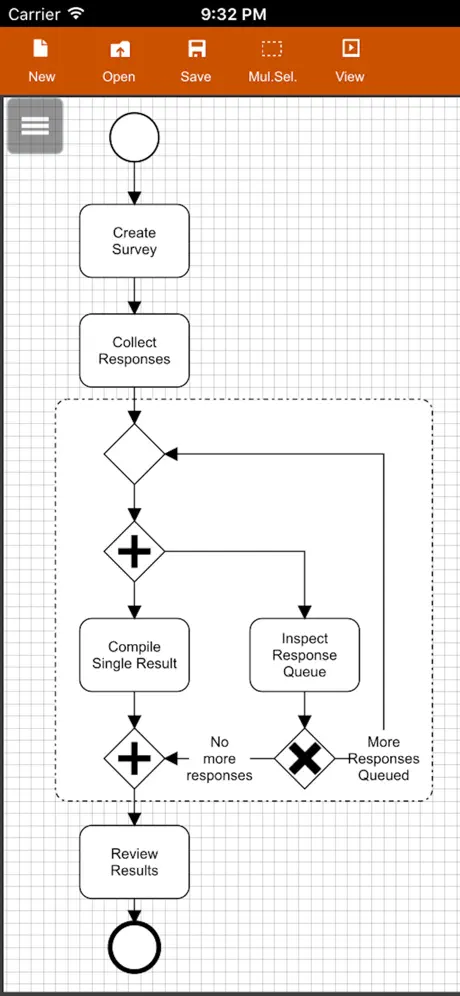
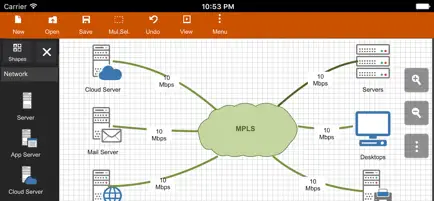
Premium Access Enabled
The app has been modified with Satella integration to unlock the premium version, allowing users to access premium features without purchasing officially. This tweak provides unrestricted usage of Flowdia's full capabilities including advanced diagram types, export options, and customization tools.
Key Benefits
- Full premium features unlocked
- No in-app purchase required
- Seamless integration with Satella
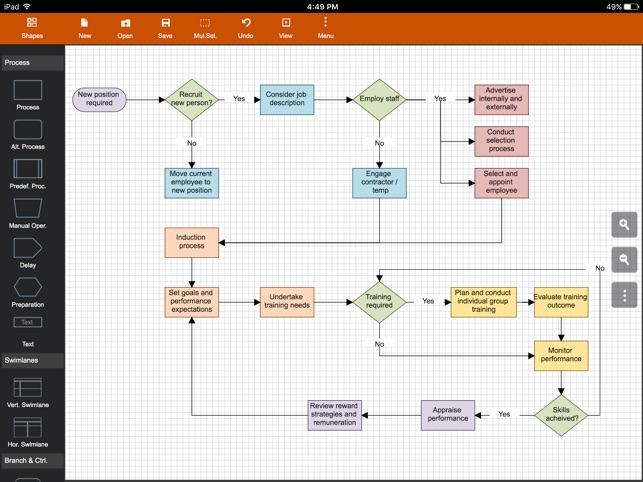
Flowdia is a powerful and easy-to-use flow diagram tool designed to help users create professional-quality diagrams with speed and precision. Whether you are working on flowcharts, mind maps, BPMN, network and server layouts, or UML diagrams, Flowdia provides all the necessary tools to visualize complex processes clearly and effectively.
With a user-friendly interface, Flowdia emphasizes simplicity and efficiency. You can quickly connect flowchart shapes by selecting start and end points, add new lanes to swimlane diagrams or add sub-topics to mind maps with just a click of the “+” button from the corresponding shape menu. Mind map sub-topics are automatically arranged for optimal layout, yet they can be repositioned easily as needed.
The app supports exporting your diagrams in multiple popular formats including PNG, JPG, PDF, and SVG. Exported SVG files are fully compatible with programs like Microsoft Visio, making it easy to integrate your work with other professional tools. Additionally, you can import custom PNG and JPG images to embed within your diagrams, enhancing their visual appeal.
Supported Diagram Types
- Flowchart
- Swimlanes
- Mind Maps
- BPMN (Business Process Model and Notation)
- Network Diagram
- AWS Architecture Diagram
- Cisco Network Diagram
- Server Layout Diagram
- Rack Diagram
- UML Class Diagram
- UML Activity Diagram
- UML Use Case Diagram
- UML Sequence Diagram
- Business Process Diagram
- Process Flow Diagram
- Chevron Diagram
Key Features
- Intuitive connections: Easily connect shapes by selecting connection points.
- Dynamic elements: Add lanes or sub-topics with simple menu options.
- Customizable shapes: Resize without loss of quality, and adjust background and font colors.
- BPMN shape selector: Quickly change activity, event, and gateway types within BPMN diagrams.
- Multi-format export: Save diagrams as PNG, JPG, PDF, or SVG files.
- Image import: Insert custom images in PNG or JPG format.
Why Choose Flowdia?
Flowdia helps professionals and teams streamline their diagramming workflows, offering a balanced mix of usability and versatility. Whether designing simple flowcharts or complex network layouts, Flowdia provides the tools needed for clear communication and documentation.
Similar apps
 Game Maps IRLSubscription unlocked, all retro-styled premium maps free
 Code RunnerCode Runner offers a versatile iOS coding editor with AI assistant
 LinkedIn: Job Search & News (Original App)Search jobs, grow your professional network and stay on top of industry news
 Superlocal MapsFull subscription access unlocked for this AI-powered travel map and journal
 TidySpaceManage and organize your links, photos, and documents in one secure
 WanderlogPlan trips, map routes, and track budgets
 FleurPremium budgeting features unlocked via Satella, no purchase or sign-in needed
 Fin - Budget TrackerBudget Tracker tweak IPA for iPhone — subscription unlocked: multiple accounts
 Stocks LiveSubscription unlocked with real-time quotes, portfolio sync and crypto tracking