
Qi Watermark
Not sure? Worry-free Premium handles revokes for you.


Version added at: Nov 23, 2025
Size: 6.82 MB
Qi Watermark - Subscription Unlocked
The app Qi Watermark version 1.2.0 for iOS 11.0 and above has been modified to unlock the subscription features. This tweak grants users full access to premium content and functionalities that are typically gated behind a subscription paywall.
Features Unlocked
- Full subscription access without any limitations
- All premium tools and watermark functions enabled
- Enjoy the app without restrictions or ads associated with free usage
Putting a name on every photo one by one is slow, and Qi Watermark is built to speed it up. Get the Qi Watermark tweak IPA on your iPhone and use the app with the subscription requirement removed.
What is Qi Watermark?
The App Store lists the app under Utilities, with the developer name 奇奇 郭, and it has been available since September 2023. It is free to download and rated 4+. The idea is a quick, simple way to place watermarks on pictures, which makes it useful for photographers, shop owners and anyone sharing images that should carry a mark.
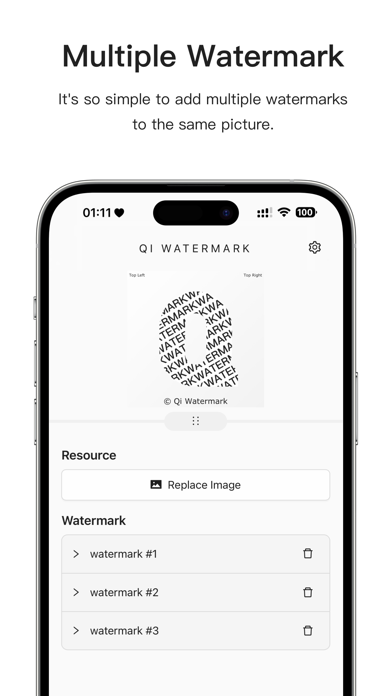
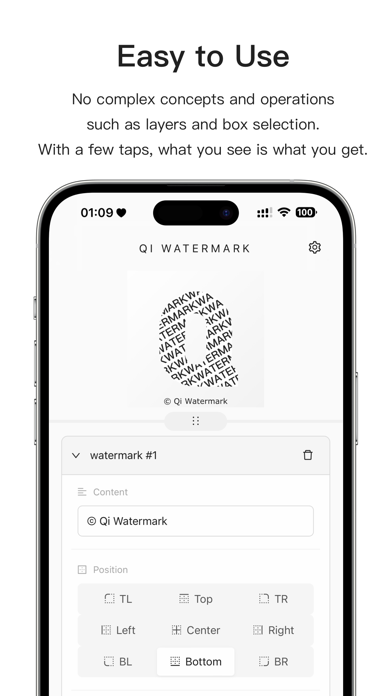
The main feature is a text watermark whose position, font size and font colour you set yourself. You are not limited to one mark per image, since several watermarks can be added to the same picture, which helps if you want a name in one corner and a date elsewhere. The output is saved in high definition, so the picture does not lose quality because of the stamp.
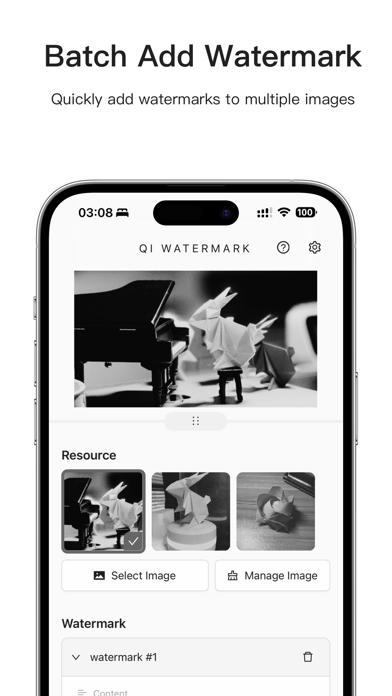
Speed comes from batch work. The newest features let you add watermarks to multiple images in one pass instead of repeating the steps for every file, and the interface is intentionally minimal so that the job takes a few taps.
Qi Watermark tweak features
- Complete VIP access, which replaces the Yearly and Monthly plans
- Premium tools and watermark functions enabled without restrictions
- Batch watermarking of many images at once
- High-definition saving of watermarked pictures
- Use of the app without the limitations that come with the free tier
Version and requirements
The changelog refers to version 1.2.0 of the app and describes the change as unlocking the subscription features. The App Store listing lists iOS 11.0 as the minimum, which makes the app playable on very old iPhones, and its notes record the addition of batch watermarking and high-definition saving. In the original, the VIP plans renew automatically through the Apple ID until the user turns renewal off, and this build is the way to use the premium tools without taking on that billing.
Qi Watermark is on builds.io: select the IPA, tap once, and it installs on your iPhone without a PC.
Similar apps
 Ulike - Define trendy selfieDownload the Ulike mod IPA for iPhone — Premium unlocked in the ByteDance selfie camera with filters, makeup tools and pose guides. Install via builds.io.
 Tayasui Sketches ProDownload Tayasui Sketches Pro IPA for iPhone — realistic brushes, layers, cloud sync and Apple Pencil support. Install via builds.io, no PC.
 MoodshotCreate stunning photos and videos with Moodshot’s AI tools, filters, overlays, and real-time camera effects on iOS devices.
 Capture TokyoDownload Capture Tokyo for iPhone — nine vibrant filters inspired by Tokyo's streets and skyline, one-tap shooting. Install via builds.io, no PC.
 Video compressor - save spaceCompress and manage your videos effortlessly with customizable settings, batch processing, and editing tools to save space on your iOS device.
 ElegantDownload the ELEGANT tweak IPA for iPhone — 1,500+ high-resolution wallpapers, categories, and ad-free Premium. Install via builds.io, no PC.
 CleanMy®PhoneRemove duplicates, compress videos, and organize your iPhone photos efficiently with CleanMyPhone AI-powered cleaner. Free up space easily.
 LutíereDownload the Lutiere tweak IPA for iPhone — subscription unlocked, all film styles and LUT tools for photos and video. Install via builds.io, no PC.
 Sufler: teleprompterSufler offers customizable teleprompting with versatile modes and remote control, perfect for creators and professionals on iOS.