
AudioEditor
Not sure? Worry-free Premium handles revokes for you.


Version added at: May 20, 2026
Size: 102.13 MB
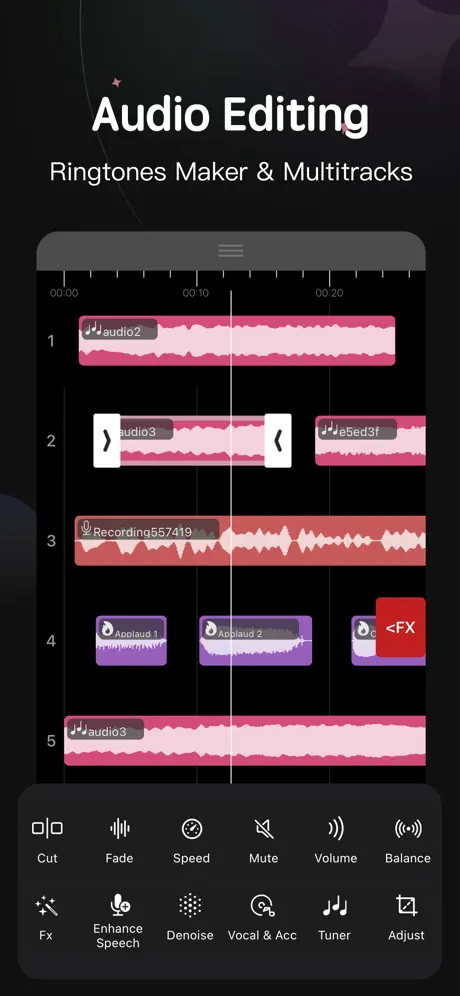
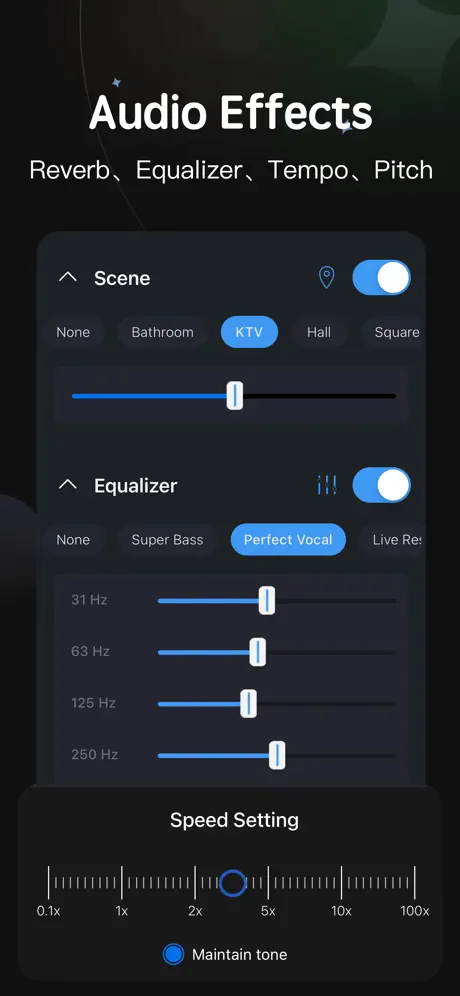
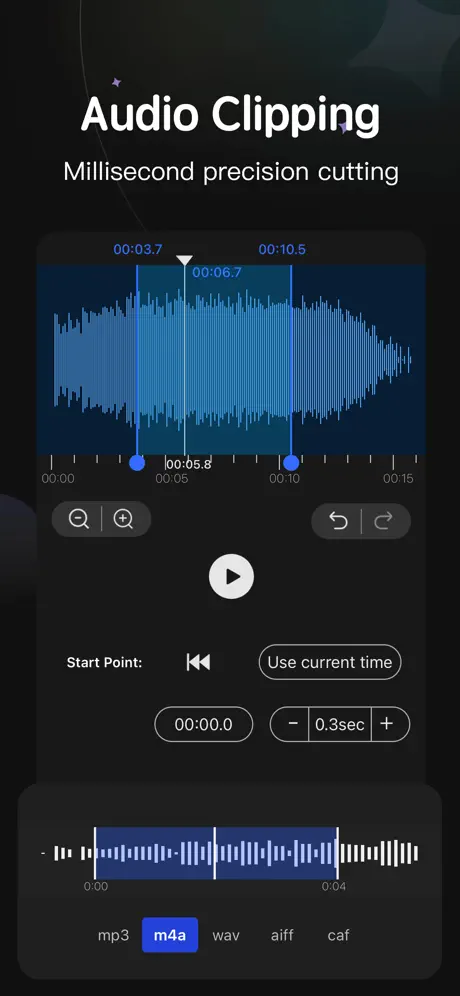
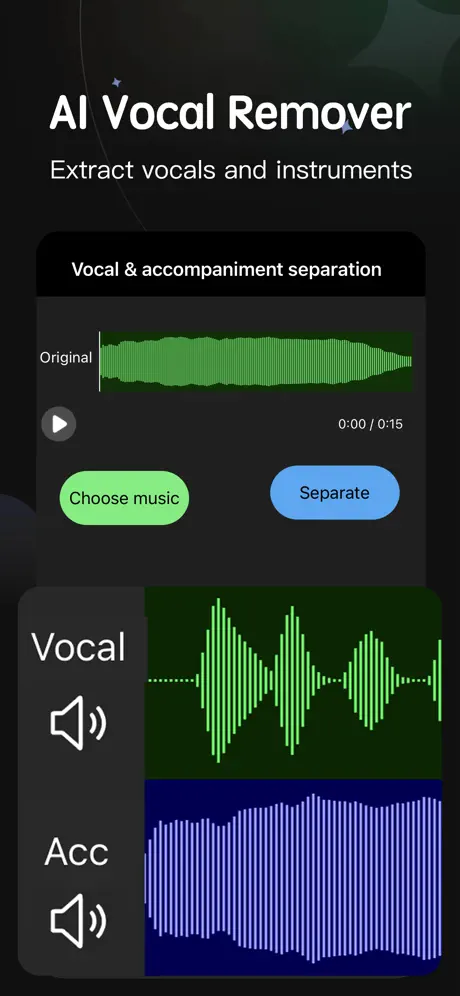
Pro Version Unlocked
This modification allows users to access the Pro version of the Audio Editor - Music Mixer app without completing the purchase. By simply tapping on the buy pro option and then canceling, users can enjoy premium features normally restricted to paid subscribers.
Features Unlocked
- Access to all Pro functionalities without payment
- Full use of advanced audio editing and mixing tools
- No limitations related to the free version
Audio Editor is an intuitive and easy-to-use music editing tool designed exclusively for iOS users. Whether you are a professional musician or a music enthusiast, this app offers a comprehensive set of features to cut, mix, and customize your music effortlessly, enabling you to create unique ringtones and sound mixes with ease.
With Audio Editor, users can enjoy advanced music clipping, merging, and mixing functionalities. The app supports importing audio from your device’s music library and videos, as well as Wi-Fi transfer and direct import from other iOS applications. This flexibility allows seamless access to your favorite audio files for editing and remixing.
Key Features
- Professional Music Clips: Easily cut and splice music tracks, merge multiple clips, and mix songs to create custom ringtones or unique music blends.
- Audio Effects: Enhance your tracks with a range of effects including normalizer, equalizer (EQ), tempo adjustment, and more to tailor your sound precisely.
- Simple Music Stitching: Conveniently edit and join songs together, allowing you to connect your favorite tracks seamlessly for continuous playback.
- Unique Music Mixing: Mix two different songs by cutting and combining them to experience innovative and distinct sound effects.
- Powerful Import and Export Methods: Supports Wi-Fi import/export, direct import from other iOS apps, and utilization of the media library for versatile access to your audio files.
- Denoise Function: Automatic and manual noise reduction options let you clean up your audio. Select specific noise samples manually or choose an automatic noise reduction model for enhanced clarity.
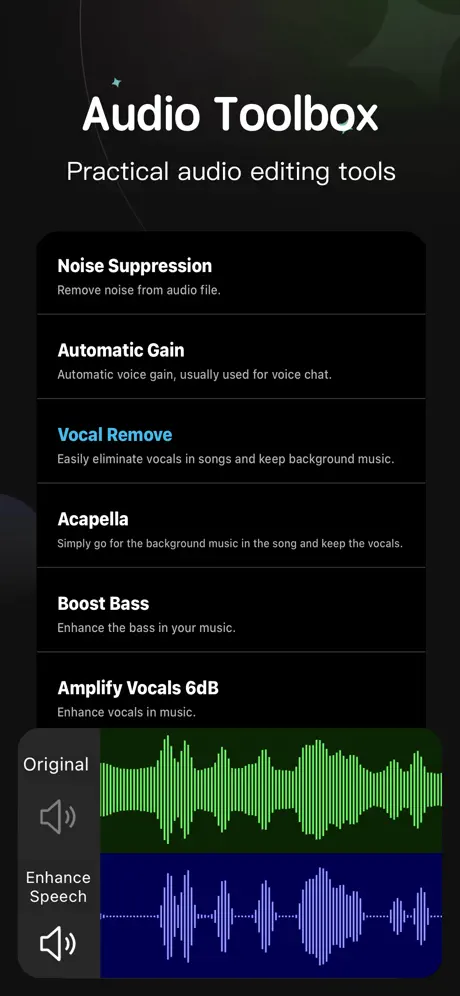
- Audio Toolbox: Includes advanced features like vocal enhancement, vocal removal, noise cancellation, automatic gain control, accompaniment removal, bass boost, and karaoke mode for creative audio manipulation.
- Ringtone Settings: Set your created ringtones directly on your device easily, allowing for personalization of your incoming call sounds.
Audio Editor streamlines the music editing process with a user-friendly interface, making it accessible to both amateurs and professionals. The app emphasizes quality and customization, giving you full control over your audio editing projects right on your iPhone or iPad.
For any questions or feedback, please feel free to contact us via email. We value your input and continuously strive to improve the app experience.
Similar apps
 Cubase iC ProRemote-control Cubase mixing, transport, key commands and custom macros
 Tik RingtonesGenerate, edit, and assign personalized ringtones on your iPhone
 Audio RecorderCapture high-quality audio with ease
 SoundboardSubscription unlocked for pro audio playback
 EvertagPro unlocked for 30+ audio formats and 120+ metadata tags
 EZAudioCut - Audio EditorRecord and edit audio with pitch, reverb and gain effects
 EZAudioCut (MT) - Audio EditorA 64-track audio editor with noise reduction and vocal removal
 audiomackStream and download unlimited music, create playlists
 Scanner +100,000+ live police, fire, EMS, airport and music stations, GPS discovery