Shapeyard

Version added at: Mar 27, 2026

Size: 43.19 MB

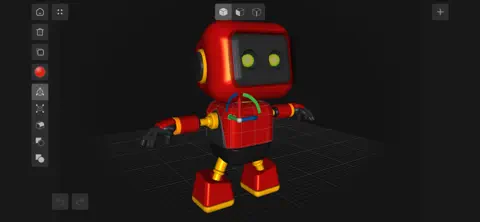
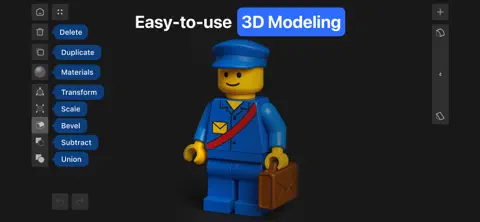
Shapeyard is a powerful and intuitive 3D modeling app designed exclusively for iOS devices, offering an accessible platform for users of all skill levels to create, customize, and bring their 3D ideas to life. Whether you are a beginner, a hobbyist, or an experienced designer, Shapeyard provides an easy-to-use interface with a rich set of tools to help you build detailed 3D models quickly and efficiently.

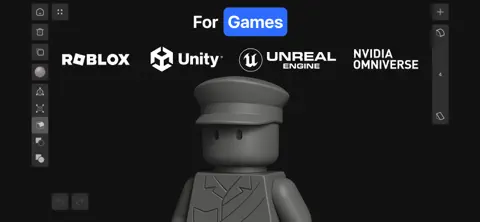
With Shapeyard, you can seamlessly create 3D models suitable for games, 3D printing, and educational purposes. The app supports exporting your creations in common 3D file formats such as OBJ and STL, enabling smooth integration with popular game development engines like Roblox Studio, Unity, and Unreal Engine. This makes Shapeyard an ideal choice for game creators looking to design custom assets directly from their iPhone or iPad.

The app features an extensive library of ready-to-use 3D models that users can download and modify, inspiring creativity and accelerating the design process. Its intuitive toolset simplifies complex 3D modeling tasks, making it accessible for children and beginners while maintaining the advanced functionality desired by professional users.


Key Features

  • Intuitive 3D Modeling Tools: Simplify the modeling process with easy-to-use controls tailored for users of all experience levels.
  • Compatibility with Game Engines: Export your models in OBJ or STL formats to work seamlessly with Roblox Studio, Unity, and Unreal Engine.
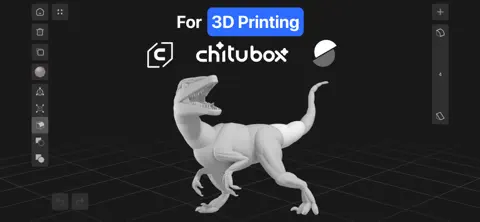
  • 3D Printing Ready: Design intricate 3D models and export them directly for slicing and printing, enabling you to turn digital creations into physical objects with ease.
  • Extensive Model Library: Access a large collection of downloadable 3D models to customize or use as inspiration for your own projects.
  • Designed for iOS: Exclusively optimized for iPhone and iPad, ensuring smooth performance and utilizing iOS-specific features.
  • Accessible for Beginners and Kids: A friendly user interface makes 3D modeling education fun and approachable for younger users and novices.

How to Get Started with Shapeyard

Begin your 3D modeling journey by launching the app and exploring the variety of tools available. Use simple gestures to create and manipulate shapes, apply colors and textures, and assemble complex models step-by-step. Export your finished models with just a few taps in universally accepted formats, ready for integration with your favorite game development environments or 3D printing workflows.

Shapeyard empowers creators to unleash their imagination, whether for hobby projects, game development, educational use, or 3D printing. Experience the future of mobile 3D design with a tool designed to make creativity easy and enjoyable.