
ToonSquid
Not sure? Worry-free Premium handles revokes for you.


Version added at: Feb 16, 2026
Size: 28.75 MB
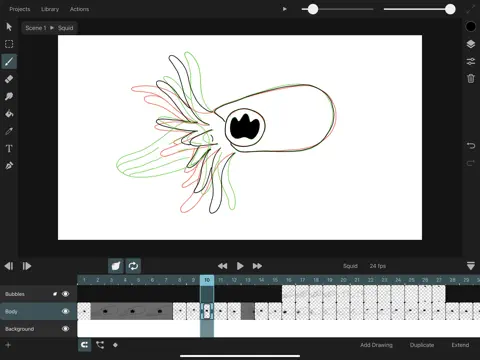
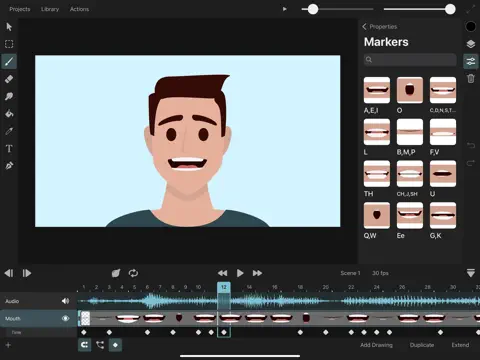
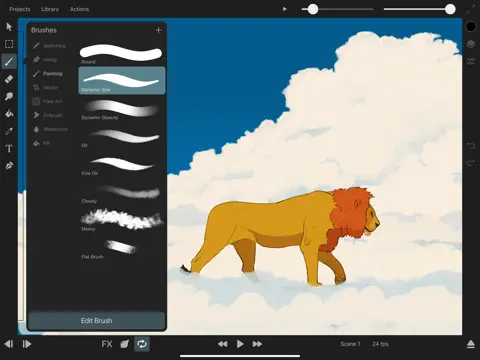
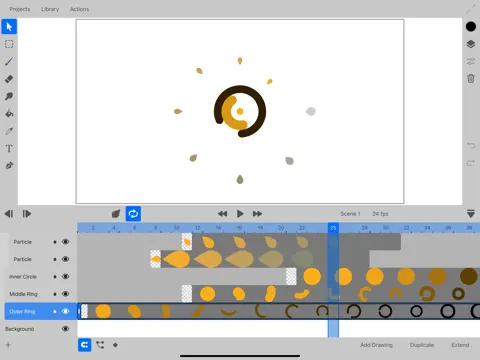
ToonSquid is a powerful and versatile 2D art and animation studio designed exclusively for your iPad. Combining the authentic charm of hand-drawn traditional animation with advanced keyframe animation techniques, ToonSquid offers an unparalleled creative experience for artists and animators. Its flexible layer system allows seamless control over your artworks, while an extensive library of fully customizable brushes and animatable effects enable you to bring your creative vision vividly to life.
Whether you are sketching frame-by-frame animations or refining motion with precise keyframes, ToonSquid provides all the essential tools to produce stunning animations at up to 4k resolution. The intuitive interface supports the Apple Pencil’s pressure and tilt sensitivity alongside the iPad Pro’s 120Hz display for smooth and lag-free drawing and editing.
Traditional Animation
- Create detailed hand-drawn frame-by-frame animations with ease.
- Control the display duration of each drawing precisely on the timeline.
- Work in resolutions up to 4k for high-quality output.
Keyframe Animation
- Add keyframes to automate animation of layer and effect properties over time.
- Utilize a rich selection of customizable easing curve presets for natural and organic motion.
- Easily loop keyframe animations to create seamless cycles.
Powerful Layer System
- Manage the order and timing of elements through an advanced layer and timeline system.
- Organize your project with grouped layers for efficient workflow and simultaneous animation.
- Use a dedicated camera layer to define visible areas during export precisely.
- Apply mask layers even when contents are animated, and choose from 27 standard blend modes for beautiful compositing effects.
Fully-Customizable Brushes
- Take full advantage of ToonSquid’s state-of-the-art digital brush engine optimized for the Apple Pencil.
- Work with vector brushes that maintain sharpness at all zoom levels.
- Customize more than 60 brush settings and import custom textures to tailor brushes for your unique style.
- Blend strokes seamlessly using the smudge tool and draw in styles including sketching, inking, wet mixing, pixel art, and more.
- Import your existing Adobe® Photoshop® brush libraries to expand your creative arsenal.
Vector Shapes
- Create intricate custom shapes using the path tool with editable curves and control points.
- Add common vector shapes quickly from a comprehensive shape library.
- Import and edit SVG files directly on the canvas.
- Fill and stroke shapes with gradients and animate stroke visibility using path trim properties.
Animatable Effects and Rigging
- Build character rigs with bones and inverse kinematics constraints for realistic movement.
- Create custom meshes to deform pixel layers as part of bone rigs.
- Animate perspective and warp effects along with adjustments like blur, pixelation, drop shadow, chroma key, halftone, parallax, and more.
Efficient Symbol Workflow
- Divide your project into reusable clips with symbols to optimize animation and editing.
- Edit an animation clip once and propagate changes across all instances automatically.
- Use frame markers to streamline lip-syncing and timing.
Text and Typography
- Add and animate text layers effortlessly.
- Import your favorite fonts to enhance your projects.
Color Tools
- Access a powerful and flexible color picker with various interfaces for precise color selection.
- Create and share custom color palettes beyond the app.
- Use the pipette tool to sample colors directly from your canvas.
- Fill connected regions quickly with the efficient fill tool.
Audio and Video Integration
- Incorporate audio clips into the timeline to synchronize lip-sync animations accurately.
- Import videos, GIFs, and images as integral parts of your project using symbols.
Transform and Motion Editing
- Animate layers’ position, rotation, and scale through keyframes.
- Build complex transform hierarchies for advanced movements.
- Edit motion paths directly on the canvas for intuitive control.
Export Options
- Export your animations and artwork in a variety of popular formats including MP4, MOV, GIF, PNG, JPEG, PSD, and more.
ToonSquid harnesses the full capabilities of the iPad, delivering an engaging and powerful platform for both beginners and professionals in 2D animation and digital art. Unlock your creativity with an app designed to provide flexibility, precision, and speed, enabling you to create stunning animations and illustrations with unprecedented ease.