
KK Photo
Not sure? Worry-free Premium handles revokes for you.


Version added at: Oct 14, 2026
Size: 16.88 MB

What’s unlocked in this KK Photo mod
This updated IPA for iPhone/iOS includes Free IAP patching. To unlock it, tap Buy and then cancel the purchase flow.
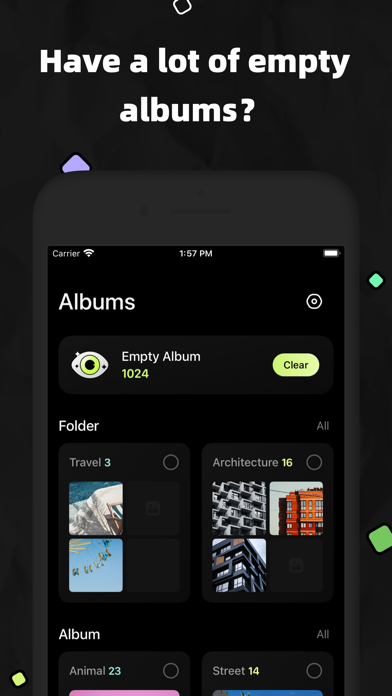
A camera roll with hundreds of empty albums is hard to live with. KK Photo is an album manager that cleans it up, and this build comes with the in-app purchases patched. Download the KK Photo IPA for iPhone from builds.io and unlock the paid part with a simple trick described below.
What is KK Photo?
KK Photo is published by MD Studio and has been on the App Store since March 2019. The listing places it under Graphics and Design and Photo and Video, but the actual job is organisation rather than editing: it helps you manage folders, albums and individual pictures in the Photos library. The bundle identifier inside the package, tech.miidii.AlbumManager, says the same thing.
The headline function is cleanup. The app scans for empty albums and removes them in one click, which saves the manual work of scrolling through a long list. Folders can be created, renamed, moved and deleted, and albums get the same treatment, with the added option of moving photos between albums or merging several albums into one.
The way the paid part is opened is unusual and worth repeating: open the purchase screen, press Buy, and then cancel the system prompt. According to the changelog this is how the patched in-app purchase unlocks, so it is a step you do once rather than a setting you configure.
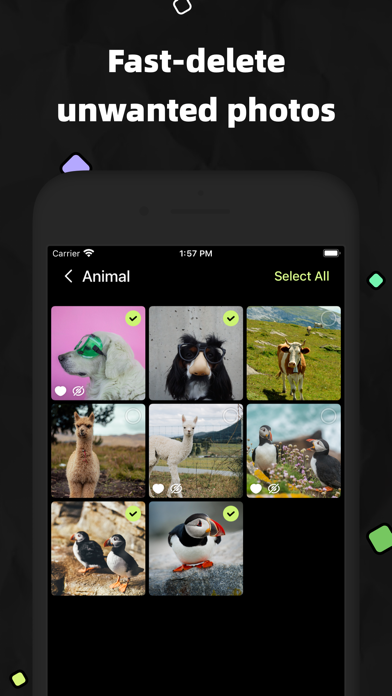
At the photo level, items can be marked as favourites, hidden, added to an album or moved elsewhere. Folders, albums and photos all support batch operations, so many items can be handled in a single pass instead of one at a time. The goal is simply a library that is easy to browse, and the whole interface is built around that.
What the KK Photo tweak unlocks
- Free IAP: in-app purchases are patched so the paid options open without paying
- How to use it: tap Buy, then cancel, and the purchase unlocks
- Album, folder and photo management stays as the developer designed it
- Compatible with iOS 15 and up, as the changelog states
Version and requirements
The latest App Store release lists a refined app icon. KK Photo needs iOS 15 or later, is free to download and has a 4+ rating. Expect an album tool and not a filter app.
Ready to tidy up your library? KK Photo is on builds.io; the IPA goes onto your iPhone straight from the page, with no computer involved.
Similar apps
 MD VinylRediscover music with MD Vinyl – an immersive app offering virtual turntable controls, rich sound, and vibrant album art on your iPhone or iPad.
 MD WidgetsPro live wallpapers, widgets and layouts unlocked free, no restrictions
 PixFixRestore faded photos and clean up damage with AI
 PurgoDeclutter your iOS photo library with Purgo
 SquareDudeSquareDude offers easy square cropping, background customization, and filters
 CassetteA VHS-style player that sorts home videos by year and album
 CleanMy®PhoneRemove duplicates, compress videos
 CrselPro features unlocked for carousel and story creation
 DaVinciAI image generator with the subscription unlocked