iMovie | BuildStore\*,::after,::before{box-sizing:border-box}\*{margin:0;padding:0;border:0}:active,:focus,a:active,a:focus{outline:0}aside,footer,header,nav{display:block}body,html{width:100%;height:100%;font-size:14px;line-height:1;text-size-adjust:100%;-webkit-tap-highlight-color:transparent}button,input,textarea{font-family:inherit}input::-ms-clear{display:none}input::-webkit-search-cancel-button,input::-webkit-search-decoration,input::-webkit-search-results-button,input::-webkit-search-results-decoration{display:none}button{cursor:pointer}button::-moz-focus-inner{padding:0;border:0}a,a:any-link,a:visited{text-decoration:none}a:hover{text-decoration:none}ul li{list-style:none}img{vertical-align:top}h1,h2,h3,h4,h5,h6{font-size:inherit;font-weight:400}mark{color:inherit;background:inherit}:root{--height-header:58px;--height-notifications:58px}body{min-width:320px;background-color:#1e1449}.container{width:904px;max-width:100vw;margin:0 auto;padding-right:24px;padding-left:24px}{"@context":"https://schema.org","@type":"WebSite","name":"BuildStore","url":"https://builds.io","description":"BuildStore – safe and trustworthy app store for iOS. Access favorite apps, games, emulators, tweaks, and more.","publisher":{"@type":"Organization","name":"BuildStore","url":"https://builds.io","logo":{"@type":"ImageObject","url":"https://d7umw8mitnngt.cloudfront.net/favicons/favicon-200.png"}}}.iApkZQ{cursor:pointer;transition:$transition;text-decoration:none;color:inherit;}/\*!sc\*/ @media (hover: hover){.iApkZQ:hover{color:#FFBA07!important;}}/\*!sc\*/ data-styled.g3\[id="styles\_\_SDStyledRouterLink-sc-21db73dc-2"\]{content:"iApkZQ,"}/\*!sc\*/ .jpjsPu{background-color:transparent;border:1px solid #440FB7;border-radius:24px;color:#440FB7;cursor:pointer;font-weight:800;height:43px;margin-left:0.5rem;padding:0 16px;display:flex;flex-direction:row;align-items:center;justify-content:center;}/\*!sc\*/ data-styled.g14\[id="styles\_\_NGStyledDownloadIPAButton-sc-c56850ef-0"\]{content:"jpjsPu,"}/\*!sc\*/

{"@context":"https://schema.org","@type":"SoftwareApplication","name":"iMovie","description":"With a streamlined design and intuitive Multi-Touch gestures, iMovie lets you create Hollywood-style trailers and beautiful movies like never before.<p>\\r\\n<p>\\r\\n<b>Make Hollywood-style trailers</b><p>\\r\\n• Choose from 14 trailer templates with stunning graphics and original scores by some of the world’s top film composers<p>\\r\\n• Customize movie studio logos, cast names, and credits<p>\\r\\n• Select the best videos and photos for your trailer with the help of animated drop zones<p>\\r\\n• Record video for your trailer right in iMovie<p>\\r\\n<p>\\r\\n<b>Create beautiful movies</b><p>\\r\\n• Choose from 8 unique themes with matching titles, transitions, and music<p>\\r\\n• Give your movie the perfect look with 13 Apple-designed video filters<p>\\r\\n• Choose from 11 animated title styles like Split, Reveal or Pop-up<p>\\r\\n• Adjust any title by changing its font, color, size, location, and more<p>\\r\\n• Add solid, gradient, and patterned backgrounds to your movie<p>\\r\\n• Enhance your movie with by slowing down or speeding up any clip<p>\\r\\n• Easily add picture in picture, green screen, and split screen effects<p>\\r\\n• Select from over 80 soundtracks that automatically adjust to match the length of your movie<p>\\r\\n• Add sound effects, songs from your music library, and your own narration<p>\\r\\n• Connect a keyboard and use simple shortcuts to edit movies quickly<p>\\r\\n• Connect a trackpad or mouse to iPad for fast and accurate moviemaking<p>\\r\\n<p>\\r\\n<b>iMovie everywhere</b><p>\\r\\n• Easily transfer projects between your iPhone, iPad, and iPod touch using AirDrop or iCloud Drive<p>\\r\\n• Send any project to your Mac via AirDrop or iCloud Drive to finish editing with iMovie or Final Cut Pro X<p>\\r\\n• Connect an external display to your iPhone or iPad and choose to mirror the iMovie interface or display your video fullscreen while you edit\*<p>\\r\\n<p>\\r\\n<b>Share with friends and family</b><p>\\r\\n• Send videos with Mail and Messages<p>\\r\\n• Save to your Photos library in resolutions up to 4K at 60 frames per second\*\*<p>\\r\\n• Export a video optimized for Instagram, YouTube, and other popular video destinations<p>\\r\\n• Save videos and iMovie project files to iCloud Drive<p>\\r\\n• Share videos and iMovie project files with AirDrop<p>\\r\\n• Use AirPlay to wirelessly stream video to your television with Apple TV\*\*\*<p>\\r\\n<p>\\r\\n\* External display support requires iPhone 7 or later, iPad (6th generation) or later, iPad Air 3 or later, iPad Pro 12.9-inch (2nd generation) or later<p>\\r\\n<p>\\r\\n\*\* 4K at 60 frames per second support requires iPod touch (7th generation), iPhone SE (2nd generation), iPhone 7, iPad (6th generation) or later, iPad mini (5th generation), iPad Air 3 or later, iPad Pro 10.5in or later<p>\\r\\n<p>\\r\\n\*\*\* AirPlay requires Apple TV (2nd generation) or later<p>\\r\\n<p>\\r\\n<hr/>\\r\\n<p>\\r\\n<b>Free App</b>","image":"https://d7umw8mitnngt.cloudfront.net/icons/iMovie.icon.jpg","url":"https://builds.io/apps/photo-video-editing/imovie","applicationCategory":"MobileApplication","operatingSystem":"iOS"}

[Explore](/apps)[Photo & Video Edit](/apps/photo-video-editing)

Sign Up

Version 2302

Version 2302

# iMovie

install app.ipa

Two ways to install apps

Pick a plan to sign this app to your device.  
Not sure? **Budget is fine to start.**

![](https://d7umw8mitnngt.cloudfront.net/app_page_fighters/fighter-budget.png)Cheap & simple

$7

for a full year

If the certificate gets revoked,  
you'll need to reinstall

Start here![](https://d7umw8mitnngt.cloudfront.net/app_page_fighters/fighter-premium.png)Worry-free

$4.59

/month

Certificate revoked? We  
fix it automatically, for free

Go Premium

Choose your fighter

[How does app signing work?](/how-signing-works)

Version added at: Jun 30, 2022

Size: 565.19 MB
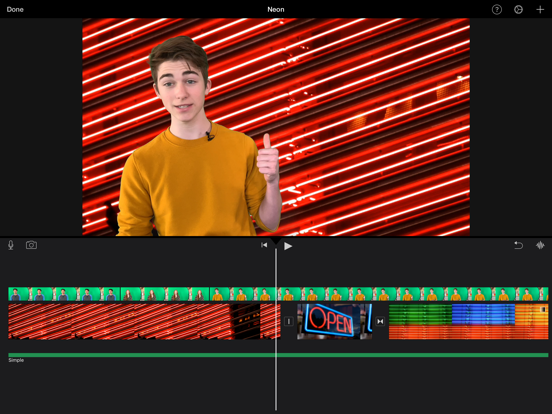
With a streamlined design and intuitive Multi-Touch gestures, iMovie lets you create Hollywood-style trailers and beautiful movies like never before.

**Make Hollywood-style trailers**

• Choose from 14 trailer templates with stunning graphics and original scores by some of the world’s top film composers

• Customize movie studio logos, cast names, and credits

• Select the best videos and photos for your trailer with the help of animated drop zones

• Record video for your trailer right in iMovie

**Create beautiful movies**

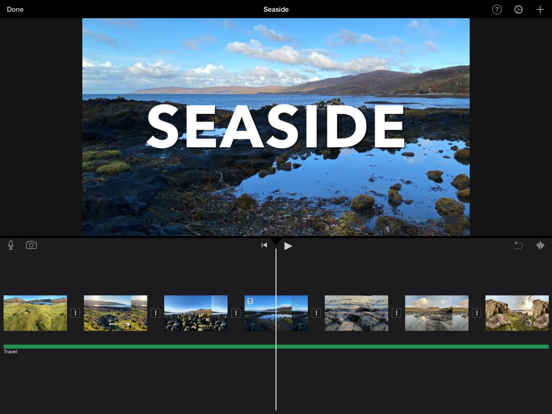
• Choose from 8 unique themes with matching titles, transitions, and music

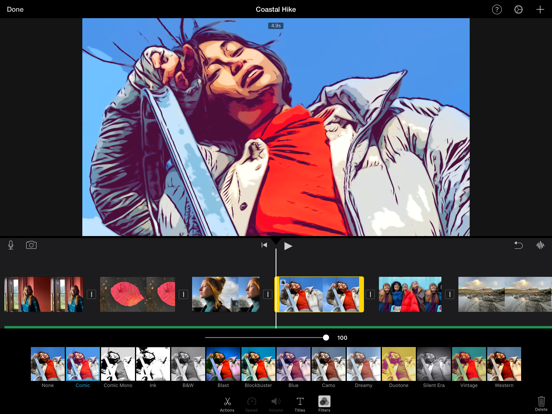
• Give your movie the perfect look with 13 Apple-designed video filters

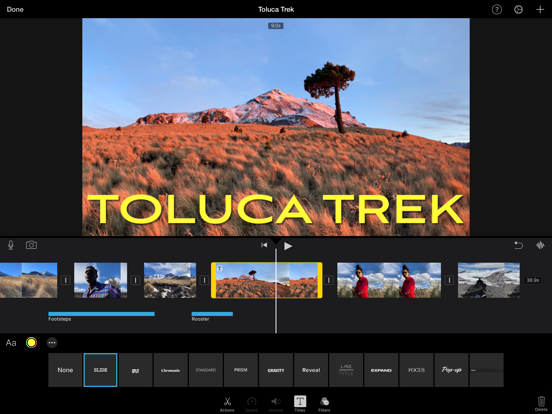
• Choose from 11 animated title styles like Split, Reveal or Pop-up

• Adjust any title by changing its font, color, size, location, and more

• Add solid, gradient, and patterned backgrounds to your movie

• Enhance your movie with by slowing down or speeding up any clip

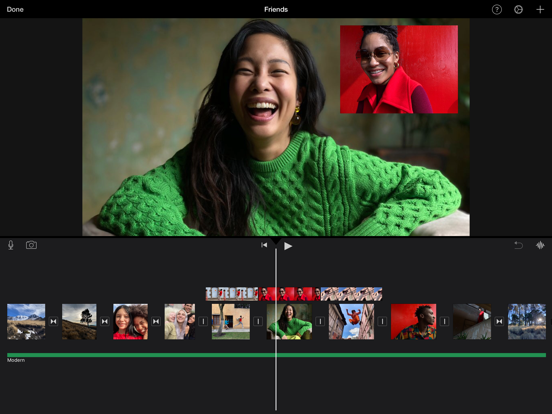
• Easily add picture in picture, green screen, and split screen effects

• Select from over 80 soundtracks that automatically adjust to match the length of your movie

• Add sound effects, songs from your music library, and your own narration

• Connect a keyboard and use simple shortcuts to edit movies quickly

• Connect a trackpad or mouse to iPad for fast and accurate moviemaking

**iMovie everywhere**

• Easily transfer projects between your iPhone, iPad, and iPod touch using AirDrop or iCloud Drive

• Send any project to your Mac via AirDrop or iCloud Drive to finish editing with iMovie or Final Cut Pro X

• Connect an external display to your iPhone or iPad and choose to mirror the iMovie interface or display your video fullscreen while you edit\*

**Share with friends and family**

• Send videos with Mail and Messages

• Save to your Photos library in resolutions up to 4K at 60 frames per second\*\*

• Export a video optimized for Instagram, YouTube, and other popular video destinations

• Save videos and iMovie project files to iCloud Drive

• Share videos and iMovie project files with AirDrop

• Use AirPlay to wirelessly stream video to your television with Apple TV\*\*\*

\* External display support requires iPhone 7 or later, iPad (6th generation) or later, iPad Air 3 or later, iPad Pro 12.9-inch (2nd generation) or later

\*\* 4K at 60 frames per second support requires iPod touch (7th generation), iPhone SE (2nd generation), iPhone 7, iPad (6th generation) or later, iPad mini (5th generation), iPad Air 3 or later, iPad Pro 10.5in or later

\*\*\* AirPlay requires Apple TV (2nd generation) or later

* * *

**Free App**

* * *

(self.\_\_next\_f=self.\_\_next\_f||\[\]).push(\[0\])self.\_\_next\_f.push(\[1,"1:\\"$Sreact.fragment\\"\\n2:I\[19598,\[\\"/\_next/static/chunks/cf4c4c009421e500.js\\",\\"/\_next/static/chunks/680d0ca4d34983f1.js\\",\\"/\_next/static/chunks/f052f630e85bc529.js\\",\\"/\_next/static/chunks/f04435b1d07dd95b.js\\"\],\\"GoogleTagManager\\"\]\\n3:I\[8958,\[\\"/\_next/static/chunks/cf4c4c009421e500.js\\",\\"/\_next/static/chunks/680d0ca4d34983f1.js\\",\\"/\_next/static/chunks/f052f630e85bc529.js\\",\\"/\_next/static/chunks/f04435b1d07dd95b.js\\"\],\\"default\\"\]\\n4:I\[334735,\[\\"/\_next/static/chunks/cf4c4c009421e500.js\\",\\"/\_next/static/chunks/680d0ca4d34983f1.js\\",\\"/\_next/static/chunks/f052f630e85bc529.js\\",\\"/\_next/static/chunks/f04435b1d07dd95b.js\\"\],\\"default\\"\]\\n5:I\[339756,\[\\"/\_next/static/chunks/08da02ed5df22a04.js\\",\\"/\_next/static/chunks/41d9c723989d7418.js\\"\],\\"default\\"\]\\n6:I\[758298,\[\\"/\_next/static/chunks/cf4c4c009421e500.js\\",\\"/\_next/static/chunks/680d0ca4d34983f1.js\\",\\"/\_next/static/chunks/f052f630e85bc529.js\\",\\"/\_next/static/chunks/f04435b1d07dd95b.js\\",\\"/\_next/static/chunks/5785432d56776104.js\\",\\"/\_next/static/chunks/3068e0cf6eda0957.js\\",\\"/\_next/static/chunks/1ab5a85a9491994c.js\\"\],\\"default\\"\]\\n7:I\[837457,\[\\"/\_next/static/chunks/08da02ed5df22a04.js\\",\\"/\_next/static/chunks/41d9c723989d7418.js\\"\],\\"default\\"\]\\nf:I\[563491,\[\\"/\_next/static/chunks/08da02ed5df22a04.js\\",\\"/\_next/static/chunks/41d9c723989d7418.js\\"\],\\"default\\"\]\\n10:I\[654576,\[\\"/\_next/static/chunks/cf4c4c009421e500.js\\",\\"/\_next/static/chunks/680d0ca4d34983f1.js\\",\\"/\_next/static/chunks/f052f630e85bc529.js\\",\\"/\_next/static/chunks/f04435b1d07dd95b.js\\"\],\\"GoogleAnalytics\\"\]\\n12:I\[897367,\[\\"/\_next/static/chunks/08da02ed5df22a04.js\\",\\"/\_next/static/chunks/41d9c723989d7418.js\\"\],\\"OutletBoundary\\"\]\\n13:\\"$Sreact.suspense\\"\\n15:I\[897367,\[\\"/\_next/static/chunks/08da02ed5df22a04.js\\",\\"/\_next/static/chunks/41d9c723989d7418.js\\"\],\\"ViewportBoundary\\"\]\\n17:I\[897367,\[\\"/\_next/static/chunks/08da02ed5df22a04.js\\",\\"/\_next/static/chunks/41d9c723989d7418.js\\"\],\\"MetadataBoundary\\"\]\\n19:I\[973536,\[\\"/\_next/static/chunks/cf4c4c009421e500.js\\",\\"/\_next/static/chunks/680d0ca4d34983f1.js\\",\\"/\_next/static/chunks/f052f630e85bc529.js\\",\\"/\_next/static/chunks/f04435b1d07dd95b.js\\",\\"/\_next/static/chunks/18b67e8ebb9438ba.js\\",\\"/\_next/static/chunks/1ab5a85a9491994c.js\\",\\"/\_next/static/chunks/0e91ac68b44c3bca.js\\",\\"/\_next/static/chunks/3068e0cf6eda0957.js\\",\\"/\_next/static/chunks/7626099cbbf095ab.js\\",\\"/\_next/static/chunks/800ba2f60d8547c5.js\\",\\"/\_next/static/chunks/4fc62e9025f55f8a.js\\"\],\\"default\\"\]\\n1a:I\[407306,\[\\"/\_next/static/chunks/cf4c4c009421e500.js\\",\\"/\_next/static/chunks/680d0ca4d34983f1.js\\",\\"/\_next/static/chunks/f052f630e85bc529.js\\",\\"/\_next/static/chunks/f04435b1d07dd95b.js\\",\\"/\_next/static/chunks/70deea7cf7c47c75.js\\",\\"/\_next/static/chunks/3068e0cf6eda0957.js\\",\\"/\_next/static/chunks/1ab5a85a9491994c.js\\"\],\\"default\\"\]\\n:HL\[\\"/\_next/static/chunks/55e6a7451923c121.css\\",\\"style\\"\]\\n:HL\[\\"/\_next/static/media/f141b5b7abe57afc-s.p.0de3c900.woff2\\",\\"font\\",{\\"crossOrigin\\":\\"\\",\\"type\\":\\"font/woff2\\"}\]\\n:HL\[\\"/\_next/static/chunks/0f0be85087185b28.css\\",\\"style\\"\]\\n:HL\[\\"/\_next/static/chunks/f4c536a1cb1223b9.css\\",\\"style\\"\]\\n:HL\[\\"/\_next/static/chunks/f47420dd6445abf8.css\\",\\"style\\"\]\\n:HL\[\\"/\_next/static/chunks/4e1be3d7c0891ed6.css\\",\\"style\\"\]\\n:HL\[\\"/\_next/static/chunks/f7eb669682772961.css\\",\\"style\\"\]\\n:HL\[\\"/\_next/static/chunks/208812355301fa26.css\\",\\"style\\"\]\\n"\])self.\_\_next\_f.push(\[1,"0:{\\"P\\":null,\\"b\\":\\"pje\_nLXviBnR-\_hL2zbm5\\",\\"c\\":\[\\"\\",\\"apps\\",\\"photo-video-editing\\",\\"imovie\\"\],\\"q\\":\\"\\",\\"i\\":false,\\"f\\":\[\[\[\\"\\",{\\"children\\":\[\\"apps\\",{\\"children\\":\[\[\\"category\\",\\"photo-video-editing\\",\\"d\\"\],{\\"children\\":\[\[\\"slug\\",\\"imovie\\",\\"d\\"\],{\\"children\\":\[\\"\_\_PAGE\_\_\\",{}\]}\]}\]}\]},\\"$undefined\\",\\"$undefined\\",true\],\[\[\\"$\\",\\"$1\\",\\"c\\",{\\"children\\":\[\[\[\\"$\\",\\"link\\",\\"0\\",{\\"rel\\":\\"stylesheet\\",\\"href\\":\\"/\_next/static/chunks/55e6a7451923c121.css\\",\\"precedence\\":\\"next\\",\\"crossOrigin\\":\\"$undefined\\",\\"nonce\\":\\"$undefined\\"}\],\[\\"$\\",\\"script\\",\\"script-0\\",{\\"src\\":\\"/\_next/static/chunks/cf4c4c009421e500.js\\",\\"async\\":true,\\"nonce\\":\\"$undefined\\"}\],\[\\"$\\",\\"script\\",\\"script-1\\",{\\"src\\":\\"/\_next/static/chunks/680d0ca4d34983f1.js\\",\\"async\\":true,\\"nonce\\":\\"$undefined\\"}\],\[\\"$\\",\\"script\\",\\"script-2\\",{\\"src\\":\\"/\_next/static/chunks/f052f630e85bc529.js\\",\\"async\\":true,\\"nonce\\":\\"$undefined\\"}\],\[\\"$\\",\\"script\\",\\"script-3\\",{\\"src\\":\\"/\_next/static/chunks/f04435b1d07dd95b.js\\",\\"async\\":true,\\"nonce\\":\\"$undefined\\"}\]\],\[\\"$\\",\\"html\\",null,{\\"lang\\":\\"en\\",\\"className\\":\\"nunito\_sans\_3b39f7e7-module\_\_PDbDFW\_\_className\\",\\"children\\":\[\[\\"$\\",\\"head\\",null,{\\"children\\":\[\[\\"$\\",\\"style\\",null,{\\"dangerouslySetInnerHTML\\":{\\"\_\_html\\":\\"\*,::after,::before{box-sizing:border-box}\*{margin:0;padding:0;border:0}:active,:focus,a:active,a:focus{outline:0}aside,footer,header,nav{display:block}body,html{width:100%;height:100%;font-size:14px;line-height:1;text-size-adjust:100%;-webkit-tap-highlight-color:transparent}button,input,textarea{font-family:inherit}input::-ms-clear{display:none}input::-webkit-search-cancel-button,input::-webkit-search-decoration,input::-webkit-search-results-button,input::-webkit-search-results-decoration{display:none}button{cursor:pointer}button::-moz-focus-inner{padding:0;border:0}a,a:any-link,a:visited{text-decoration:none}a:hover{text-decoration:none}ul li{list-style:none}img{vertical-align:top}h1,h2,h3,h4,h5,h6{font-size:inherit;font-weight:400}mark{color:inherit;background:inherit}:root{--height-header:58px;--height-notifications:58px}body{min-width:320px;background-color:#1e1449}.container{width:904px;max-width:100vw;margin:0 auto;padding-right:24px;padding-left:24px}\\"}}\],\[\\"$\\",\\"script\\",null,{\\"type\\":\\"application/ld+json\\",\\"dangerouslySetInnerHTML\\":{\\"\_\_html\\":\\"{\\\\\\"@context\\\\\\":\\\\\\"https://schema.org\\\\\\",\\\\\\"@type\\\\\\":\\\\\\"WebSite\\\\\\",\\\\\\"name\\\\\\":\\\\\\"BuildStore\\\\\\",\\\\\\"url\\\\\\":\\\\\\"https://builds.io\\\\\\",\\\\\\"description\\\\\\":\\\\\\"BuildStore – safe and trustworthy app store for iOS. Access favorite apps, games, emulators, tweaks, and more.\\\\\\",\\\\\\"publisher\\\\\\":{\\\\\\"@type\\\\\\":\\\\\\"Organization\\\\\\",\\\\\\"name\\\\\\":\\\\\\"BuildStore\\\\\\",\\\\\\"url\\\\\\":\\\\\\"https://builds.io\\\\\\",\\\\\\"logo\\\\\\":{\\\\\\"@type\\\\\\":\\\\\\"ImageObject\\\\\\",\\\\\\"url\\\\\\":\\\\\\"https://d7umw8mitnngt.cloudfront.net/favicons/favicon-200.png\\\\\\"}}}\\"}}\]\]}\],\[\\"$\\",\\"$L2\\",null,{\\"gtmId\\":\\"GTM-TK6RTQL\\"}\],\[\\"$\\",\\"body\\",null,{\\"children\\":\[\[\\"$\\",\\"$L3\\",null,{}\],\[\\"$\\",\\"$L4\\",null,{\\"children\\":\[\\"$\\",\\"$L5\\",null,{\\"parallelRouterKey\\":\\"children\\",\\"error\\":\\"$6\\",\\"errorStyles\\":\[\[\\"$\\",\\"link\\",\\"0\\",{\\"rel\\":\\"stylesheet\\",\\"href\\":\\"/\_next/static/chunks/4e1be3d7c0891ed6.css\\",\\"precedence\\":\\"next\\",\\"crossOrigin\\":\\"$undefined\\",\\"nonce\\":\\"$undefined\\"}\],\[\\"$\\",\\"link\\",\\"1\\",{\\"rel\\":\\"stylesheet\\",\\"href\\":\\"/\_next/static/chunks/0f0be85087185b28.css\\",\\"precedence\\":\\"next\\",\\"crossOrigin\\":\\"$undefined\\",\\"nonce\\":\\"$undefined\\"}\],\[\\"$\\",\\"link\\",\\"2\\",{\\"rel\\":\\"stylesheet\\",\\"href\\":\\"/\_next/static/chunks/f4c536a1cb1223b9.css\\",\\"precedence\\":\\"next\\",\\"crossOrigin\\":\\"$undefined\\",\\"nonce\\":\\"$undefined\\"}\],\[\\"$\\",\\"link\\",\\"3\\",{\\"rel\\":\\"stylesheet\\",\\"href\\":\\"/\_next/static/chunks/f47420dd6445abf8.css\\",\\"precedence\\":\\"next\\",\\"crossOrigin\\":\\"$undefined\\",\\"nonce\\":\\"$undefined\\"}\]\],\\"errorScripts\\":\[\[\\"$\\",\\"script\\",\\"script-0\\",{\\"src\\":\\"/\_next/static/chunks/5785432d56776104.js\\",\\"async\\":true}\],\[\\"$\\",\\"script\\",\\"script-1\\",{\\"src\\":\\"/\_next/static/chunks/3068e0cf6eda0957.js\\",\\"async\\":true}\],\[\\"$\\",\\"script\\",\\"script-2\\",{\\"src\\":\\"/\_next/static/chunks/1ab5a85a9491994c.js\\",\\"async\\":true}\]\],\\"template\\":\[\\"$\\",\\"$L7\\",null,{}\],\\"templateStyles\\":\\"$undefined\\",\\"templateScripts\\":\\"$undefined\\",\\"notFound\\":\[\\"$L8\\",\[\[\\"$\\",\\"link\\",\\"0\\",{\\"rel\\":\\"stylesheet\\",\\"href\\":\\"/\_next/static/chunks/0f0be85087185b28.css\\",\\"precedence\\":\\"next\\",\\"crossOrigin\\":\\"$undefined\\",\\"nonce\\":\\"$undefined\\"}\],\[\\"$\\",\\"link\\",\\"1\\",{\\"rel\\":\\"stylesheet\\",\\"href\\":\\"/\_next/static/chunks/f4c536a1cb1223b9.css\\",\\"precedence\\":\\"next\\",\\"crossOrigin\\":\\"$undefined\\",\\"nonce\\":\\"$undefined\\"}\],\[\\"$\\",\\"link\\",\\"2\\",{\\"rel\\":\\"stylesheet\\",\\"href\\":\\"/\_next/static/chunks/f47420dd6445abf8.css\\",\\"precedence\\":\\"next\\",\\"crossOrigin\\":\\"$undefined\\",\\"nonce\\":\\"$undefined\\"}\],\[\\"$\\",\\"link\\",\\"3\\",{\\"rel\\":\\"stylesheet\\",\\"href\\":\\"/\_next/static/chunks/4e1be3d7c0891ed6.css\\",\\"precedence\\":\\"next\\",\\"crossOrigin\\":\\"$undefined\\",\\"nonce\\":\\"$undefined\\"}\]\]\],\\"forbidden\\":\\"$undefined\\",\\"unauthorized\\":\\"$undefined\\"}\]}\]\]}\],\\"$L9\\"\]}\]\]}\],{\\"children\\":\[\\"$La\\",{\\"children\\":\[\\"$Lb\\",{\\"children\\":\[\\"$Lc\\",{\\"children\\":\[\\"$Ld\\",{},null,false,false\]},null,false,false\]},null,false,false\]},null,false,false\]},null,false,false\],\\"$Le\\",false\]\],\\"m\\":\\"$undefined\\",\\"G\\":\[\\"$f\\",\[\]\],\\"S\\":false}\\n"\])self.\_\_next\_f.push(\[1,"9:\[\\"$\\",\\"$L10\\",null,{\\"gaId\\":\\"G-TFTZSC58VT\\"}\]\\na:\[\\"$\\",\\"$1\\",\\"c\\",{\\"children\\":\[null,\[\\"$\\",\\"$L5\\",null,{\\"parallelRouterKey\\":\\"children\\",\\"error\\":\\"$undefined\\",\\"errorStyles\\":\\"$undefined\\",\\"errorScripts\\":\\"$undefined\\",\\"template\\":\[\\"$\\",\\"$L7\\",null,{}\],\\"templateStyles\\":\\"$undefined\\",\\"templateScripts\\":\\"$undefined\\",\\"notFound\\":\\"$undefined\\",\\"forbidden\\":\\"$undefined\\",\\"unauthorized\\":\\"$undefined\\"}\]\]}\]\\nb:\[\\"$\\",\\"$1\\",\\"c\\",{\\"children\\":\[null,\[\\"$\\",\\"$L5\\",null,{\\"parallelRouterKey\\":\\"children\\",\\"error\\":\\"$undefined\\",\\"errorStyles\\":\\"$undefined\\",\\"errorScripts\\":\\"$undefined\\",\\"template\\":\[\\"$\\",\\"$L7\\",null,{}\],\\"templateStyles\\":\\"$undefined\\",\\"templateScripts\\":\\"$undefined\\",\\"notFound\\":\\"$undefined\\",\\"forbidden\\":\\"$undefined\\",\\"unauthorized\\":\\"$undefined\\"}\]\]}\]\\nc:\[\\"$\\",\\"$1\\",\\"c\\",{\\"children\\":\[null,\[\\"$\\",\\"$L5\\",null,{\\"parallelRouterKey\\":\\"children\\",\\"error\\":\\"$undefined\\",\\"errorStyles\\":\\"$undefined\\",\\"errorScripts\\":\\"$undefined\\",\\"template\\":\[\\"$\\",\\"$L7\\",null,{}\],\\"templateStyles\\":\\"$undefined\\",\\"templateScripts\\":\\"$undefined\\",\\"notFound\\":\\"$undefined\\",\\"forbidden\\":\\"$undefined\\",\\"unauthorized\\":\\"$undefined\\"}\]\]}\]\\n"\])self.\_\_next\_f.push(\[1,"d:\[\\"$\\",\\"$1\\",\\"c\\",{\\"children\\":\[\\"$L11\\",\[\[\\"$\\",\\"link\\",\\"0\\",{\\"rel\\":\\"stylesheet\\",\\"href\\":\\"/\_next/static/chunks/0f0be85087185b28.css\\",\\"precedence\\":\\"next\\",\\"crossOrigin\\":\\"$undefined\\",\\"nonce\\":\\"$undefined\\"}\],\[\\"$\\",\\"link\\",\\"1\\",{\\"rel\\":\\"stylesheet\\",\\"href\\":\\"/\_next/static/chunks/f4c536a1cb1223b9.css\\",\\"precedence\\":\\"next\\",\\"crossOrigin\\":\\"$undefined\\",\\"nonce\\":\\"$undefined\\"}\],\[\\"$\\",\\"link\\",\\"2\\",{\\"rel\\":\\"stylesheet\\",\\"href\\":\\"/\_next/static/chunks/f47420dd6445abf8.css\\",\\"precedence\\":\\"next\\",\\"crossOrigin\\":\\"$undefined\\",\\"nonce\\":\\"$undefined\\"}\],\[\\"$\\",\\"link\\",\\"3\\",{\\"rel\\":\\"stylesheet\\",\\"href\\":\\"/\_next/static/chunks/4e1be3d7c0891ed6.css\\",\\"precedence\\":\\"next\\",\\"crossOrigin\\":\\"$undefined\\",\\"nonce\\":\\"$undefined\\"}\],\[\\"$\\",\\"link\\",\\"4\\",{\\"rel\\":\\"stylesheet\\",\\"href\\":\\"/\_next/static/chunks/f7eb669682772961.css\\",\\"precedence\\":\\"next\\",\\"crossOrigin\\":\\"$undefined\\",\\"nonce\\":\\"$undefined\\"}\],\[\\"$\\",\\"link\\",\\"5\\",{\\"rel\\":\\"stylesheet\\",\\"href\\":\\"/\_next/static/chunks/208812355301fa26.css\\",\\"precedence\\":\\"next\\",\\"crossOrigin\\":\\"$undefined\\",\\"nonce\\":\\"$undefined\\"}\],\[\\"$\\",\\"script\\",\\"script-0\\",{\\"src\\":\\"/\_next/static/chunks/18b67e8ebb9438ba.js\\",\\"async\\":true,\\"nonce\\":\\"$undefined\\"}\],\[\\"$\\",\\"script\\",\\"script-1\\",{\\"src\\":\\"/\_next/static/chunks/1ab5a85a9491994c.js\\",\\"async\\":true,\\"nonce\\":\\"$undefined\\"}\],\[\\"$\\",\\"script\\",\\"script-2\\",{\\"src\\":\\"/\_next/static/chunks/0e91ac68b44c3bca.js\\",\\"async\\":true,\\"nonce\\":\\"$undefined\\"}\],\[\\"$\\",\\"script\\",\\"script-3\\",{\\"src\\":\\"/\_next/static/chunks/3068e0cf6eda0957.js\\",\\"async\\":true,\\"nonce\\":\\"$undefined\\"}\],\[\\"$\\",\\"script\\",\\"script-4\\",{\\"src\\":\\"/\_next/static/chunks/7626099cbbf095ab.js\\",\\"async\\":true,\\"nonce\\":\\"$undefined\\"}\],\[\\"$\\",\\"script\\",\\"script-5\\",{\\"src\\":\\"/\_next/static/chunks/800ba2f60d8547c5.js\\",\\"async\\":true,\\"nonce\\":\\"$undefined\\"}\],\[\\"$\\",\\"script\\",\\"script-6\\",{\\"src\\":\\"/\_next/static/chunks/4fc62e9025f55f8a.js\\",\\"async\\":true,\\"nonce\\":\\"$undefined\\"}\]\],\[\\"$\\",\\"$L12\\",null,{\\"children\\":\[\\"$\\",\\"$13\\",null,{\\"name\\":\\"Next.MetadataOutlet\\",\\"children\\":\\"$@14\\"}\]}\]\]}\]\\n"\])self.\_\_next\_f.push(\[1,"e:\[\\"$\\",\\"$1\\",\\"h\\",{\\"children\\":\[null,\[\\"$\\",\\"$L15\\",null,{\\"children\\":\\"$L16\\"}\],\[\\"$\\",\\"div\\",null,{\\"hidden\\":true,\\"children\\":\[\\"$\\",\\"$L17\\",null,{\\"children\\":\[\\"$\\",\\"$13\\",null,{\\"name\\":\\"Next.Metadata\\",\\"children\\":\\"$L18\\"}\]}\]}\],\[\\"$\\",\\"meta\\",null,{\\"name\\":\\"next-size-adjust\\",\\"content\\":\\"\\"}\]\]}\]\\n8:\[\\"$\\",\\"$L19\\",null,{\\"cookies\\":\[\],\\"access\\":\\"$undefined\\",\\"areCookiesShouldBeSet\\":\\"$undefined\\",\\"refresh\\":\\"$undefined\\",\\"user\\":\\"$undefined\\",\\"headerTransparent\\":true,\\"footerTransparent\\":true,\\"children\\":\[\\"$\\",\\"$L1a\\",null,{}\]}\]\\n16:\[\[\\"$\\",\\"meta\\",\\"0\\",{\\"charSet\\":\\"utf-8\\"}\],\[\\"$\\",\\"meta\\",\\"1\\",{\\"name\\":\\"viewport\\",\\"content\\":\\"width=device-width, initial-scale=1, maximum-scale=1\\"}\],\[\\"$\\",\\"meta\\",\\"2\\",{\\"name\\":\\"theme-color\\",\\"content\\":\\"#1e1449\\"}\]\]\\n"\])self.\_\_next\_f.push(\[1,"1b:Tc6d,"\])self.\_\_next\_f.push(\[1,"{\\"@context\\":\\"https://schema.org\\",\\"@type\\":\\"SoftwareApplication\\",\\"name\\":\\"iMovie\\",\\"description\\":\\"With a streamlined design and intuitive Multi-Touch gestures, iMovie lets you create Hollywood-style trailers and beautiful movies like never before.\\u003cp\\u003e\\\\r\\\\n\\u003cp\\u003e\\\\r\\\\n\\u003cb\\u003eMake Hollywood-style trailers\\u003c/b\\u003e\\u003cp\\u003e\\\\r\\\\n• Choose from 14 trailer templates with stunning graphics and original scores by some of the world’s top film composers\\u003cp\\u003e\\\\r\\\\n• Customize movie studio logos, cast names, and credits\\u003cp\\u003e\\\\r\\\\n• Select the best videos and photos for your trailer with the help of animated drop zones\\u003cp\\u003e\\\\r\\\\n• Record video for your trailer right in iMovie\\u003cp\\u003e\\\\r\\\\n\\u003cp\\u003e\\\\r\\\\n\\u003cb\\u003eCreate beautiful movies\\u003c/b\\u003e\\u003cp\\u003e\\\\r\\\\n• Choose from 8 unique themes with matching titles, transitions, and music\\u003cp\\u003e\\\\r\\\\n• Give your movie the perfect look with 13 Apple-designed video filters\\u003cp\\u003e\\\\r\\\\n• Choose from 11 animated title styles like Split, Reveal or Pop-up\\u003cp\\u003e\\\\r\\\\n• Adjust any title by changing its font, color, size, location, and more\\u003cp\\u003e\\\\r\\\\n• Add solid, gradient, and patterned backgrounds to your movie\\u003cp\\u003e\\\\r\\\\n• Enhance your movie with by slowing down or speeding up any clip\\u003cp\\u003e\\\\r\\\\n• Easily add picture in picture, green screen, and split screen effects\\u003cp\\u003e\\\\r\\\\n• Select from over 80 soundtracks that automatically adjust to match the length of your movie\\u003cp\\u003e\\\\r\\\\n• Add sound effects, songs from your music library, and your own narration\\u003cp\\u003e\\\\r\\\\n• Connect a keyboard and use simple shortcuts to edit movies quickly\\u003cp\\u003e\\\\r\\\\n• Connect a trackpad or mouse to iPad for fast and accurate moviemaking\\u003cp\\u003e\\\\r\\\\n\\u003cp\\u003e\\\\r\\\\n\\u003cb\\u003eiMovie everywhere\\u003c/b\\u003e\\u003cp\\u003e\\\\r\\\\n• Easily transfer projects between your iPhone, iPad, and iPod touch using AirDrop or iCloud Drive\\u003cp\\u003e\\\\r\\\\n• Send any project to your Mac via AirDrop or iCloud Drive to finish editing with iMovie or Final Cut Pro X\\u003cp\\u003e\\\\r\\\\n• Connect an external display to your iPhone or iPad and choose to mirror the iMovie interface or display your video fullscreen while you edit\*\\u003cp\\u003e\\\\r\\\\n\\u003cp\\u003e\\\\r\\\\n\\u003cb\\u003eShare with friends and family\\u003c/b\\u003e\\u003cp\\u003e\\\\r\\\\n• Send videos with Mail and Messages\\u003cp\\u003e\\\\r\\\\n• Save to your Photos library in resolutions up to 4K at 60 frames per second\*\*\\u003cp\\u003e\\\\r\\\\n• Export a video optimized for Instagram, YouTube, and other popular video destinations\\u003cp\\u003e\\\\r\\\\n• Save videos and iMovie project files to iCloud Drive\\u003cp\\u003e\\\\r\\\\n• Share videos and iMovie project files with AirDrop\\u003cp\\u003e\\\\r\\\\n• Use AirPlay to wirelessly stream video to your television with Apple TV\*\*\*\\u003cp\\u003e\\\\r\\\\n\\u003cp\\u003e\\\\r\\\\n\* External display support requires iPhone 7 or later, iPad (6th generation) or later, iPad Air 3 or later, iPad Pro 12.9-inch (2nd generation) or later\\u003cp\\u003e\\\\r\\\\n\\u003cp\\u003e\\\\r\\\\n\*\* 4K at 60 frames per second support requires iPod touch (7th generation), iPhone SE (2nd generation), iPhone 7, iPad (6th generation) or later, iPad mini (5th generation), iPad Air 3 or later, iPad Pro 10.5in or later\\u003cp\\u003e\\\\r\\\\n\\u003cp\\u003e\\\\r\\\\n\*\*\* AirPlay requires Apple TV (2nd generation) or later\\u003cp\\u003e\\\\r\\\\n\\u003cp\\u003e\\\\r\\\\n\\u003chr/\\u003e\\\\r\\\\n\\u003cp\\u003e\\\\r\\\\n\\u003cb\\u003eFree App\\u003c/b\\u003e\\",\\"image\\":\\"https://d7umw8mitnngt.cloudfront.net/icons/iMovie.icon.jpg\\",\\"url\\":\\"https://builds.io/apps/photo-video-editing/imovie\\",\\"applicationCategory\\":\\"MobileApplication\\",\\"operatingSystem\\":\\"iOS\\"}"\])self.\_\_next\_f.push(\[1,"11:\[\[\\"$\\",\\"script\\",null,{\\"type\\":\\"application/ld+json\\",\\"dangerouslySetInnerHTML\\":{\\"\_\_html\\":\\"$1b\\"}}\],\\"$@1c\\"\]\\n14:null\\n1d:Taf8,"\])self.\_\_next\_f.push(\[1,"With a streamlined design and intuitive Multi-Touch gestures, iMovie lets you create Hollywood-style trailers and beautiful movies like never before.\\u003cp\\u003e\\r\\n\\u003cp\\u003e\\r\\n\\u003cb\\u003eMake Hollywood-style trailers\\u003c/b\\u003e\\u003cp\\u003e\\r\\n• Choose from 14 trailer templates with stunning graphics and original scores by some of the world’s top film composers\\u003cp\\u003e\\r\\n• Customize movie studio logos, cast names, and credits\\u003cp\\u003e\\r\\n• Select the best videos and photos for your trailer with the help of animated drop zones\\u003cp\\u003e\\r\\n• Record video for your trailer right in iMovie\\u003cp\\u003e\\r\\n\\u003cp\\u003e\\r\\n\\u003cb\\u003eCreate beautiful movies\\u003c/b\\u003e\\u003cp\\u003e\\r\\n• Choose from 8 unique themes with matching titles, transitions, and music\\u003cp\\u003e\\r\\n• Give your movie the perfect look with 13 Apple-designed video filters\\u003cp\\u003e\\r\\n• Choose from 11 animated title styles like Split, Reveal or Pop-up\\u003cp\\u003e\\r\\n• Adjust any title by changing its font, color, size, location, and more\\u003cp\\u003e\\r\\n• Add solid, gradient, and patterned backgrounds to your movie\\u003cp\\u003e\\r\\n• Enhance your movie with by slowing down or speeding up any clip\\u003cp\\u003e\\r\\n• Easily add picture in picture, green screen, and split screen effects\\u003cp\\u003e\\r\\n• Select from over 80 soundtracks that automatically adjust to match the length of your movie\\u003cp\\u003e\\r\\n• Add sound effects, songs from your music library, and your own narration\\u003cp\\u003e\\r\\n• Connect a keyboard and use simple shortcuts to edit movies quickly\\u003cp\\u003e\\r\\n• Connect a trackpad or mouse to iPad for fast and accurate moviemaking\\u003cp\\u003e\\r\\n\\u003cp\\u003e\\r\\n\\u003cb\\u003eiMovie everywhere\\u003c/b\\u003e\\u003cp\\u003e\\r\\n• Easily transfer projects between your iPhone, iPad, and iPod touch using AirDrop or iCloud Drive\\u003cp\\u003e\\r\\n• Send any project to your Mac via AirDrop or iCloud Drive to finish editing with iMovie or Final Cut Pro X\\u003cp\\u003e\\r\\n• Connect an external display to your iPhone or iPad and choose to mirror the iMovie interface or display your video fullscreen while you edit\*\\u003cp\\u003e\\r\\n\\u003cp\\u003e\\r\\n\\u003cb\\u003eShare with friends and family\\u003c/b\\u003e\\u003cp\\u003e\\r\\n• Send videos with Mail and Messages\\u003cp\\u003e\\r\\n• Save to your Photos library in resolutions up to 4K at 60 frames per second\*\*\\u003cp\\u003e\\r\\n• Export a video optimized for Instagram, YouTube, and other popular video destinations\\u003cp\\u003e\\r\\n• Save videos and iMovie project files to iCloud Drive\\u003cp\\u003e\\r\\n• Share videos and iMovie project files with AirDrop\\u003cp\\u003e\\r\\n• Use AirPlay to wirelessly stream video to your television with Apple TV\*\*\*\\u003cp\\u003e\\r\\n\\u003cp\\u003e\\r\\n\* External display support requires iPhone 7 or later, iPad (6th generation) or later, iPad Air 3 or later, iPad Pro 12.9-inch (2nd generation) or later\\u003cp\\u003e\\r\\n\\u003cp\\u003e\\r\\n\*\* 4K at 60 frames per second support requires iPod touch (7th generation), iPhone SE (2nd generation), iPhone 7, iPad (6th generation) or later, iPad mini (5th generation), iPad Air 3 or later, iPad Pro 10.5in or later\\u003cp\\u003e\\r\\n\\u003cp\\u003e\\r\\n\*\*\* AirPlay requires Apple TV (2nd generation) or later\\u003cp\\u003e\\r\\n\\u003cp\\u003e\\r\\n\\u003chr/\\u003e\\r\\n\\u003cp\\u003e\\r\\n\\u003cb\\u003eFree App\\u003c/b\\u003e"\])self.\_\_next\_f.push(\[1,"1e:Taf8,"\])self.\_\_next\_f.push(\[1,"With a streamlined design and intuitive Multi-Touch gestures, iMovie lets you create Hollywood-style trailers and beautiful movies like never before.\\u003cp\\u003e\\r\\n\\u003cp\\u003e\\r\\n\\u003cb\\u003eMake Hollywood-style trailers\\u003c/b\\u003e\\u003cp\\u003e\\r\\n• Choose from 14 trailer templates with stunning graphics and original scores by some of the world’s top film composers\\u003cp\\u003e\\r\\n• Customize movie studio logos, cast names, and credits\\u003cp\\u003e\\r\\n• Select the best videos and photos for your trailer with the help of animated drop zones\\u003cp\\u003e\\r\\n• Record video for your trailer right in iMovie\\u003cp\\u003e\\r\\n\\u003cp\\u003e\\r\\n\\u003cb\\u003eCreate beautiful movies\\u003c/b\\u003e\\u003cp\\u003e\\r\\n• Choose from 8 unique themes with matching titles, transitions, and music\\u003cp\\u003e\\r\\n• Give your movie the perfect look with 13 Apple-designed video filters\\u003cp\\u003e\\r\\n• Choose from 11 animated title styles like Split, Reveal or Pop-up\\u003cp\\u003e\\r\\n• Adjust any title by changing its font, color, size, location, and more\\u003cp\\u003e\\r\\n• Add solid, gradient, and patterned backgrounds to your movie\\u003cp\\u003e\\r\\n• Enhance your movie with by slowing down or speeding up any clip\\u003cp\\u003e\\r\\n• Easily add picture in picture, green screen, and split screen effects\\u003cp\\u003e\\r\\n• Select from over 80 soundtracks that automatically adjust to match the length of your movie\\u003cp\\u003e\\r\\n• Add sound effects, songs from your music library, and your own narration\\u003cp\\u003e\\r\\n• Connect a keyboard and use simple shortcuts to edit movies quickly\\u003cp\\u003e\\r\\n• Connect a trackpad or mouse to iPad for fast and accurate moviemaking\\u003cp\\u003e\\r\\n\\u003cp\\u003e\\r\\n\\u003cb\\u003eiMovie everywhere\\u003c/b\\u003e\\u003cp\\u003e\\r\\n• Easily transfer projects between your iPhone, iPad, and iPod touch using AirDrop or iCloud Drive\\u003cp\\u003e\\r\\n• Send any project to your Mac via AirDrop or iCloud Drive to finish editing with iMovie or Final Cut Pro X\\u003cp\\u003e\\r\\n• Connect an external display to your iPhone or iPad and choose to mirror the iMovie interface or display your video fullscreen while you edit\*\\u003cp\\u003e\\r\\n\\u003cp\\u003e\\r\\n\\u003cb\\u003eShare with friends and family\\u003c/b\\u003e\\u003cp\\u003e\\r\\n• Send videos with Mail and Messages\\u003cp\\u003e\\r\\n• Save to your Photos library in resolutions up to 4K at 60 frames per second\*\*\\u003cp\\u003e\\r\\n• Export a video optimized for Instagram, YouTube, and other popular video destinations\\u003cp\\u003e\\r\\n• Save videos and iMovie project files to iCloud Drive\\u003cp\\u003e\\r\\n• Share videos and iMovie project files with AirDrop\\u003cp\\u003e\\r\\n• Use AirPlay to wirelessly stream video to your television with Apple TV\*\*\*\\u003cp\\u003e\\r\\n\\u003cp\\u003e\\r\\n\* External display support requires iPhone 7 or later, iPad (6th generation) or later, iPad Air 3 or later, iPad Pro 12.9-inch (2nd generation) or later\\u003cp\\u003e\\r\\n\\u003cp\\u003e\\r\\n\*\* 4K at 60 frames per second support requires iPod touch (7th generation), iPhone SE (2nd generation), iPhone 7, iPad (6th generation) or later, iPad mini (5th generation), iPad Air 3 or later, iPad Pro 10.5in or later\\u003cp\\u003e\\r\\n\\u003cp\\u003e\\r\\n\*\*\* AirPlay requires Apple TV (2nd generation) or later\\u003cp\\u003e\\r\\n\\u003cp\\u003e\\r\\n\\u003chr/\\u003e\\r\\n\\u003cp\\u003e\\r\\n\\u003cb\\u003eFree App\\u003c/b\\u003e"\])self.\_\_next\_f.push(\[1,"18:\[\[\\"$\\",\\"title\\",\\"0\\",{\\"children\\":\\"iMovie | BuildStore\\"}\],\[\\"$\\",\\"meta\\",\\"1\\",{\\"name\\":\\"description\\",\\"content\\":\\"$1d\\"}\],\[\\"$\\",\\"link\\",\\"2\\",{\\"rel\\":\\"manifest\\",\\"href\\":\\"/site.webmanifest\\",\\"crossOrigin\\":\\"$undefined\\"}\],\[\\"$\\",\\"link\\",\\"3\\",{\\"rel\\":\\"canonical\\",\\"href\\":\\"https://builds.io/apps/photo-video-editing/imovie\\"}\],\[\\"$\\",\\"meta\\",\\"4\\",{\\"property\\":\\"og:title\\",\\"content\\":\\"iMovie\\"}\],\[\\"$\\",\\"meta\\",\\"5\\",{\\"property\\":\\"og:description\\",\\"content\\":\\"$1e\\"}\],\\"$L1f\\",\\"$L20\\",\\"$L21\\",\\"$L22\\",\\"$L23\\",\\"$L24\\",\\"$L25\\",\\"$L26\\",\\"$L27\\",\\"$L28\\",\\"$L29\\",\\"$L2a\\",\\"$L2b\\",\\"$L2c\\",\\"$L2d\\",\\"$L2e\\",\\"$L2f\\"\]\\n"\])self.\_\_next\_f.push(\[1,"31:I\[27201,\[\\"/\_next/static/chunks/08da02ed5df22a04.js\\",\\"/\_next/static/chunks/41d9c723989d7418.js\\"\],\\"IconMark\\"\]\\n32:I\[357586,\[\\"/\_next/static/chunks/cf4c4c009421e500.js\\",\\"/\_next/static/chunks/680d0ca4d34983f1.js\\",\\"/\_next/static/chunks/f052f630e85bc529.js\\",\\"/\_next/static/chunks/f04435b1d07dd95b.js\\",\\"/\_next/static/chunks/18b67e8ebb9438ba.js\\",\\"/\_next/static/chunks/1ab5a85a9491994c.js\\",\\"/\_next/static/chunks/0e91ac68b44c3bca.js\\",\\"/\_next/static/chunks/3068e0cf6eda0957.js\\",\\"/\_next/static/chunks/7626099cbbf095ab.js\\",\\"/\_next/static/chunks/800ba2f60d8547c5.js\\",\\"/\_next/static/chunks/4fc62e9025f55f8a.js\\"\],\\"default\\"\]\\n1f:\[\\"$\\",\\"meta\\",\\"6\\",{\\"property\\":\\"og:url\\",\\"content\\":\\"https://builds.io/apps/photo-video-editing/imovie\\"}\]\\n20:\[\\"$\\",\\"meta\\",\\"7\\",{\\"property\\":\\"og:site\_name\\",\\"content\\":\\"BuildStore\\"}\]\\n21:\[\\"$\\",\\"meta\\",\\"8\\",{\\"property\\":\\"og:type\\",\\"content\\":\\"website\\"}\]\\n22:\[\\"$\\",\\"meta\\",\\"9\\",{\\"name\\":\\"twitter:card\\",\\"content\\":\\"summary\\"}\]\\n23:\[\\"$\\",\\"meta\\",\\"10\\",{\\"name\\":\\"twitter:title\\",\\"content\\":\\"iMovie\\"}\]\\n30:Taf8,"\])self.\_\_next\_f.push(\[1,"With a streamlined design and intuitive Multi-Touch gestures, iMovie lets you create Hollywood-style trailers and beautiful movies like never before.\\u003cp\\u003e\\r\\n\\u003cp\\u003e\\r\\n\\u003cb\\u003eMake Hollywood-style trailers\\u003c/b\\u003e\\u003cp\\u003e\\r\\n• Choose from 14 trailer templates with stunning graphics and original scores by some of the world’s top film composers\\u003cp\\u003e\\r\\n• Customize movie studio logos, cast names, and credits\\u003cp\\u003e\\r\\n• Select the best videos and photos for your trailer with the help of animated drop zones\\u003cp\\u003e\\r\\n• Record video for your trailer right in iMovie\\u003cp\\u003e\\r\\n\\u003cp\\u003e\\r\\n\\u003cb\\u003eCreate beautiful movies\\u003c/b\\u003e\\u003cp\\u003e\\r\\n• Choose from 8 unique themes with matching titles, transitions, and music\\u003cp\\u003e\\r\\n• Give your movie the perfect look with 13 Apple-designed video filters\\u003cp\\u003e\\r\\n• Choose from 11 animated title styles like Split, Reveal or Pop-up\\u003cp\\u003e\\r\\n• Adjust any title by changing its font, color, size, location, and more\\u003cp\\u003e\\r\\n• Add solid, gradient, and patterned backgrounds to your movie\\u003cp\\u003e\\r\\n• Enhance your movie with by slowing down or speeding up any clip\\u003cp\\u003e\\r\\n• Easily add picture in picture, green screen, and split screen effects\\u003cp\\u003e\\r\\n• Select from over 80 soundtracks that automatically adjust to match the length of your movie\\u003cp\\u003e\\r\\n• Add sound effects, songs from your music library, and your own narration\\u003cp\\u003e\\r\\n• Connect a keyboard and use simple shortcuts to edit movies quickly\\u003cp\\u003e\\r\\n• Connect a trackpad or mouse to iPad for fast and accurate moviemaking\\u003cp\\u003e\\r\\n\\u003cp\\u003e\\r\\n\\u003cb\\u003eiMovie everywhere\\u003c/b\\u003e\\u003cp\\u003e\\r\\n• Easily transfer projects between your iPhone, iPad, and iPod touch using AirDrop or iCloud Drive\\u003cp\\u003e\\r\\n• Send any project to your Mac via AirDrop or iCloud Drive to finish editing with iMovie or Final Cut Pro X\\u003cp\\u003e\\r\\n• Connect an external display to your iPhone or iPad and choose to mirror the iMovie interface or display your video fullscreen while you edit\*\\u003cp\\u003e\\r\\n\\u003cp\\u003e\\r\\n\\u003cb\\u003eShare with friends and family\\u003c/b\\u003e\\u003cp\\u003e\\r\\n• Send videos with Mail and Messages\\u003cp\\u003e\\r\\n• Save to your Photos library in resolutions up to 4K at 60 frames per second\*\*\\u003cp\\u003e\\r\\n• Export a video optimized for Instagram, YouTube, and other popular video destinations\\u003cp\\u003e\\r\\n• Save videos and iMovie project files to iCloud Drive\\u003cp\\u003e\\r\\n• Share videos and iMovie project files with AirDrop\\u003cp\\u003e\\r\\n• Use AirPlay to wirelessly stream video to your television with Apple TV\*\*\*\\u003cp\\u003e\\r\\n\\u003cp\\u003e\\r\\n\* External display support requires iPhone 7 or later, iPad (6th generation) or later, iPad Air 3 or later, iPad Pro 12.9-inch (2nd generation) or later\\u003cp\\u003e\\r\\n\\u003cp\\u003e\\r\\n\*\* 4K at 60 frames per second support requires iPod touch (7th generation), iPhone SE (2nd generation), iPhone 7, iPad (6th generation) or later, iPad mini (5th generation), iPad Air 3 or later, iPad Pro 10.5in or later\\u003cp\\u003e\\r\\n\\u003cp\\u003e\\r\\n\*\*\* AirPlay requires Apple TV (2nd generation) or later\\u003cp\\u003e\\r\\n\\u003cp\\u003e\\r\\n\\u003chr/\\u003e\\r\\n\\u003cp\\u003e\\r\\n\\u003cb\\u003eFree App\\u003c/b\\u003e"\])self.\_\_next\_f.push(\[1,"24:\[\\"$\\",\\"meta\\",\\"11\\",{\\"name\\":\\"twitter:description\\",\\"content\\":\\"$30\\"}\]\\n25:\[\\"$\\",\\"link\\",\\"12\\",{\\"rel\\":\\"shortcut icon\\",\\"href\\":\\"https://d7umw8mitnngt.cloudfront.net/favicons/favicon-16.png\\"}\]\\n26:\[\\"$\\",\\"link\\",\\"13\\",{\\"rel\\":\\"icon\\",\\"href\\":\\"https://d7umw8mitnngt.cloudfront.net/favicons/favicon-16.png\\",\\"sizes\\":\\"16x16\\",\\"type\\":\\"image/png\\"}\]\\n27:\[\\"$\\",\\"link\\",\\"14\\",{\\"rel\\":\\"icon\\",\\"href\\":\\"https://d7umw8mitnngt.cloudfront.net/favicons/favicon-32.png\\",\\"sizes\\":\\"32x32\\",\\"type\\":\\"image/png\\"}\]\\n28:\[\\"$\\",\\"link\\",\\"15\\",{\\"rel\\":\\"icon\\",\\"href\\":\\"https://d7umw8mitnngt.cloudfront.net/favicons/favicon-96.png\\",\\"sizes\\":\\"96x96\\",\\"type\\":\\"image/png\\"}\]\\n29:\[\\"$\\",\\"link\\",\\"16\\",{\\"rel\\":\\"icon\\",\\"href\\":\\"https://d7umw8mitnngt.cloudfront.net/favicons/favicon-192.png\\",\\"sizes\\":\\"192x192\\",\\"type\\":\\"image/png\\"}\]\\n2a:\[\\"$\\",\\"link\\",\\"17\\",{\\"rel\\":\\"icon\\",\\"href\\":\\"https://d7umw8mitnngt.cloudfront.net/favicons/310x310-ms-icon.svg\\",\\"type\\":\\"images/svg+xml\\"}\]\\n2b:\[\\"$\\",\\"link\\",\\"18\\",{\\"rel\\":\\"apple-touch-icon\\",\\"href\\":\\"https://d7umw8mitnngt.cloudfront.net/images/favicons/favicon-60@2x.png\\",\\"sizes\\":\\"120x120\\",\\"type\\":\\"image/png\\"}\]\\n2c:\[\\"$\\",\\"link\\",\\"19\\",{\\"rel\\":\\"apple-touch-icon\\",\\"href\\":\\"https://d7umw8mitnngt.cloudfront.net/images/favicons/favicon-76@2x.png\\",\\"sizes\\":\\"152x152\\",\\"type\\":\\"image/png\\"}\]\\n2d:\[\\"$\\",\\"link\\",\\"20\\",{\\"rel\\":\\"apple-touch-icon\\",\\"href\\":\\"https://d7umw8mitnngt.cloudfront.net/images/favicons/favicon-167.png\\",\\"sizes\\":\\"167x167\\",\\"type\\":\\"image/png\\"}\]\\n2e:\[\\"$\\",\\"link\\",\\"21\\",{\\"rel\\":\\"apple-touch-icon\\",\\"href\\":\\"https://d7umw8mitnngt.cloudfront.net/images/favicons/favicon-60@3x.png\\",\\"sizes\\":\\"180x180\\",\\"type\\":\\"image/png\\"}\]\\n2f:\[\\"$\\",\\"$L31\\",\\"22\\",{}\]\\n33:Taf8,"\])self.\_\_next\_f.push(\[1,"With a streamlined design and intuitive Multi-Touch gestures, iMovie lets you create Hollywood-style trailers and beautiful movies like never before.\\u003cp\\u003e\\r\\n\\u003cp\\u003e\\r\\n\\u003cb\\u003eMake Hollywood-style trailers\\u003c/b\\u003e\\u003cp\\u003e\\r\\n• Choose from 14 trailer templates with stunning graphics and original scores by some of the world’s top film composers\\u003cp\\u003e\\r\\n• Customize movie studio logos, cast names, and credits\\u003cp\\u003e\\r\\n• Select the best videos and photos for your trailer with the help of animated drop zones\\u003cp\\u003e\\r\\n• Record video for your trailer right in iMovie\\u003cp\\u003e\\r\\n\\u003cp\\u003e\\r\\n\\u003cb\\u003eCreate beautiful movies\\u003c/b\\u003e\\u003cp\\u003e\\r\\n• Choose from 8 unique themes with matching titles, transitions, and music\\u003cp\\u003e\\r\\n• Give your movie the perfect look with 13 Apple-designed video filters\\u003cp\\u003e\\r\\n• Choose from 11 animated title styles like Split, Reveal or Pop-up\\u003cp\\u003e\\r\\n• Adjust any title by changing its font, color, size, location, and more\\u003cp\\u003e\\r\\n• Add solid, gradient, and patterned backgrounds to your movie\\u003cp\\u003e\\r\\n• Enhance your movie with by slowing down or speeding up any clip\\u003cp\\u003e\\r\\n• Easily add picture in picture, green screen, and split screen effects\\u003cp\\u003e\\r\\n• Select from over 80 soundtracks that automatically adjust to match the length of your movie\\u003cp\\u003e\\r\\n• Add sound effects, songs from your music library, and your own narration\\u003cp\\u003e\\r\\n• Connect a keyboard and use simple shortcuts to edit movies quickly\\u003cp\\u003e\\r\\n• Connect a trackpad or mouse to iPad for fast and accurate moviemaking\\u003cp\\u003e\\r\\n\\u003cp\\u003e\\r\\n\\u003cb\\u003eiMovie everywhere\\u003c/b\\u003e\\u003cp\\u003e\\r\\n• Easily transfer projects between your iPhone, iPad, and iPod touch using AirDrop or iCloud Drive\\u003cp\\u003e\\r\\n• Send any project to your Mac via AirDrop or iCloud Drive to finish editing with iMovie or Final Cut Pro X\\u003cp\\u003e\\r\\n• Connect an external display to your iPhone or iPad and choose to mirror the iMovie interface or display your video fullscreen while you edit\*\\u003cp\\u003e\\r\\n\\u003cp\\u003e\\r\\n\\u003cb\\u003eShare with friends and family\\u003c/b\\u003e\\u003cp\\u003e\\r\\n• Send videos with Mail and Messages\\u003cp\\u003e\\r\\n• Save to your Photos library in resolutions up to 4K at 60 frames per second\*\*\\u003cp\\u003e\\r\\n• Export a video optimized for Instagram, YouTube, and other popular video destinations\\u003cp\\u003e\\r\\n• Save videos and iMovie project files to iCloud Drive\\u003cp\\u003e\\r\\n• Share videos and iMovie project files with AirDrop\\u003cp\\u003e\\r\\n• Use AirPlay to wirelessly stream video to your television with Apple TV\*\*\*\\u003cp\\u003e\\r\\n\\u003cp\\u003e\\r\\n\* External display support requires iPhone 7 or later, iPad (6th generation) or later, iPad Air 3 or later, iPad Pro 12.9-inch (2nd generation) or later\\u003cp\\u003e\\r\\n\\u003cp\\u003e\\r\\n\*\* 4K at 60 frames per second support requires iPod touch (7th generation), iPhone SE (2nd generation), iPhone 7, iPad (6th generation) or later, iPad mini (5th generation), iPad Air 3 or later, iPad Pro 10.5in or later\\u003cp\\u003e\\r\\n\\u003cp\\u003e\\r\\n\*\*\* AirPlay requires Apple TV (2nd generation) or later\\u003cp\\u003e\\r\\n\\u003cp\\u003e\\r\\n\\u003chr/\\u003e\\r\\n\\u003cp\\u003e\\r\\n\\u003cb\\u003eFree App\\u003c/b\\u003e"\])self.\_\_next\_f.push(\[1,"1c:\[\\"$\\",\\"$L19\\",null,{\\"cookies\\":\\"$8:props:cookies\\",\\"access\\":\\"$undefined\\",\\"areCookiesShouldBeSet\\":false,\\"refresh\\":\\"$undefined\\",\\"user\\":null,\\"headerTransparent\\":false,\\"footerFull\\":false,\\"isNewAppPageDesignEnabled\\":true,\\"children\\":\[\\"$\\",\\"$L32\\",null,{\\"appData\\":{\\"categories\\":\[{\\"buildstore\_id\\":null,\\"description\\":\\"Visual creation tools\\",\\"id\\":\\"d4a8cf2a-4760-4a43-bd9c-1f3ed4ccb305\\",\\"is\_hidden\\":false,\\"is\_hidden\_for\_guests\\":false,\\"name\\":\\"Photo \\u0026 Video Edit\\",\\"priority\\":105,\\"slug\\":\\"photo-video-editing\\"}\],\\"cover\\":null,\\"created\_at\\":\\"2022-06-30T16:16:52.458182+01:00\\",\\"description\\":\\"$33\\",\\"developer\\":null,\\"icon\\":\\"https://d7umw8mitnngt.cloudfront.net/icons/iMovie.icon.jpg\\",\\"id\\":\\"2c379b05-8c90-4493-ad42-ebba303d1662\\",\\"images\\":\[\\"https://d7umw8mitnngt.cloudfront.net/application\_images/iMovie.4.png.0x200\_q100\_format-WEBP.webp\\",\\"https://d7umw8mitnngt.cloudfront.net/application\_images/iMovie.1.png.0x200\_q100\_format-WEBP.webp\\",\\"https://d7umw8mitnngt.cloudfront.net/application\_images/iMovie.5.png.0x200\_q100\_format-WEBP.webp\\",\\"https://d7umw8mitnngt.cloudfront.net/application\_images/iMovie.2.png.0x200\_q100\_format-WEBP.webp\\",\\"https://d7umw8mitnngt.cloudfront.net/application\_images/iMovie.3.png.0x200\_q100\_format-WEBP.webp\\"\],\\"is\_featured\\":false,\\"is\_hidden\_for\_guests\\":false,\\"is\_hidden\_for\_search\_engines\\":false,\\"is\_new\_app\_page\_design\_enabled\\":true,\\"name\\":\\"iMovie\\",\\"priority\\":332,\\"seo\_description\\":\\"\\",\\"seo\_keywords\\":\[\],\\"seo\_title\\":null,\\"slug\\":\\"imovie\\",\\"tags\\":\[\\"creating\\",\\"video\\",\\"editing\\"\],\\"updated\_at\\":\\"2026-04-06T08:26:24.199509+01:00\\",\\"versions\\":\[{\\"changelog\\":\\"\\",\\"id\\":\\"3f73e916-a56a-43ce-9f57-73467dd8c35c\\",\\"is\_current\\":true,\\"created\_at\\":\\"2022-06-30T15:04:52.392544+00:00\\",\\"version\\":\\"2302\\",\\"ipa\_size\\":592648964}\],\\"blur\_preview\\":false,\\"content\_addons\\":\[{\\"id\\":\\"b3fb81a5-8a59-4d91-908b-7fc0f1652898\\",\\"name\\":\\"Basic\\",\\"description\\":\\"\\"}\],\\"user\\":null,\\"success\\":true},\\"category\\":\\"photo-video-editing\\",\\"isNewAppPageDesignEnabled\\":true,\\"areCookiesShouldBeSet\\":false,\\"user\\":null}\]}\]\\n"\])