ScummVM | BuildStore\*,::after,::before{box-sizing:border-box}\*{margin:0;padding:0;border:0}:active,:focus,a:active,a:focus{outline:0}aside,footer,header,nav{display:block}body,html{width:100%;height:100%;font-size:14px;line-height:1;text-size-adjust:100%;-webkit-tap-highlight-color:transparent}button,input,textarea{font-family:inherit}input::-ms-clear{display:none}input::-webkit-search-cancel-button,input::-webkit-search-decoration,input::-webkit-search-results-button,input::-webkit-search-results-decoration{display:none}button{cursor:pointer}button::-moz-focus-inner{padding:0;border:0}a,a:any-link,a:visited{text-decoration:none}a:hover{text-decoration:none}ul li{list-style:none}img{vertical-align:top}h1,h2,h3,h4,h5,h6{font-size:inherit;font-weight:400}mark{color:inherit;background:inherit}:root{--height-header:58px;--height-notifications:58px}body{min-width:320px;background-color:#1e1449}.container{width:904px;max-width:100vw;margin:0 auto;padding-right:24px;padding-left:24px}{"@context":"https://schema.org","@type":"WebSite","name":"BuildStore","url":"https://builds.io","description":"BuildStore – safe and trustworthy app store for iOS. Access favorite apps, games, emulators, tweaks, and more.","publisher":{"@type":"Organization","name":"BuildStore","url":"https://builds.io","logo":{"@type":"ImageObject","url":"https://d7umw8mitnngt.cloudfront.net/favicons/favicon-200.png"}}}.ibYncV{cursor:pointer;transition:$transition;text-decoration:none;color:#440FB7;}/\*!sc\*/ @media (hover: hover){.ibYncV:hover{color:#FFBA07!important;}}/\*!sc\*/ data-styled.g2\[id="styles\_\_SDStyledLinkSpan-sc-21db73dc-1"\]{content:"ibYncV,"}/\*!sc\*/ .iApkZQ{cursor:pointer;transition:$transition;text-decoration:none;color:inherit;}/\*!sc\*/ @media (hover: hover){.iApkZQ:hover{color:#FFBA07!important;}}/\*!sc\*/ data-styled.g3\[id="styles\_\_SDStyledRouterLink-sc-21db73dc-2"\]{content:"iApkZQ,"}/\*!sc\*/ .jpjsPu{background-color:transparent;border:1px solid #440FB7;border-radius:24px;color:#440FB7;cursor:pointer;font-weight:800;height:43px;margin-left:0.5rem;padding:0 16px;display:flex;flex-direction:row;align-items:center;justify-content:center;}/\*!sc\*/ data-styled.g14\[id="styles\_\_NGStyledDownloadIPAButton-sc-c56850ef-0"\]{content:"jpjsPu,"}/\*!sc\*/

{"@context":"https://schema.org","@type":"SoftwareApplication","name":"ScummVM","description":"<p>ScummVM is a program which allows you to run certain classic graphical point-and-click adventure games, provided you already have their data files. The clever part about this: ScummVM just replaces the executables shipped with the games, allowing you to play them on systems for which they were never designed!</p>\\r\\n<p>ScummVM supports many adventure games, including LucasArts SCUMM games (such as Monkey Island 1-3, Day of the Tentacle, Sam & Max, ...), many of Sierra's AGI and SCI games (such as King's Quest 1-6, Space Quest 1-5, ...), Discworld 1 and 2, Simon the Sorcerer 1 and 2, Beneath A Steel Sky, Lure of the Temptress, Broken Sword 1 and 2, Flight of the Amazon Queen, Gobliiins 1-3, The Legend of Kyrandia 1-3, many of Humongous Entertainment's children's SCUMM games (including Freddi Fish and Putt Putt games) and many more.</p>\\r\\n<p>You can find a full list with details on which games are supported and how well on the <a href=\\"http://scummvm.org/compatibility/\\">compatibility page</a>. ScummVM is continually improving, so check back often. Among the systems on which you can play those games are Windows, Linux, Mac OS X, Dreamcast, PocketPC, PalmOS, AmigaOS, BeOS, OS/2, PSP, PS2, SymbianOS and many more...</p>\\r\\n<hr>\\r\\n<h4>How to's</h4>\\r\\n• Install ScummVM on your device</br>\\r\\n• Download a game (You can find some games on the <a href=\\"http://scummvm.org/games/\\">official website</a>. Also you can copy files from CD)</br>\\r\\n• Connect your device to your computer</br>\\r\\n• Open iTunes - File Sharing, copy files to ScummVM - Documents\\r\\n</br></br>\\r\\n<h4>Controls</h4>\\r\\n<table style=\\"width: 100%\\" cellspacing=\\"0\\">\\r\\n<tbody>\\r\\n<tr>\\r\\n<th style=\\"width: 93px;\\" align=\\"left\\">Action</th>\\r\\n<th style=\\"width: 615px;\\" align=\\"left\\">Touch screen control</th>\\r\\n</tr>\\r\\n<tr>\\r\\n<td style=\\"width: 93px;\\">Left click</td>\\r\\n<td style=\\"width: 615px;\\">Single tap</td>\\r\\n</tr>\\r\\n<tr>\\r\\n<td style=\\"width: 93px;\\">Right click</td>\\r\\n<td style=\\"width: 615px;\\">Hold one finger on screen where you want to click, single tap another</td>\\r\\n</tr>\\r\\n<tr>\\r\\n<td style=\\"width: 93px;\\">Arrow keys</td>\\r\\n<td style=\\"width: 615px;\\">Without holding any other finger down, swipe your finger quickly across the screen in the direction of the arrow key you want.</td>\\r\\n</tr>\\r\\n<tr>\\r\\n<td style=\\"width: 93px;\\">ESC</td>\\r\\n<td style=\\"width: 615px;\\">Hold one finger on screen, double tap another</td>\\r\\n</tr>\\r\\n<tr>\\r\\n<td style=\\"width: 93px;\\">Global Main Menu</td>\\r\\n<td style=\\"width: 615px;\\">Hold one finger on screen, swipe another down from top to bottom.&nbsp;<strong>Note:</strong>&nbsp;In all versions before 1.5.0, this only send \\"F5\\" and thus in some games different menus were brought up.</td>\\r\\n</tr>\\r\\n<tr>\\r\\n<td style=\\"width: 93px;\\">Show On-Screen Keyboard</td>\\r\\n<td style=\\"width: 615px;\\">Rotate phone to Portrait orientation, rather than landscape to trigger on screen keyboard.</td>\\r\\n</tr>\\r\\n<tr>\\r\\n<td style=\\"width: 93px;\\">F 0-9 keys</td>\\r\\n<td style=\\"width: 615px;\\">Press the keyboard button directly under the appropriate number</td>\\r\\n</tr>\\r\\n<tr>\\r\\n<td style=\\"width: 93px;\\">Pause</td>\\r\\n<td style=\\"width: 615px;\\">Keyboard spacebar</td>\\r\\n</tr>\\r\\n<tr>\\r\\n<td style=\\"width: 93px;\\">Toggle Click+Drag mode</td>\\r\\n<td style=\\"width: 615px;\\">Hold one finger on screen, swipe another up from bottom to top. In this mode, a mouse click is sent immediately when you touch the screen, drags to wherever you slide your finger, and releases where you lift your finger. If you press down a second finger in this mode, you effectively release the left mouse button, and press down the right one (which is then released when you lift your finger again). Useful for&nbsp;<em>Monkey Island 3: The Curse of Monkey Island</em>&nbsp;and&nbsp;<em>Full Throttle</em>.</td>\\r\\n</tr>\\r\\n<tr>\\r\\n<td style=\\"width: 93px;\\">Toggle Touchpad mode</td>\\r\\n<td style=\\"width: 615px;\\">Hold one finger on screen, swipe another up from left to right. In this mode, the cursor doesn't stay underneath your finger, but is rather moved around from its current position depending on the direction of your finger movement, just like a touchpad on a laptop. From version 0.12.0-pre3 and upwards only.</td>\\r\\n</tr>\\r\\n<tr>\\r\\n<td style=\\"width: 93px;\\">Suspend</td>\\r\\n<td style=\\"width: 615px;\\">Press the tactile \\"home\\" button.</td>\\r\\n</tr>\\r\\n<tr>\\r\\n<td style=\\"width: 93px;\\">Quit</td>\\r\\n<td style=\\"width: 615px;\\">Press and hold the tactile \\"home\\" button for 5-6 seconds.</td>\\r\\n</tr>\\r\\n</tbody>\\r\\n</table>","image":"https://d7umw8mitnngt.cloudfront.net/icons/scummVM\_new\_icon.webp","url":"https://builds.io/apps/emulators/scummvm","applicationCategory":"MobileApplication","operatingSystem":"iOS"}

[Explore](/apps)[Emulators](/apps/emulators)

Sign Up

Version 2.9.0

Version 2.9.0

Version 2.8.0

Version 2.1.0

# ScummVM

install app.ipa

Two ways to install apps

Pick a plan to sign this app to your device.  
Not sure? **Budget is fine to start.**

![](https://d7umw8mitnngt.cloudfront.net/app_page_fighters/fighter-budget.png)Cheap & simple

$7

for a full year

If the certificate gets revoked,  
you'll need to reinstall

Start here![](https://d7umw8mitnngt.cloudfront.net/app_page_fighters/fighter-premium.png)Worry-free

$4.59

/month

Certificate revoked? We  
fix it automatically, for free

Go Premium

Choose your fighter

[How does app signing work?](/how-signing-works)

Version added at: Jan 30, 2025

Size: 102.85 MB
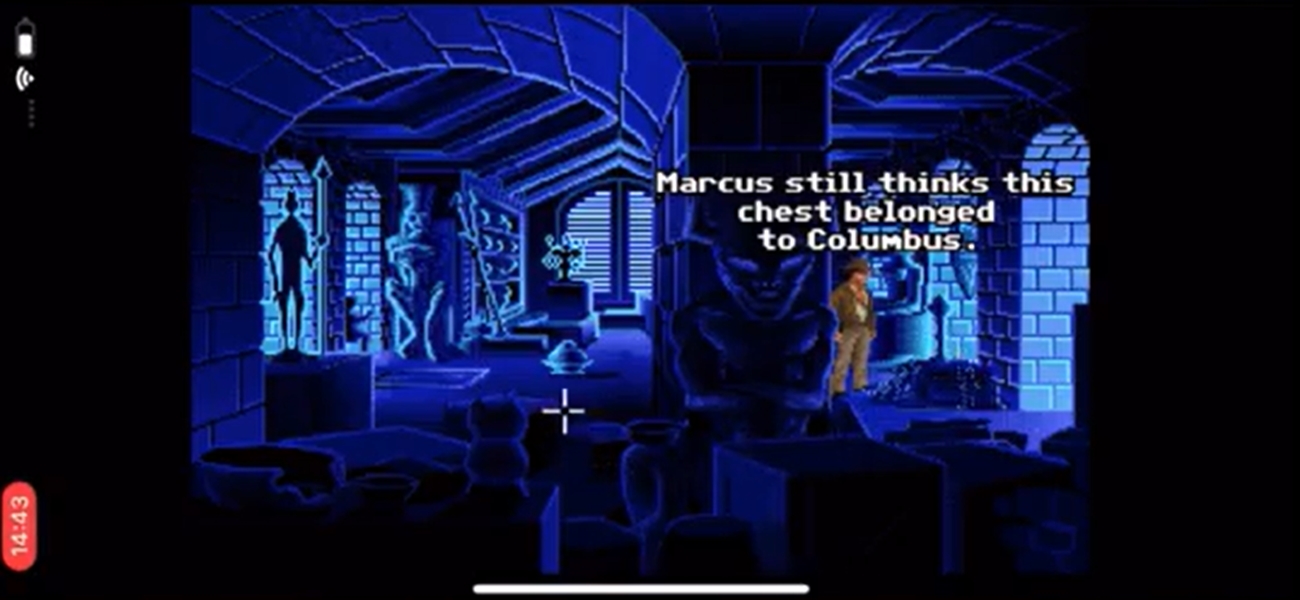
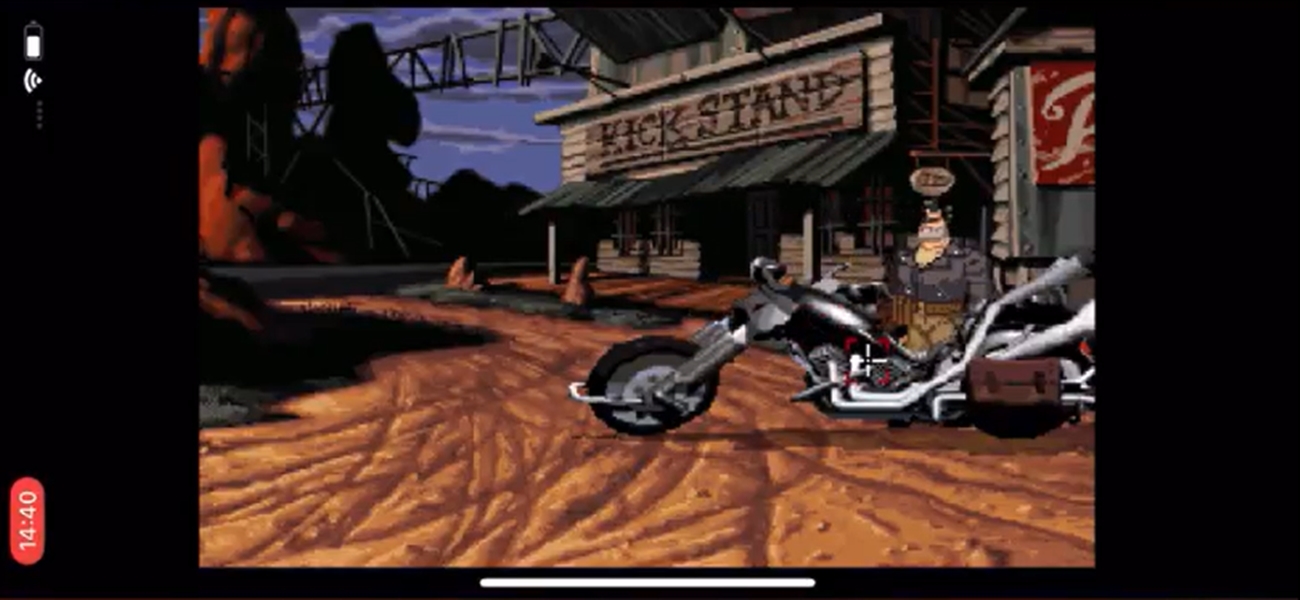
ScummVM is a program which allows you to run certain classic graphical point-and-click adventure games, provided you already have their data files. The clever part about this: ScummVM just replaces the executables shipped with the games, allowing you to play them on systems for which they were never designed!

ScummVM supports many adventure games, including LucasArts SCUMM games (such as Monkey Island 1-3, Day of the Tentacle, Sam & Max, ...), many of Sierra's AGI and SCI games (such as King's Quest 1-6, Space Quest 1-5, ...), Discworld 1 and 2, Simon the Sorcerer 1 and 2, Beneath A Steel Sky, Lure of the Temptress, Broken Sword 1 and 2, Flight of the Amazon Queen, Gobliiins 1-3, The Legend of Kyrandia 1-3, many of Humongous Entertainment's children's SCUMM games (including Freddi Fish and Putt Putt games) and many more.

You can find a full list with details on which games are supported and how well on the [compatibility page](http://scummvm.org/compatibility/). ScummVM is continually improving, so check back often. Among the systems on which you can play those games are Windows, Linux, Mac OS X, Dreamcast, PocketPC, PalmOS, AmigaOS, BeOS, OS/2, PSP, PS2, SymbianOS and many more...

* * *

#### How to's

• Install ScummVM on your device  
• Download a game (You can find some games on the [official website](http://scummvm.org/games/). Also you can copy files from CD)  
• Connect your device to your computer  
• Open iTunes - File Sharing, copy files to ScummVM - Documents  
  

#### Controls

Action

Touch screen control

Left click

Single tap

Right click

Hold one finger on screen where you want to click, single tap another

Arrow keys

Without holding any other finger down, swipe your finger quickly across the screen in the direction of the arrow key you want.

ESC

Hold one finger on screen, double tap another

Global Main Menu

Hold one finger on screen, swipe another down from top to bottom. **Note:** In all versions before 1.5.0, this only send "F5" and thus in some games different menus were brought up.

Show On-Screen Keyboard

Rotate phone to Portrait orientation, rather than landscape to trigger on screen keyboard.

F 0-9 keys

Press the keyboard button directly under the appropriate number

Pause

Keyboard spacebar

Toggle Click+Drag mode

Hold one finger on screen, swipe another up from bottom to top. In this mode, a mouse click is sent immediately when you touch the screen, drags to wherever you slide your finger, and releases where you lift your finger. If you press down a second finger in this mode, you effectively release the left mouse button, and press down the right one (which is then released when you lift your finger again). Useful for _Monkey Island 3: The Curse of Monkey Island_ and _Full Throttle_.

Toggle Touchpad mode

Hold one finger on screen, swipe another up from left to right. In this mode, the cursor doesn't stay underneath your finger, but is rather moved around from its current position depending on the direction of your finger movement, just like a touchpad on a laptop. From version 0.12.0-pre3 and upwards only.

Suspend

Press the tactile "home" button.

Quit

Press and hold the tactile "home" button for 5-6 seconds.

Developer

Eugene Sandulenko

* * *

(self.\_\_next\_f=self.\_\_next\_f||\[\]).push(\[0\])self.\_\_next\_f.push(\[1,"1:\\"$Sreact.fragment\\"\\n2:I\[19598,\[\\"/\_next/static/chunks/cf4c4c009421e500.js\\",\\"/\_next/static/chunks/680d0ca4d34983f1.js\\",\\"/\_next/static/chunks/f052f630e85bc529.js\\",\\"/\_next/static/chunks/f04435b1d07dd95b.js\\"\],\\"GoogleTagManager\\"\]\\n3:I\[8958,\[\\"/\_next/static/chunks/cf4c4c009421e500.js\\",\\"/\_next/static/chunks/680d0ca4d34983f1.js\\",\\"/\_next/static/chunks/f052f630e85bc529.js\\",\\"/\_next/static/chunks/f04435b1d07dd95b.js\\"\],\\"default\\"\]\\n4:I\[334735,\[\\"/\_next/static/chunks/cf4c4c009421e500.js\\",\\"/\_next/static/chunks/680d0ca4d34983f1.js\\",\\"/\_next/static/chunks/f052f630e85bc529.js\\",\\"/\_next/static/chunks/f04435b1d07dd95b.js\\"\],\\"default\\"\]\\n5:I\[339756,\[\\"/\_next/static/chunks/08da02ed5df22a04.js\\",\\"/\_next/static/chunks/41d9c723989d7418.js\\"\],\\"default\\"\]\\n6:I\[758298,\[\\"/\_next/static/chunks/cf4c4c009421e500.js\\",\\"/\_next/static/chunks/680d0ca4d34983f1.js\\",\\"/\_next/static/chunks/f052f630e85bc529.js\\",\\"/\_next/static/chunks/f04435b1d07dd95b.js\\",\\"/\_next/static/chunks/5785432d56776104.js\\",\\"/\_next/static/chunks/3068e0cf6eda0957.js\\",\\"/\_next/static/chunks/1ab5a85a9491994c.js\\"\],\\"default\\"\]\\n7:I\[837457,\[\\"/\_next/static/chunks/08da02ed5df22a04.js\\",\\"/\_next/static/chunks/41d9c723989d7418.js\\"\],\\"default\\"\]\\nf:I\[563491,\[\\"/\_next/static/chunks/08da02ed5df22a04.js\\",\\"/\_next/static/chunks/41d9c723989d7418.js\\"\],\\"default\\"\]\\n10:I\[654576,\[\\"/\_next/static/chunks/cf4c4c009421e500.js\\",\\"/\_next/static/chunks/680d0ca4d34983f1.js\\",\\"/\_next/static/chunks/f052f630e85bc529.js\\",\\"/\_next/static/chunks/f04435b1d07dd95b.js\\"\],\\"GoogleAnalytics\\"\]\\n12:I\[897367,\[\\"/\_next/static/chunks/08da02ed5df22a04.js\\",\\"/\_next/static/chunks/41d9c723989d7418.js\\"\],\\"OutletBoundary\\"\]\\n13:\\"$Sreact.suspense\\"\\n15:I\[897367,\[\\"/\_next/static/chunks/08da02ed5df22a04.js\\",\\"/\_next/static/chunks/41d9c723989d7418.js\\"\],\\"ViewportBoundary\\"\]\\n17:I\[897367,\[\\"/\_next/static/chunks/08da02ed5df22a04.js\\",\\"/\_next/static/chunks/41d9c723989d7418.js\\"\],\\"MetadataBoundary\\"\]\\n19:I\[973536,\[\\"/\_next/static/chunks/cf4c4c009421e500.js\\",\\"/\_next/static/chunks/680d0ca4d34983f1.js\\",\\"/\_next/static/chunks/f052f630e85bc529.js\\",\\"/\_next/static/chunks/f04435b1d07dd95b.js\\",\\"/\_next/static/chunks/18b67e8ebb9438ba.js\\",\\"/\_next/static/chunks/1ab5a85a9491994c.js\\",\\"/\_next/static/chunks/0e91ac68b44c3bca.js\\",\\"/\_next/static/chunks/3068e0cf6eda0957.js\\",\\"/\_next/static/chunks/7626099cbbf095ab.js\\",\\"/\_next/static/chunks/800ba2f60d8547c5.js\\",\\"/\_next/static/chunks/4fc62e9025f55f8a.js\\"\],\\"default\\"\]\\n1a:I\[407306,\[\\"/\_next/static/chunks/cf4c4c009421e500.js\\",\\"/\_next/static/chunks/680d0ca4d34983f1.js\\",\\"/\_next/static/chunks/f052f630e85bc529.js\\",\\"/\_next/static/chunks/f04435b1d07dd95b.js\\",\\"/\_next/static/chunks/70deea7cf7c47c75.js\\",\\"/\_next/static/chunks/3068e0cf6eda0957.js\\",\\"/\_next/static/chunks/1ab5a85a9491994c.js\\"\],\\"default\\"\]\\n:HL\[\\"/\_next/static/chunks/55e6a7451923c121.css\\",\\"style\\"\]\\n:HL\[\\"/\_next/static/media/f141b5b7abe57afc-s.p.0de3c900.woff2\\",\\"font\\",{\\"crossOrigin\\":\\"\\",\\"type\\":\\"font/woff2\\"}\]\\n:HL\[\\"/\_next/static/chunks/0f0be85087185b28.css\\",\\"style\\"\]\\n:HL\[\\"/\_next/static/chunks/f4c536a1cb1223b9.css\\",\\"style\\"\]\\n:HL\[\\"/\_next/static/chunks/f47420dd6445abf8.css\\",\\"style\\"\]\\n:HL\[\\"/\_next/static/chunks/4e1be3d7c0891ed6.css\\",\\"style\\"\]\\n:HL\[\\"/\_next/static/chunks/f7eb669682772961.css\\",\\"style\\"\]\\n:HL\[\\"/\_next/static/chunks/208812355301fa26.css\\",\\"style\\"\]\\n"\])self.\_\_next\_f.push(\[1,"0:{\\"P\\":null,\\"b\\":\\"pje\_nLXviBnR-\_hL2zbm5\\",\\"c\\":\[\\"\\",\\"apps\\",\\"emulators\\",\\"scummvm\\"\],\\"q\\":\\"\\",\\"i\\":false,\\"f\\":\[\[\[\\"\\",{\\"children\\":\[\\"apps\\",{\\"children\\":\[\[\\"category\\",\\"emulators\\",\\"d\\"\],{\\"children\\":\[\[\\"slug\\",\\"scummvm\\",\\"d\\"\],{\\"children\\":\[\\"\_\_PAGE\_\_\\",{}\]}\]}\]}\]},\\"$undefined\\",\\"$undefined\\",true\],\[\[\\"$\\",\\"$1\\",\\"c\\",{\\"children\\":\[\[\[\\"$\\",\\"link\\",\\"0\\",{\\"rel\\":\\"stylesheet\\",\\"href\\":\\"/\_next/static/chunks/55e6a7451923c121.css\\",\\"precedence\\":\\"next\\",\\"crossOrigin\\":\\"$undefined\\",\\"nonce\\":\\"$undefined\\"}\],\[\\"$\\",\\"script\\",\\"script-0\\",{\\"src\\":\\"/\_next/static/chunks/cf4c4c009421e500.js\\",\\"async\\":true,\\"nonce\\":\\"$undefined\\"}\],\[\\"$\\",\\"script\\",\\"script-1\\",{\\"src\\":\\"/\_next/static/chunks/680d0ca4d34983f1.js\\",\\"async\\":true,\\"nonce\\":\\"$undefined\\"}\],\[\\"$\\",\\"script\\",\\"script-2\\",{\\"src\\":\\"/\_next/static/chunks/f052f630e85bc529.js\\",\\"async\\":true,\\"nonce\\":\\"$undefined\\"}\],\[\\"$\\",\\"script\\",\\"script-3\\",{\\"src\\":\\"/\_next/static/chunks/f04435b1d07dd95b.js\\",\\"async\\":true,\\"nonce\\":\\"$undefined\\"}\]\],\[\\"$\\",\\"html\\",null,{\\"lang\\":\\"en\\",\\"className\\":\\"nunito\_sans\_3b39f7e7-module\_\_PDbDFW\_\_className\\",\\"children\\":\[\[\\"$\\",\\"head\\",null,{\\"children\\":\[\[\\"$\\",\\"style\\",null,{\\"dangerouslySetInnerHTML\\":{\\"\_\_html\\":\\"\*,::after,::before{box-sizing:border-box}\*{margin:0;padding:0;border:0}:active,:focus,a:active,a:focus{outline:0}aside,footer,header,nav{display:block}body,html{width:100%;height:100%;font-size:14px;line-height:1;text-size-adjust:100%;-webkit-tap-highlight-color:transparent}button,input,textarea{font-family:inherit}input::-ms-clear{display:none}input::-webkit-search-cancel-button,input::-webkit-search-decoration,input::-webkit-search-results-button,input::-webkit-search-results-decoration{display:none}button{cursor:pointer}button::-moz-focus-inner{padding:0;border:0}a,a:any-link,a:visited{text-decoration:none}a:hover{text-decoration:none}ul li{list-style:none}img{vertical-align:top}h1,h2,h3,h4,h5,h6{font-size:inherit;font-weight:400}mark{color:inherit;background:inherit}:root{--height-header:58px;--height-notifications:58px}body{min-width:320px;background-color:#1e1449}.container{width:904px;max-width:100vw;margin:0 auto;padding-right:24px;padding-left:24px}\\"}}\],\[\\"$\\",\\"script\\",null,{\\"type\\":\\"application/ld+json\\",\\"dangerouslySetInnerHTML\\":{\\"\_\_html\\":\\"{\\\\\\"@context\\\\\\":\\\\\\"https://schema.org\\\\\\",\\\\\\"@type\\\\\\":\\\\\\"WebSite\\\\\\",\\\\\\"name\\\\\\":\\\\\\"BuildStore\\\\\\",\\\\\\"url\\\\\\":\\\\\\"https://builds.io\\\\\\",\\\\\\"description\\\\\\":\\\\\\"BuildStore – safe and trustworthy app store for iOS. Access favorite apps, games, emulators, tweaks, and more.\\\\\\",\\\\\\"publisher\\\\\\":{\\\\\\"@type\\\\\\":\\\\\\"Organization\\\\\\",\\\\\\"name\\\\\\":\\\\\\"BuildStore\\\\\\",\\\\\\"url\\\\\\":\\\\\\"https://builds.io\\\\\\",\\\\\\"logo\\\\\\":{\\\\\\"@type\\\\\\":\\\\\\"ImageObject\\\\\\",\\\\\\"url\\\\\\":\\\\\\"https://d7umw8mitnngt.cloudfront.net/favicons/favicon-200.png\\\\\\"}}}\\"}}\]\]}\],\[\\"$\\",\\"$L2\\",null,{\\"gtmId\\":\\"GTM-TK6RTQL\\"}\],\[\\"$\\",\\"body\\",null,{\\"children\\":\[\[\\"$\\",\\"$L3\\",null,{}\],\[\\"$\\",\\"$L4\\",null,{\\"children\\":\[\\"$\\",\\"$L5\\",null,{\\"parallelRouterKey\\":\\"children\\",\\"error\\":\\"$6\\",\\"errorStyles\\":\[\[\\"$\\",\\"link\\",\\"0\\",{\\"rel\\":\\"stylesheet\\",\\"href\\":\\"/\_next/static/chunks/4e1be3d7c0891ed6.css\\",\\"precedence\\":\\"next\\",\\"crossOrigin\\":\\"$undefined\\",\\"nonce\\":\\"$undefined\\"}\],\[\\"$\\",\\"link\\",\\"1\\",{\\"rel\\":\\"stylesheet\\",\\"href\\":\\"/\_next/static/chunks/0f0be85087185b28.css\\",\\"precedence\\":\\"next\\",\\"crossOrigin\\":\\"$undefined\\",\\"nonce\\":\\"$undefined\\"}\],\[\\"$\\",\\"link\\",\\"2\\",{\\"rel\\":\\"stylesheet\\",\\"href\\":\\"/\_next/static/chunks/f4c536a1cb1223b9.css\\",\\"precedence\\":\\"next\\",\\"crossOrigin\\":\\"$undefined\\",\\"nonce\\":\\"$undefined\\"}\],\[\\"$\\",\\"link\\",\\"3\\",{\\"rel\\":\\"stylesheet\\",\\"href\\":\\"/\_next/static/chunks/f47420dd6445abf8.css\\",\\"precedence\\":\\"next\\",\\"crossOrigin\\":\\"$undefined\\",\\"nonce\\":\\"$undefined\\"}\]\],\\"errorScripts\\":\[\[\\"$\\",\\"script\\",\\"script-0\\",{\\"src\\":\\"/\_next/static/chunks/5785432d56776104.js\\",\\"async\\":true}\],\[\\"$\\",\\"script\\",\\"script-1\\",{\\"src\\":\\"/\_next/static/chunks/3068e0cf6eda0957.js\\",\\"async\\":true}\],\[\\"$\\",\\"script\\",\\"script-2\\",{\\"src\\":\\"/\_next/static/chunks/1ab5a85a9491994c.js\\",\\"async\\":true}\]\],\\"template\\":\[\\"$\\",\\"$L7\\",null,{}\],\\"templateStyles\\":\\"$undefined\\",\\"templateScripts\\":\\"$undefined\\",\\"notFound\\":\[\\"$L8\\",\[\[\\"$\\",\\"link\\",\\"0\\",{\\"rel\\":\\"stylesheet\\",\\"href\\":\\"/\_next/static/chunks/0f0be85087185b28.css\\",\\"precedence\\":\\"next\\",\\"crossOrigin\\":\\"$undefined\\",\\"nonce\\":\\"$undefined\\"}\],\[\\"$\\",\\"link\\",\\"1\\",{\\"rel\\":\\"stylesheet\\",\\"href\\":\\"/\_next/static/chunks/f4c536a1cb1223b9.css\\",\\"precedence\\":\\"next\\",\\"crossOrigin\\":\\"$undefined\\",\\"nonce\\":\\"$undefined\\"}\],\[\\"$\\",\\"link\\",\\"2\\",{\\"rel\\":\\"stylesheet\\",\\"href\\":\\"/\_next/static/chunks/f47420dd6445abf8.css\\",\\"precedence\\":\\"next\\",\\"crossOrigin\\":\\"$undefined\\",\\"nonce\\":\\"$undefined\\"}\],\[\\"$\\",\\"link\\",\\"3\\",{\\"rel\\":\\"stylesheet\\",\\"href\\":\\"/\_next/static/chunks/4e1be3d7c0891ed6.css\\",\\"precedence\\":\\"next\\",\\"crossOrigin\\":\\"$undefined\\",\\"nonce\\":\\"$undefined\\"}\]\]\],\\"forbidden\\":\\"$undefined\\",\\"unauthorized\\":\\"$undefined\\"}\]}\]\]}\],\\"$L9\\"\]}\]\]}\],{\\"children\\":\[\\"$La\\",{\\"children\\":\[\\"$Lb\\",{\\"children\\":\[\\"$Lc\\",{\\"children\\":\[\\"$Ld\\",{},null,false,false\]},null,false,false\]},null,false,false\]},null,false,false\]},null,false,false\],\\"$Le\\",false\]\],\\"m\\":\\"$undefined\\",\\"G\\":\[\\"$f\\",\[\]\],\\"S\\":false}\\n"\])self.\_\_next\_f.push(\[1,"9:\[\\"$\\",\\"$L10\\",null,{\\"gaId\\":\\"G-TFTZSC58VT\\"}\]\\na:\[\\"$\\",\\"$1\\",\\"c\\",{\\"children\\":\[null,\[\\"$\\",\\"$L5\\",null,{\\"parallelRouterKey\\":\\"children\\",\\"error\\":\\"$undefined\\",\\"errorStyles\\":\\"$undefined\\",\\"errorScripts\\":\\"$undefined\\",\\"template\\":\[\\"$\\",\\"$L7\\",null,{}\],\\"templateStyles\\":\\"$undefined\\",\\"templateScripts\\":\\"$undefined\\",\\"notFound\\":\\"$undefined\\",\\"forbidden\\":\\"$undefined\\",\\"unauthorized\\":\\"$undefined\\"}\]\]}\]\\nb:\[\\"$\\",\\"$1\\",\\"c\\",{\\"children\\":\[null,\[\\"$\\",\\"$L5\\",null,{\\"parallelRouterKey\\":\\"children\\",\\"error\\":\\"$undefined\\",\\"errorStyles\\":\\"$undefined\\",\\"errorScripts\\":\\"$undefined\\",\\"template\\":\[\\"$\\",\\"$L7\\",null,{}\],\\"templateStyles\\":\\"$undefined\\",\\"templateScripts\\":\\"$undefined\\",\\"notFound\\":\\"$undefined\\",\\"forbidden\\":\\"$undefined\\",\\"unauthorized\\":\\"$undefined\\"}\]\]}\]\\nc:\[\\"$\\",\\"$1\\",\\"c\\",{\\"children\\":\[null,\[\\"$\\",\\"$L5\\",null,{\\"parallelRouterKey\\":\\"children\\",\\"error\\":\\"$undefined\\",\\"errorStyles\\":\\"$undefined\\",\\"errorScripts\\":\\"$undefined\\",\\"template\\":\[\\"$\\",\\"$L7\\",null,{}\],\\"templateStyles\\":\\"$undefined\\",\\"templateScripts\\":\\"$undefined\\",\\"notFound\\":\\"$undefined\\",\\"forbidden\\":\\"$undefined\\",\\"unauthorized\\":\\"$undefined\\"}\]\]}\]\\n"\])self.\_\_next\_f.push(\[1,"d:\[\\"$\\",\\"$1\\",\\"c\\",{\\"children\\":\[\\"$L11\\",\[\[\\"$\\",\\"link\\",\\"0\\",{\\"rel\\":\\"stylesheet\\",\\"href\\":\\"/\_next/static/chunks/0f0be85087185b28.css\\",\\"precedence\\":\\"next\\",\\"crossOrigin\\":\\"$undefined\\",\\"nonce\\":\\"$undefined\\"}\],\[\\"$\\",\\"link\\",\\"1\\",{\\"rel\\":\\"stylesheet\\",\\"href\\":\\"/\_next/static/chunks/f4c536a1cb1223b9.css\\",\\"precedence\\":\\"next\\",\\"crossOrigin\\":\\"$undefined\\",\\"nonce\\":\\"$undefined\\"}\],\[\\"$\\",\\"link\\",\\"2\\",{\\"rel\\":\\"stylesheet\\",\\"href\\":\\"/\_next/static/chunks/f47420dd6445abf8.css\\",\\"precedence\\":\\"next\\",\\"crossOrigin\\":\\"$undefined\\",\\"nonce\\":\\"$undefined\\"}\],\[\\"$\\",\\"link\\",\\"3\\",{\\"rel\\":\\"stylesheet\\",\\"href\\":\\"/\_next/static/chunks/4e1be3d7c0891ed6.css\\",\\"precedence\\":\\"next\\",\\"crossOrigin\\":\\"$undefined\\",\\"nonce\\":\\"$undefined\\"}\],\[\\"$\\",\\"link\\",\\"4\\",{\\"rel\\":\\"stylesheet\\",\\"href\\":\\"/\_next/static/chunks/f7eb669682772961.css\\",\\"precedence\\":\\"next\\",\\"crossOrigin\\":\\"$undefined\\",\\"nonce\\":\\"$undefined\\"}\],\[\\"$\\",\\"link\\",\\"5\\",{\\"rel\\":\\"stylesheet\\",\\"href\\":\\"/\_next/static/chunks/208812355301fa26.css\\",\\"precedence\\":\\"next\\",\\"crossOrigin\\":\\"$undefined\\",\\"nonce\\":\\"$undefined\\"}\],\[\\"$\\",\\"script\\",\\"script-0\\",{\\"src\\":\\"/\_next/static/chunks/18b67e8ebb9438ba.js\\",\\"async\\":true,\\"nonce\\":\\"$undefined\\"}\],\[\\"$\\",\\"script\\",\\"script-1\\",{\\"src\\":\\"/\_next/static/chunks/1ab5a85a9491994c.js\\",\\"async\\":true,\\"nonce\\":\\"$undefined\\"}\],\[\\"$\\",\\"script\\",\\"script-2\\",{\\"src\\":\\"/\_next/static/chunks/0e91ac68b44c3bca.js\\",\\"async\\":true,\\"nonce\\":\\"$undefined\\"}\],\[\\"$\\",\\"script\\",\\"script-3\\",{\\"src\\":\\"/\_next/static/chunks/3068e0cf6eda0957.js\\",\\"async\\":true,\\"nonce\\":\\"$undefined\\"}\],\[\\"$\\",\\"script\\",\\"script-4\\",{\\"src\\":\\"/\_next/static/chunks/7626099cbbf095ab.js\\",\\"async\\":true,\\"nonce\\":\\"$undefined\\"}\],\[\\"$\\",\\"script\\",\\"script-5\\",{\\"src\\":\\"/\_next/static/chunks/800ba2f60d8547c5.js\\",\\"async\\":true,\\"nonce\\":\\"$undefined\\"}\],\[\\"$\\",\\"script\\",\\"script-6\\",{\\"src\\":\\"/\_next/static/chunks/4fc62e9025f55f8a.js\\",\\"async\\":true,\\"nonce\\":\\"$undefined\\"}\]\],\[\\"$\\",\\"$L12\\",null,{\\"children\\":\[\\"$\\",\\"$13\\",null,{\\"name\\":\\"Next.MetadataOutlet\\",\\"children\\":\\"$@14\\"}\]}\]\]}\]\\n"\])self.\_\_next\_f.push(\[1,"e:\[\\"$\\",\\"$1\\",\\"h\\",{\\"children\\":\[null,\[\\"$\\",\\"$L15\\",null,{\\"children\\":\\"$L16\\"}\],\[\\"$\\",\\"div\\",null,{\\"hidden\\":true,\\"children\\":\[\\"$\\",\\"$L17\\",null,{\\"children\\":\[\\"$\\",\\"$13\\",null,{\\"name\\":\\"Next.Metadata\\",\\"children\\":\\"$L18\\"}\]}\]}\],\[\\"$\\",\\"meta\\",null,{\\"name\\":\\"next-size-adjust\\",\\"content\\":\\"\\"}\]\]}\]\\n8:\[\\"$\\",\\"$L19\\",null,{\\"cookies\\":\[\],\\"access\\":\\"$undefined\\",\\"areCookiesShouldBeSet\\":\\"$undefined\\",\\"refresh\\":\\"$undefined\\",\\"user\\":\\"$undefined\\",\\"headerTransparent\\":true,\\"footerTransparent\\":true,\\"children\\":\[\\"$\\",\\"$L1a\\",null,{}\]}\]\\n16:\[\[\\"$\\",\\"meta\\",\\"0\\",{\\"charSet\\":\\"utf-8\\"}\],\[\\"$\\",\\"meta\\",\\"1\\",{\\"name\\":\\"viewport\\",\\"content\\":\\"width=device-width, initial-scale=1, maximum-scale=1\\"}\],\[\\"$\\",\\"meta\\",\\"2\\",{\\"name\\":\\"theme-color\\",\\"content\\":\\"#1e1449\\"}\]\]\\n"\])self.\_\_next\_f.push(\[1,"1b:T131e,"\])self.\_\_next\_f.push(\[1,"{\\"@context\\":\\"https://schema.org\\",\\"@type\\":\\"SoftwareApplication\\",\\"name\\":\\"ScummVM\\",\\"description\\":\\"\\u003cp\\u003eScummVM is a program which allows you to run certain classic graphical point-and-click adventure games, provided you already have their data files. The clever part about this: ScummVM just replaces the executables shipped with the games, allowing you to play them on systems for which they were never designed!\\u003c/p\\u003e\\\\r\\\\n\\u003cp\\u003eScummVM supports many adventure games, including LucasArts SCUMM games (such as Monkey Island 1-3, Day of the Tentacle, Sam \\u0026 Max, ...), many of Sierra's AGI and SCI games (such as King's Quest 1-6, Space Quest 1-5, ...), Discworld 1 and 2, Simon the Sorcerer 1 and 2, Beneath A Steel Sky, Lure of the Temptress, Broken Sword 1 and 2, Flight of the Amazon Queen, Gobliiins 1-3, The Legend of Kyrandia 1-3, many of Humongous Entertainment's children's SCUMM games (including Freddi Fish and Putt Putt games) and many more.\\u003c/p\\u003e\\\\r\\\\n\\u003cp\\u003eYou can find a full list with details on which games are supported and how well on the \\u003ca href=\\\\\\"http://scummvm.org/compatibility/\\\\\\"\\u003ecompatibility page\\u003c/a\\u003e. ScummVM is continually improving, so check back often. Among the systems on which you can play those games are Windows, Linux, Mac OS X, Dreamcast, PocketPC, PalmOS, AmigaOS, BeOS, OS/2, PSP, PS2, SymbianOS and many more...\\u003c/p\\u003e\\\\r\\\\n\\u003chr\\u003e\\\\r\\\\n\\u003ch4\\u003eHow to's\\u003c/h4\\u003e\\\\r\\\\n• Install ScummVM on your device\\u003c/br\\u003e\\\\r\\\\n• Download a game (You can find some games on the \\u003ca href=\\\\\\"http://scummvm.org/games/\\\\\\"\\u003eofficial website\\u003c/a\\u003e. Also you can copy files from CD)\\u003c/br\\u003e\\\\r\\\\n• Connect your device to your computer\\u003c/br\\u003e\\\\r\\\\n• Open iTunes - File Sharing, copy files to ScummVM - Documents\\\\r\\\\n\\u003c/br\\u003e\\u003c/br\\u003e\\\\r\\\\n\\u003ch4\\u003eControls\\u003c/h4\\u003e\\\\r\\\\n\\u003ctable style=\\\\\\"width: 100%\\\\\\" cellspacing=\\\\\\"0\\\\\\"\\u003e\\\\r\\\\n\\u003ctbody\\u003e\\\\r\\\\n\\u003ctr\\u003e\\\\r\\\\n\\u003cth style=\\\\\\"width: 93px;\\\\\\" align=\\\\\\"left\\\\\\"\\u003eAction\\u003c/th\\u003e\\\\r\\\\n\\u003cth style=\\\\\\"width: 615px;\\\\\\" align=\\\\\\"left\\\\\\"\\u003eTouch screen control\\u003c/th\\u003e\\\\r\\\\n\\u003c/tr\\u003e\\\\r\\\\n\\u003ctr\\u003e\\\\r\\\\n\\u003ctd style=\\\\\\"width: 93px;\\\\\\"\\u003eLeft click\\u003c/td\\u003e\\\\r\\\\n\\u003ctd style=\\\\\\"width: 615px;\\\\\\"\\u003eSingle tap\\u003c/td\\u003e\\\\r\\\\n\\u003c/tr\\u003e\\\\r\\\\n\\u003ctr\\u003e\\\\r\\\\n\\u003ctd style=\\\\\\"width: 93px;\\\\\\"\\u003eRight click\\u003c/td\\u003e\\\\r\\\\n\\u003ctd style=\\\\\\"width: 615px;\\\\\\"\\u003eHold one finger on screen where you want to click, single tap another\\u003c/td\\u003e\\\\r\\\\n\\u003c/tr\\u003e\\\\r\\\\n\\u003ctr\\u003e\\\\r\\\\n\\u003ctd style=\\\\\\"width: 93px;\\\\\\"\\u003eArrow keys\\u003c/td\\u003e\\\\r\\\\n\\u003ctd style=\\\\\\"width: 615px;\\\\\\"\\u003eWithout holding any other finger down, swipe your finger quickly across the screen in the direction of the arrow key you want.\\u003c/td\\u003e\\\\r\\\\n\\u003c/tr\\u003e\\\\r\\\\n\\u003ctr\\u003e\\\\r\\\\n\\u003ctd style=\\\\\\"width: 93px;\\\\\\"\\u003eESC\\u003c/td\\u003e\\\\r\\\\n\\u003ctd style=\\\\\\"width: 615px;\\\\\\"\\u003eHold one finger on screen, double tap another\\u003c/td\\u003e\\\\r\\\\n\\u003c/tr\\u003e\\\\r\\\\n\\u003ctr\\u003e\\\\r\\\\n\\u003ctd style=\\\\\\"width: 93px;\\\\\\"\\u003eGlobal Main Menu\\u003c/td\\u003e\\\\r\\\\n\\u003ctd style=\\\\\\"width: 615px;\\\\\\"\\u003eHold one finger on screen, swipe another down from top to bottom.\\u0026nbsp;\\u003cstrong\\u003eNote:\\u003c/strong\\u003e\\u0026nbsp;In all versions before 1.5.0, this only send \\\\\\"F5\\\\\\" and thus in some games different menus were brought up.\\u003c/td\\u003e\\\\r\\\\n\\u003c/tr\\u003e\\\\r\\\\n\\u003ctr\\u003e\\\\r\\\\n\\u003ctd style=\\\\\\"width: 93px;\\\\\\"\\u003eShow On-Screen Keyboard\\u003c/td\\u003e\\\\r\\\\n\\u003ctd style=\\\\\\"width: 615px;\\\\\\"\\u003eRotate phone to Portrait orientation, rather than landscape to trigger on screen keyboard.\\u003c/td\\u003e\\\\r\\\\n\\u003c/tr\\u003e\\\\r\\\\n\\u003ctr\\u003e\\\\r\\\\n\\u003ctd style=\\\\\\"width: 93px;\\\\\\"\\u003eF 0-9 keys\\u003c/td\\u003e\\\\r\\\\n\\u003ctd style=\\\\\\"width: 615px;\\\\\\"\\u003ePress the keyboard button directly under the appropriate number\\u003c/td\\u003e\\\\r\\\\n\\u003c/tr\\u003e\\\\r\\\\n\\u003ctr\\u003e\\\\r\\\\n\\u003ctd style=\\\\\\"width: 93px;\\\\\\"\\u003ePause\\u003c/td\\u003e\\\\r\\\\n\\u003ctd style=\\\\\\"width: 615px;\\\\\\"\\u003eKeyboard spacebar\\u003c/td\\u003e\\\\r\\\\n\\u003c/tr\\u003e\\\\r\\\\n\\u003ctr\\u003e\\\\r\\\\n\\u003ctd style=\\\\\\"width: 93px;\\\\\\"\\u003eToggle Click+Drag mode\\u003c/td\\u003e\\\\r\\\\n\\u003ctd style=\\\\\\"width: 615px;\\\\\\"\\u003eHold one finger on screen, swipe another up from bottom to top. In this mode, a mouse click is sent immediately when you touch the screen, drags to wherever you slide your finger, and releases where you lift your finger. If you press down a second finger in this mode, you effectively release the left mouse button, and press down the right one (which is then released when you lift your finger again). Useful for\\u0026nbsp;\\u003cem\\u003eMonkey Island 3: The Curse of Monkey Island\\u003c/em\\u003e\\u0026nbsp;and\\u0026nbsp;\\u003cem\\u003eFull Throttle\\u003c/em\\u003e.\\u003c/td\\u003e\\\\r\\\\n\\u003c/tr\\u003e\\\\r\\\\n\\u003ctr\\u003e\\\\r\\\\n\\u003ctd style=\\\\\\"width: 93px;\\\\\\"\\u003eToggle Touchpad mode\\u003c/td\\u003e\\\\r\\\\n\\u003ctd style=\\\\\\"width: 615px;\\\\\\"\\u003eHold one finger on screen, swipe another up from left to right. In this mode, the cursor doesn't stay underneath your finger, but is rather moved around from its current position depending on the direction of your finger movement, just like a touchpad on a laptop. From version 0.12.0-pre3 and upwards only.\\u003c/td\\u003e\\\\r\\\\n\\u003c/tr\\u003e\\\\r\\\\n\\u003ctr\\u003e\\\\r\\\\n\\u003ctd style=\\\\\\"width: 93px;\\\\\\"\\u003eSuspend\\u003c/td\\u003e\\\\r\\\\n\\u003ctd style=\\\\\\"width: 615px;\\\\\\"\\u003ePress the tactile \\\\\\"home\\\\\\" button.\\u003c/td\\u003e\\\\r\\\\n\\u003c/tr\\u003e\\\\r\\\\n\\u003ctr\\u003e\\\\r\\\\n\\u003ctd style=\\\\\\"width: 93px;\\\\\\"\\u003eQuit\\u003c/td\\u003e\\\\r\\\\n\\u003ctd style=\\\\\\"width: 615px;\\\\\\"\\u003ePress and hold the tactile \\\\\\"home\\\\\\" button for 5-6 seconds.\\u003c/td\\u003e\\\\r\\\\n\\u003c/tr\\u003e\\\\r\\\\n\\u003c/tbody\\u003e\\\\r\\\\n\\u003c/table\\u003e\\",\\"image\\":\\"https://d7umw8mitnngt.cloudfront.net/icons/scummVM\_new\_icon.webp\\",\\"url\\":\\"https://builds.io/apps/emulators/scummvm\\",\\"applicationCategory\\":\\"MobileApplication\\",\\"operatingSystem\\":\\"iOS\\"}"\])self.\_\_next\_f.push(\[1,"11:\[\[\\"$\\",\\"script\\",null,{\\"type\\":\\"application/ld+json\\",\\"dangerouslySetInnerHTML\\":{\\"\_\_html\\":\\"$1b\\"}}\],\\"$@1c\\"\]\\n14:null\\n1d:T1135,"\])self.\_\_next\_f.push(\[1,"\\u003cp\\u003eScummVM is a program which allows you to run certain classic graphical point-and-click adventure games, provided you already have their data files. The clever part about this: ScummVM just replaces the executables shipped with the games, allowing you to play them on systems for which they were never designed!\\u003c/p\\u003e\\r\\n\\u003cp\\u003eScummVM supports many adventure games, including LucasArts SCUMM games (such as Monkey Island 1-3, Day of the Tentacle, Sam \\u0026 Max, ...), many of Sierra's AGI and SCI games (such as King's Quest 1-6, Space Quest 1-5, ...), Discworld 1 and 2, Simon the Sorcerer 1 and 2, Beneath A Steel Sky, Lure of the Temptress, Broken Sword 1 and 2, Flight of the Amazon Queen, Gobliiins 1-3, The Legend of Kyrandia 1-3, many of Humongous Entertainment's children's SCUMM games (including Freddi Fish and Putt Putt games) and many more.\\u003c/p\\u003e\\r\\n\\u003cp\\u003eYou can find a full list with details on which games are supported and how well on the \\u003ca href=\\"http://scummvm.org/compatibility/\\"\\u003ecompatibility page\\u003c/a\\u003e. ScummVM is continually improving, so check back often. Among the systems on which you can play those games are Windows, Linux, Mac OS X, Dreamcast, PocketPC, PalmOS, AmigaOS, BeOS, OS/2, PSP, PS2, SymbianOS and many more...\\u003c/p\\u003e\\r\\n\\u003chr\\u003e\\r\\n\\u003ch4\\u003eHow to's\\u003c/h4\\u003e\\r\\n• Install ScummVM on your device\\u003c/br\\u003e\\r\\n• Download a game (You can find some games on the \\u003ca href=\\"http://scummvm.org/games/\\"\\u003eofficial website\\u003c/a\\u003e. Also you can copy files from CD)\\u003c/br\\u003e\\r\\n• Connect your device to your computer\\u003c/br\\u003e\\r\\n• Open iTunes - File Sharing, copy files to ScummVM - Documents\\r\\n\\u003c/br\\u003e\\u003c/br\\u003e\\r\\n\\u003ch4\\u003eControls\\u003c/h4\\u003e\\r\\n\\u003ctable style=\\"width: 100%\\" cellspacing=\\"0\\"\\u003e\\r\\n\\u003ctbody\\u003e\\r\\n\\u003ctr\\u003e\\r\\n\\u003cth style=\\"width: 93px;\\" align=\\"left\\"\\u003eAction\\u003c/th\\u003e\\r\\n\\u003cth style=\\"width: 615px;\\" align=\\"left\\"\\u003eTouch screen control\\u003c/th\\u003e\\r\\n\\u003c/tr\\u003e\\r\\n\\u003ctr\\u003e\\r\\n\\u003ctd style=\\"width: 93px;\\"\\u003eLeft click\\u003c/td\\u003e\\r\\n\\u003ctd style=\\"width: 615px;\\"\\u003eSingle tap\\u003c/td\\u003e\\r\\n\\u003c/tr\\u003e\\r\\n\\u003ctr\\u003e\\r\\n\\u003ctd style=\\"width: 93px;\\"\\u003eRight click\\u003c/td\\u003e\\r\\n\\u003ctd style=\\"width: 615px;\\"\\u003eHold one finger on screen where you want to click, single tap another\\u003c/td\\u003e\\r\\n\\u003c/tr\\u003e\\r\\n\\u003ctr\\u003e\\r\\n\\u003ctd style=\\"width: 93px;\\"\\u003eArrow keys\\u003c/td\\u003e\\r\\n\\u003ctd style=\\"width: 615px;\\"\\u003eWithout holding any other finger down, swipe your finger quickly across the screen in the direction of the arrow key you want.\\u003c/td\\u003e\\r\\n\\u003c/tr\\u003e\\r\\n\\u003ctr\\u003e\\r\\n\\u003ctd style=\\"width: 93px;\\"\\u003eESC\\u003c/td\\u003e\\r\\n\\u003ctd style=\\"width: 615px;\\"\\u003eHold one finger on screen, double tap another\\u003c/td\\u003e\\r\\n\\u003c/tr\\u003e\\r\\n\\u003ctr\\u003e\\r\\n\\u003ctd style=\\"width: 93px;\\"\\u003eGlobal Main Menu\\u003c/td\\u003e\\r\\n\\u003ctd style=\\"width: 615px;\\"\\u003eHold one finger on screen, swipe another down from top to bottom.\\u0026nbsp;\\u003cstrong\\u003eNote:\\u003c/strong\\u003e\\u0026nbsp;In all versions before 1.5.0, this only send \\"F5\\" and thus in some games different menus were brought up.\\u003c/td\\u003e\\r\\n\\u003c/tr\\u003e\\r\\n\\u003ctr\\u003e\\r\\n\\u003ctd style=\\"width: 93px;\\"\\u003eShow On-Screen Keyboard\\u003c/td\\u003e\\r\\n\\u003ctd style=\\"width: 615px;\\"\\u003eRotate phone to Portrait orientation, rather than landscape to trigger on screen keyboard.\\u003c/td\\u003e\\r\\n\\u003c/tr\\u003e\\r\\n\\u003ctr\\u003e\\r\\n\\u003ctd style=\\"width: 93px;\\"\\u003eF 0-9 keys\\u003c/td\\u003e\\r\\n\\u003ctd style=\\"width: 615px;\\"\\u003ePress the keyboard button directly under the appropriate number\\u003c/td\\u003e\\r\\n\\u003c/tr\\u003e\\r\\n\\u003ctr\\u003e\\r\\n\\u003ctd style=\\"width: 93px;\\"\\u003ePause\\u003c/td\\u003e\\r\\n\\u003ctd style=\\"width: 615px;\\"\\u003eKeyboard spacebar\\u003c/td\\u003e\\r\\n\\u003c/tr\\u003e\\r\\n\\u003ctr\\u003e\\r\\n\\u003ctd style=\\"width: 93px;\\"\\u003eToggle Click+Drag mode\\u003c/td\\u003e\\r\\n\\u003ctd style=\\"width: 615px;\\"\\u003eHold one finger on screen, swipe another up from bottom to top. In this mode, a mouse click is sent immediately when you touch the screen, drags to wherever you slide your finger, and releases where you lift your finger. If you press down a second finger in this mode, you effectively release the left mouse button, and press down the right one (which is then released when you lift your finger again). Useful for\\u0026nbsp;\\u003cem\\u003eMonkey Island 3: The Curse of Monkey Island\\u003c/em\\u003e\\u0026nbsp;and\\u0026nbsp;\\u003cem\\u003eFull Throttle\\u003c/em\\u003e.\\u003c/td\\u003e\\r\\n\\u003c/tr\\u003e\\r\\n\\u003ctr\\u003e\\r\\n\\u003ctd style=\\"width: 93px;\\"\\u003eToggle Touchpad mode\\u003c/td\\u003e\\r\\n\\u003ctd style=\\"width: 615px;\\"\\u003eHold one finger on screen, swipe another up from left to right. In this mode, the cursor doesn't stay underneath your finger, but is rather moved around from its current position depending on the direction of your finger movement, just like a touchpad on a laptop. From version 0.12.0-pre3 and upwards only.\\u003c/td\\u003e\\r\\n\\u003c/tr\\u003e\\r\\n\\u003ctr\\u003e\\r\\n\\u003ctd style=\\"width: 93px;\\"\\u003eSuspend\\u003c/td\\u003e\\r\\n\\u003ctd style=\\"width: 615px;\\"\\u003ePress the tactile \\"home\\" button.\\u003c/td\\u003e\\r\\n\\u003c/tr\\u003e\\r\\n\\u003ctr\\u003e\\r\\n\\u003ctd style=\\"width: 93px;\\"\\u003eQuit\\u003c/td\\u003e\\r\\n\\u003ctd style=\\"width: 615px;\\"\\u003ePress and hold the tactile \\"home\\" button for 5-6 seconds.\\u003c/td\\u003e\\r\\n\\u003c/tr\\u003e\\r\\n\\u003c/tbody\\u003e\\r\\n\\u003c/table\\u003e"\])self.\_\_next\_f.push(\[1,"18:\[\[\\"$\\",\\"title\\",\\"0\\",{\\"children\\":\\"ScummVM | BuildStore\\"}\],\[\\"$\\",\\"meta\\",\\"1\\",{\\"name\\":\\"description\\",\\"content\\":\\"$1d\\"}\],\\"$L1e\\",\\"$L1f\\",\\"$L20\\",\\"$L21\\",\\"$L22\\",\\"$L23\\",\\"$L24\\",\\"$L25\\",\\"$L26\\",\\"$L27\\",\\"$L28\\",\\"$L29\\",\\"$L2a\\",\\"$L2b\\",\\"$L2c\\",\\"$L2d\\",\\"$L2e\\",\\"$L2f\\",\\"$L30\\",\\"$L31\\",\\"$L32\\"\]\\n"\])self.\_\_next\_f.push(\[1,"35:I\[27201,\[\\"/\_next/static/chunks/08da02ed5df22a04.js\\",\\"/\_next/static/chunks/41d9c723989d7418.js\\"\],\\"IconMark\\"\]\\n36:I\[357586,\[\\"/\_next/static/chunks/cf4c4c009421e500.js\\",\\"/\_next/static/chunks/680d0ca4d34983f1.js\\",\\"/\_next/static/chunks/f052f630e85bc529.js\\",\\"/\_next/static/chunks/f04435b1d07dd95b.js\\",\\"/\_next/static/chunks/18b67e8ebb9438ba.js\\",\\"/\_next/static/chunks/1ab5a85a9491994c.js\\",\\"/\_next/static/chunks/0e91ac68b44c3bca.js\\",\\"/\_next/static/chunks/3068e0cf6eda0957.js\\",\\"/\_next/static/chunks/7626099cbbf095ab.js\\",\\"/\_next/static/chunks/800ba2f60d8547c5.js\\",\\"/\_next/static/chunks/4fc62e9025f55f8a.js\\"\],\\"default\\"\]\\n1e:\[\\"$\\",\\"link\\",\\"2\\",{\\"rel\\":\\"manifest\\",\\"href\\":\\"/site.webmanifest\\",\\"crossOrigin\\":\\"$undefined\\"}\]\\n1f:\[\\"$\\",\\"link\\",\\"3\\",{\\"rel\\":\\"canonical\\",\\"href\\":\\"https://builds.io/apps/emulators/scummvm\\"}\]\\n20:\[\\"$\\",\\"meta\\",\\"4\\",{\\"property\\":\\"og:title\\",\\"content\\":\\"ScummVM\\"}\]\\n33:T1135,"\])self.\_\_next\_f.push(\[1,"\\u003cp\\u003eScummVM is a program which allows you to run certain classic graphical point-and-click adventure games, provided you already have their data files. The clever part about this: ScummVM just replaces the executables shipped with the games, allowing you to play them on systems for which they were never designed!\\u003c/p\\u003e\\r\\n\\u003cp\\u003eScummVM supports many adventure games, including LucasArts SCUMM games (such as Monkey Island 1-3, Day of the Tentacle, Sam \\u0026 Max, ...), many of Sierra's AGI and SCI games (such as King's Quest 1-6, Space Quest 1-5, ...), Discworld 1 and 2, Simon the Sorcerer 1 and 2, Beneath A Steel Sky, Lure of the Temptress, Broken Sword 1 and 2, Flight of the Amazon Queen, Gobliiins 1-3, The Legend of Kyrandia 1-3, many of Humongous Entertainment's children's SCUMM games (including Freddi Fish and Putt Putt games) and many more.\\u003c/p\\u003e\\r\\n\\u003cp\\u003eYou can find a full list with details on which games are supported and how well on the \\u003ca href=\\"http://scummvm.org/compatibility/\\"\\u003ecompatibility page\\u003c/a\\u003e. ScummVM is continually improving, so check back often. Among the systems on which you can play those games are Windows, Linux, Mac OS X, Dreamcast, PocketPC, PalmOS, AmigaOS, BeOS, OS/2, PSP, PS2, SymbianOS and many more...\\u003c/p\\u003e\\r\\n\\u003chr\\u003e\\r\\n\\u003ch4\\u003eHow to's\\u003c/h4\\u003e\\r\\n• Install ScummVM on your device\\u003c/br\\u003e\\r\\n• Download a game (You can find some games on the \\u003ca href=\\"http://scummvm.org/games/\\"\\u003eofficial website\\u003c/a\\u003e. Also you can copy files from CD)\\u003c/br\\u003e\\r\\n• Connect your device to your computer\\u003c/br\\u003e\\r\\n• Open iTunes - File Sharing, copy files to ScummVM - Documents\\r\\n\\u003c/br\\u003e\\u003c/br\\u003e\\r\\n\\u003ch4\\u003eControls\\u003c/h4\\u003e\\r\\n\\u003ctable style=\\"width: 100%\\" cellspacing=\\"0\\"\\u003e\\r\\n\\u003ctbody\\u003e\\r\\n\\u003ctr\\u003e\\r\\n\\u003cth style=\\"width: 93px;\\" align=\\"left\\"\\u003eAction\\u003c/th\\u003e\\r\\n\\u003cth style=\\"width: 615px;\\" align=\\"left\\"\\u003eTouch screen control\\u003c/th\\u003e\\r\\n\\u003c/tr\\u003e\\r\\n\\u003ctr\\u003e\\r\\n\\u003ctd style=\\"width: 93px;\\"\\u003eLeft click\\u003c/td\\u003e\\r\\n\\u003ctd style=\\"width: 615px;\\"\\u003eSingle tap\\u003c/td\\u003e\\r\\n\\u003c/tr\\u003e\\r\\n\\u003ctr\\u003e\\r\\n\\u003ctd style=\\"width: 93px;\\"\\u003eRight click\\u003c/td\\u003e\\r\\n\\u003ctd style=\\"width: 615px;\\"\\u003eHold one finger on screen where you want to click, single tap another\\u003c/td\\u003e\\r\\n\\u003c/tr\\u003e\\r\\n\\u003ctr\\u003e\\r\\n\\u003ctd style=\\"width: 93px;\\"\\u003eArrow keys\\u003c/td\\u003e\\r\\n\\u003ctd style=\\"width: 615px;\\"\\u003eWithout holding any other finger down, swipe your finger quickly across the screen in the direction of the arrow key you want.\\u003c/td\\u003e\\r\\n\\u003c/tr\\u003e\\r\\n\\u003ctr\\u003e\\r\\n\\u003ctd style=\\"width: 93px;\\"\\u003eESC\\u003c/td\\u003e\\r\\n\\u003ctd style=\\"width: 615px;\\"\\u003eHold one finger on screen, double tap another\\u003c/td\\u003e\\r\\n\\u003c/tr\\u003e\\r\\n\\u003ctr\\u003e\\r\\n\\u003ctd style=\\"width: 93px;\\"\\u003eGlobal Main Menu\\u003c/td\\u003e\\r\\n\\u003ctd style=\\"width: 615px;\\"\\u003eHold one finger on screen, swipe another down from top to bottom.\\u0026nbsp;\\u003cstrong\\u003eNote:\\u003c/strong\\u003e\\u0026nbsp;In all versions before 1.5.0, this only send \\"F5\\" and thus in some games different menus were brought up.\\u003c/td\\u003e\\r\\n\\u003c/tr\\u003e\\r\\n\\u003ctr\\u003e\\r\\n\\u003ctd style=\\"width: 93px;\\"\\u003eShow On-Screen Keyboard\\u003c/td\\u003e\\r\\n\\u003ctd style=\\"width: 615px;\\"\\u003eRotate phone to Portrait orientation, rather than landscape to trigger on screen keyboard.\\u003c/td\\u003e\\r\\n\\u003c/tr\\u003e\\r\\n\\u003ctr\\u003e\\r\\n\\u003ctd style=\\"width: 93px;\\"\\u003eF 0-9 keys\\u003c/td\\u003e\\r\\n\\u003ctd style=\\"width: 615px;\\"\\u003ePress the keyboard button directly under the appropriate number\\u003c/td\\u003e\\r\\n\\u003c/tr\\u003e\\r\\n\\u003ctr\\u003e\\r\\n\\u003ctd style=\\"width: 93px;\\"\\u003ePause\\u003c/td\\u003e\\r\\n\\u003ctd style=\\"width: 615px;\\"\\u003eKeyboard spacebar\\u003c/td\\u003e\\r\\n\\u003c/tr\\u003e\\r\\n\\u003ctr\\u003e\\r\\n\\u003ctd style=\\"width: 93px;\\"\\u003eToggle Click+Drag mode\\u003c/td\\u003e\\r\\n\\u003ctd style=\\"width: 615px;\\"\\u003eHold one finger on screen, swipe another up from bottom to top. In this mode, a mouse click is sent immediately when you touch the screen, drags to wherever you slide your finger, and releases where you lift your finger. If you press down a second finger in this mode, you effectively release the left mouse button, and press down the right one (which is then released when you lift your finger again). Useful for\\u0026nbsp;\\u003cem\\u003eMonkey Island 3: The Curse of Monkey Island\\u003c/em\\u003e\\u0026nbsp;and\\u0026nbsp;\\u003cem\\u003eFull Throttle\\u003c/em\\u003e.\\u003c/td\\u003e\\r\\n\\u003c/tr\\u003e\\r\\n\\u003ctr\\u003e\\r\\n\\u003ctd style=\\"width: 93px;\\"\\u003eToggle Touchpad mode\\u003c/td\\u003e\\r\\n\\u003ctd style=\\"width: 615px;\\"\\u003eHold one finger on screen, swipe another up from left to right. In this mode, the cursor doesn't stay underneath your finger, but is rather moved around from its current position depending on the direction of your finger movement, just like a touchpad on a laptop. From version 0.12.0-pre3 and upwards only.\\u003c/td\\u003e\\r\\n\\u003c/tr\\u003e\\r\\n\\u003ctr\\u003e\\r\\n\\u003ctd style=\\"width: 93px;\\"\\u003eSuspend\\u003c/td\\u003e\\r\\n\\u003ctd style=\\"width: 615px;\\"\\u003ePress the tactile \\"home\\" button.\\u003c/td\\u003e\\r\\n\\u003c/tr\\u003e\\r\\n\\u003ctr\\u003e\\r\\n\\u003ctd style=\\"width: 93px;\\"\\u003eQuit\\u003c/td\\u003e\\r\\n\\u003ctd style=\\"width: 615px;\\"\\u003ePress and hold the tactile \\"home\\" button for 5-6 seconds.\\u003c/td\\u003e\\r\\n\\u003c/tr\\u003e\\r\\n\\u003c/tbody\\u003e\\r\\n\\u003c/table\\u003e"\])self.\_\_next\_f.push(\[1,"21:\[\\"$\\",\\"meta\\",\\"5\\",{\\"property\\":\\"og:description\\",\\"content\\":\\"$33\\"}\]\\n22:\[\\"$\\",\\"meta\\",\\"6\\",{\\"property\\":\\"og:url\\",\\"content\\":\\"https://builds.io/apps/emulators/scummvm\\"}\]\\n23:\[\\"$\\",\\"meta\\",\\"7\\",{\\"property\\":\\"og:site\_name\\",\\"content\\":\\"BuildStore\\"}\]\\n24:\[\\"$\\",\\"meta\\",\\"8\\",{\\"property\\":\\"og:type\\",\\"content\\":\\"website\\"}\]\\n25:\[\\"$\\",\\"meta\\",\\"9\\",{\\"name\\":\\"twitter:card\\",\\"content\\":\\"summary\\"}\]\\n26:\[\\"$\\",\\"meta\\",\\"10\\",{\\"name\\":\\"twitter:title\\",\\"content\\":\\"ScummVM\\"}\]\\n34:T1135,"\])self.\_\_next\_f.push(\[1,"\\u003cp\\u003eScummVM is a program which allows you to run certain classic graphical point-and-click adventure games, provided you already have their data files. The clever part about this: ScummVM just replaces the executables shipped with the games, allowing you to play them on systems for which they were never designed!\\u003c/p\\u003e\\r\\n\\u003cp\\u003eScummVM supports many adventure games, including LucasArts SCUMM games (such as Monkey Island 1-3, Day of the Tentacle, Sam \\u0026 Max, ...), many of Sierra's AGI and SCI games (such as King's Quest 1-6, Space Quest 1-5, ...), Discworld 1 and 2, Simon the Sorcerer 1 and 2, Beneath A Steel Sky, Lure of the Temptress, Broken Sword 1 and 2, Flight of the Amazon Queen, Gobliiins 1-3, The Legend of Kyrandia 1-3, many of Humongous Entertainment's children's SCUMM games (including Freddi Fish and Putt Putt games) and many more.\\u003c/p\\u003e\\r\\n\\u003cp\\u003eYou can find a full list with details on which games are supported and how well on the \\u003ca href=\\"http://scummvm.org/compatibility/\\"\\u003ecompatibility page\\u003c/a\\u003e. ScummVM is continually improving, so check back often. Among the systems on which you can play those games are Windows, Linux, Mac OS X, Dreamcast, PocketPC, PalmOS, AmigaOS, BeOS, OS/2, PSP, PS2, SymbianOS and many more...\\u003c/p\\u003e\\r\\n\\u003chr\\u003e\\r\\n\\u003ch4\\u003eHow to's\\u003c/h4\\u003e\\r\\n• Install ScummVM on your device\\u003c/br\\u003e\\r\\n• Download a game (You can find some games on the \\u003ca href=\\"http://scummvm.org/games/\\"\\u003eofficial website\\u003c/a\\u003e. Also you can copy files from CD)\\u003c/br\\u003e\\r\\n• Connect your device to your computer\\u003c/br\\u003e\\r\\n• Open iTunes - File Sharing, copy files to ScummVM - Documents\\r\\n\\u003c/br\\u003e\\u003c/br\\u003e\\r\\n\\u003ch4\\u003eControls\\u003c/h4\\u003e\\r\\n\\u003ctable style=\\"width: 100%\\" cellspacing=\\"0\\"\\u003e\\r\\n\\u003ctbody\\u003e\\r\\n\\u003ctr\\u003e\\r\\n\\u003cth style=\\"width: 93px;\\" align=\\"left\\"\\u003eAction\\u003c/th\\u003e\\r\\n\\u003cth style=\\"width: 615px;\\" align=\\"left\\"\\u003eTouch screen control\\u003c/th\\u003e\\r\\n\\u003c/tr\\u003e\\r\\n\\u003ctr\\u003e\\r\\n\\u003ctd style=\\"width: 93px;\\"\\u003eLeft click\\u003c/td\\u003e\\r\\n\\u003ctd style=\\"width: 615px;\\"\\u003eSingle tap\\u003c/td\\u003e\\r\\n\\u003c/tr\\u003e\\r\\n\\u003ctr\\u003e\\r\\n\\u003ctd style=\\"width: 93px;\\"\\u003eRight click\\u003c/td\\u003e\\r\\n\\u003ctd style=\\"width: 615px;\\"\\u003eHold one finger on screen where you want to click, single tap another\\u003c/td\\u003e\\r\\n\\u003c/tr\\u003e\\r\\n\\u003ctr\\u003e\\r\\n\\u003ctd style=\\"width: 93px;\\"\\u003eArrow keys\\u003c/td\\u003e\\r\\n\\u003ctd style=\\"width: 615px;\\"\\u003eWithout holding any other finger down, swipe your finger quickly across the screen in the direction of the arrow key you want.\\u003c/td\\u003e\\r\\n\\u003c/tr\\u003e\\r\\n\\u003ctr\\u003e\\r\\n\\u003ctd style=\\"width: 93px;\\"\\u003eESC\\u003c/td\\u003e\\r\\n\\u003ctd style=\\"width: 615px;\\"\\u003eHold one finger on screen, double tap another\\u003c/td\\u003e\\r\\n\\u003c/tr\\u003e\\r\\n\\u003ctr\\u003e\\r\\n\\u003ctd style=\\"width: 93px;\\"\\u003eGlobal Main Menu\\u003c/td\\u003e\\r\\n\\u003ctd style=\\"width: 615px;\\"\\u003eHold one finger on screen, swipe another down from top to bottom.\\u0026nbsp;\\u003cstrong\\u003eNote:\\u003c/strong\\u003e\\u0026nbsp;In all versions before 1.5.0, this only send \\"F5\\" and thus in some games different menus were brought up.\\u003c/td\\u003e\\r\\n\\u003c/tr\\u003e\\r\\n\\u003ctr\\u003e\\r\\n\\u003ctd style=\\"width: 93px;\\"\\u003eShow On-Screen Keyboard\\u003c/td\\u003e\\r\\n\\u003ctd style=\\"width: 615px;\\"\\u003eRotate phone to Portrait orientation, rather than landscape to trigger on screen keyboard.\\u003c/td\\u003e\\r\\n\\u003c/tr\\u003e\\r\\n\\u003ctr\\u003e\\r\\n\\u003ctd style=\\"width: 93px;\\"\\u003eF 0-9 keys\\u003c/td\\u003e\\r\\n\\u003ctd style=\\"width: 615px;\\"\\u003ePress the keyboard button directly under the appropriate number\\u003c/td\\u003e\\r\\n\\u003c/tr\\u003e\\r\\n\\u003ctr\\u003e\\r\\n\\u003ctd style=\\"width: 93px;\\"\\u003ePause\\u003c/td\\u003e\\r\\n\\u003ctd style=\\"width: 615px;\\"\\u003eKeyboard spacebar\\u003c/td\\u003e\\r\\n\\u003c/tr\\u003e\\r\\n\\u003ctr\\u003e\\r\\n\\u003ctd style=\\"width: 93px;\\"\\u003eToggle Click+Drag mode\\u003c/td\\u003e\\r\\n\\u003ctd style=\\"width: 615px;\\"\\u003eHold one finger on screen, swipe another up from bottom to top. In this mode, a mouse click is sent immediately when you touch the screen, drags to wherever you slide your finger, and releases where you lift your finger. If you press down a second finger in this mode, you effectively release the left mouse button, and press down the right one (which is then released when you lift your finger again). Useful for\\u0026nbsp;\\u003cem\\u003eMonkey Island 3: The Curse of Monkey Island\\u003c/em\\u003e\\u0026nbsp;and\\u0026nbsp;\\u003cem\\u003eFull Throttle\\u003c/em\\u003e.\\u003c/td\\u003e\\r\\n\\u003c/tr\\u003e\\r\\n\\u003ctr\\u003e\\r\\n\\u003ctd style=\\"width: 93px;\\"\\u003eToggle Touchpad mode\\u003c/td\\u003e\\r\\n\\u003ctd style=\\"width: 615px;\\"\\u003eHold one finger on screen, swipe another up from left to right. In this mode, the cursor doesn't stay underneath your finger, but is rather moved around from its current position depending on the direction of your finger movement, just like a touchpad on a laptop. From version 0.12.0-pre3 and upwards only.\\u003c/td\\u003e\\r\\n\\u003c/tr\\u003e\\r\\n\\u003ctr\\u003e\\r\\n\\u003ctd style=\\"width: 93px;\\"\\u003eSuspend\\u003c/td\\u003e\\r\\n\\u003ctd style=\\"width: 615px;\\"\\u003ePress the tactile \\"home\\" button.\\u003c/td\\u003e\\r\\n\\u003c/tr\\u003e\\r\\n\\u003ctr\\u003e\\r\\n\\u003ctd style=\\"width: 93px;\\"\\u003eQuit\\u003c/td\\u003e\\r\\n\\u003ctd style=\\"width: 615px;\\"\\u003ePress and hold the tactile \\"home\\" button for 5-6 seconds.\\u003c/td\\u003e\\r\\n\\u003c/tr\\u003e\\r\\n\\u003c/tbody\\u003e\\r\\n\\u003c/table\\u003e"\])self.\_\_next\_f.push(\[1,"27:\[\\"$\\",\\"meta\\",\\"11\\",{\\"name\\":\\"twitter:description\\",\\"content\\":\\"$34\\"}\]\\n28:\[\\"$\\",\\"link\\",\\"12\\",{\\"rel\\":\\"shortcut icon\\",\\"href\\":\\"https://d7umw8mitnngt.cloudfront.net/favicons/favicon-16.png\\"}\]\\n29:\[\\"$\\",\\"link\\",\\"13\\",{\\"rel\\":\\"icon\\",\\"href\\":\\"https://d7umw8mitnngt.cloudfront.net/favicons/favicon-16.png\\",\\"sizes\\":\\"16x16\\",\\"type\\":\\"image/png\\"}\]\\n2a:\[\\"$\\",\\"link\\",\\"14\\",{\\"rel\\":\\"icon\\",\\"href\\":\\"https://d7umw8mitnngt.cloudfront.net/favicons/favicon-32.png\\",\\"sizes\\":\\"32x32\\",\\"type\\":\\"image/png\\"}\]\\n2b:\[\\"$\\",\\"link\\",\\"15\\",{\\"rel\\":\\"icon\\",\\"href\\":\\"https://d7umw8mitnngt.cloudfront.net/favicons/favicon-96.png\\",\\"sizes\\":\\"96x96\\",\\"type\\":\\"image/png\\"}\]\\n2c:\[\\"$\\",\\"link\\",\\"16\\",{\\"rel\\":\\"icon\\",\\"href\\":\\"https://d7umw8mitnngt.cloudfront.net/favicons/favicon-192.png\\",\\"sizes\\":\\"192x192\\",\\"type\\":\\"image/png\\"}\]\\n2d:\[\\"$\\",\\"link\\",\\"17\\",{\\"rel\\":\\"icon\\",\\"href\\":\\"https://d7umw8mitnngt.cloudfront.net/favicons/310x310-ms-icon.svg\\",\\"type\\":\\"images/svg+xml\\"}\]\\n2e:\[\\"$\\",\\"link\\",\\"18\\",{\\"rel\\":\\"apple-touch-icon\\",\\"href\\":\\"https://d7umw8mitnngt.cloudfront.net/images/favicons/favicon-60@2x.png\\",\\"sizes\\":\\"120x120\\",\\"type\\":\\"image/png\\"}\]\\n2f:\[\\"$\\",\\"link\\",\\"19\\",{\\"rel\\":\\"apple-touch-icon\\",\\"href\\":\\"https://d7umw8mitnngt.cloudfront.net/images/favicons/favicon-76@2x.png\\",\\"sizes\\":\\"152x152\\",\\"type\\":\\"image/png\\"}\]\\n30:\[\\"$\\",\\"link\\",\\"20\\",{\\"rel\\":\\"apple-touch-icon\\",\\"href\\":\\"https://d7umw8mitnngt.cloudfront.net/images/favicons/favicon-167.png\\",\\"sizes\\":\\"167x167\\",\\"type\\":\\"image/png\\"}\]\\n31:\[\\"$\\",\\"link\\",\\"21\\",{\\"rel\\":\\"apple-touch-icon\\",\\"href\\":\\"https://d7umw8mitnngt.cloudfront.net/images/favicons/favicon-60@3x.png\\",\\"sizes\\":\\"180x180\\",\\"type\\":\\"image/png\\"}\]\\n32:\[\\"$\\",\\"$L35\\",\\"22\\",{}\]\\n37:T1135,"\])self.\_\_next\_f.push(\[1,"\\u003cp\\u003eScummVM is a program which allows you to run certain classic graphical point-and-click adventure games, provided you already have their data files. The clever part about this: ScummVM just replaces the executables shipped with the games, allowing you to play them on systems for which they were never designed!\\u003c/p\\u003e\\r\\n\\u003cp\\u003eScummVM supports many adventure games, including LucasArts SCUMM games (such as Monkey Island 1-3, Day of the Tentacle, Sam \\u0026 Max, ...), many of Sierra's AGI and SCI games (such as King's Quest 1-6, Space Quest 1-5, ...), Discworld 1 and 2, Simon the Sorcerer 1 and 2, Beneath A Steel Sky, Lure of the Temptress, Broken Sword 1 and 2, Flight of the Amazon Queen, Gobliiins 1-3, The Legend of Kyrandia 1-3, many of Humongous Entertainment's children's SCUMM games (including Freddi Fish and Putt Putt games) and many more.\\u003c/p\\u003e\\r\\n\\u003cp\\u003eYou can find a full list with details on which games are supported and how well on the \\u003ca href=\\"http://scummvm.org/compatibility/\\"\\u003ecompatibility page\\u003c/a\\u003e. ScummVM is continually improving, so check back often. Among the systems on which you can play those games are Windows, Linux, Mac OS X, Dreamcast, PocketPC, PalmOS, AmigaOS, BeOS, OS/2, PSP, PS2, SymbianOS and many more...\\u003c/p\\u003e\\r\\n\\u003chr\\u003e\\r\\n\\u003ch4\\u003eHow to's\\u003c/h4\\u003e\\r\\n• Install ScummVM on your device\\u003c/br\\u003e\\r\\n• Download a game (You can find some games on the \\u003ca href=\\"http://scummvm.org/games/\\"\\u003eofficial website\\u003c/a\\u003e. Also you can copy files from CD)\\u003c/br\\u003e\\r\\n• Connect your device to your computer\\u003c/br\\u003e\\r\\n• Open iTunes - File Sharing, copy files to ScummVM - Documents\\r\\n\\u003c/br\\u003e\\u003c/br\\u003e\\r\\n\\u003ch4\\u003eControls\\u003c/h4\\u003e\\r\\n\\u003ctable style=\\"width: 100%\\" cellspacing=\\"0\\"\\u003e\\r\\n\\u003ctbody\\u003e\\r\\n\\u003ctr\\u003e\\r\\n\\u003cth style=\\"width: 93px;\\" align=\\"left\\"\\u003eAction\\u003c/th\\u003e\\r\\n\\u003cth style=\\"width: 615px;\\" align=\\"left\\"\\u003eTouch screen control\\u003c/th\\u003e\\r\\n\\u003c/tr\\u003e\\r\\n\\u003ctr\\u003e\\r\\n\\u003ctd style=\\"width: 93px;\\"\\u003eLeft click\\u003c/td\\u003e\\r\\n\\u003ctd style=\\"width: 615px;\\"\\u003eSingle tap\\u003c/td\\u003e\\r\\n\\u003c/tr\\u003e\\r\\n\\u003ctr\\u003e\\r\\n\\u003ctd style=\\"width: 93px;\\"\\u003eRight click\\u003c/td\\u003e\\r\\n\\u003ctd style=\\"width: 615px;\\"\\u003eHold one finger on screen where you want to click, single tap another\\u003c/td\\u003e\\r\\n\\u003c/tr\\u003e\\r\\n\\u003ctr\\u003e\\r\\n\\u003ctd style=\\"width: 93px;\\"\\u003eArrow keys\\u003c/td\\u003e\\r\\n\\u003ctd style=\\"width: 615px;\\"\\u003eWithout holding any other finger down, swipe your finger quickly across the screen in the direction of the arrow key you want.\\u003c/td\\u003e\\r\\n\\u003c/tr\\u003e\\r\\n\\u003ctr\\u003e\\r\\n\\u003ctd style=\\"width: 93px;\\"\\u003eESC\\u003c/td\\u003e\\r\\n\\u003ctd style=\\"width: 615px;\\"\\u003eHold one finger on screen, double tap another\\u003c/td\\u003e\\r\\n\\u003c/tr\\u003e\\r\\n\\u003ctr\\u003e\\r\\n\\u003ctd style=\\"width: 93px;\\"\\u003eGlobal Main Menu\\u003c/td\\u003e\\r\\n\\u003ctd style=\\"width: 615px;\\"\\u003eHold one finger on screen, swipe another down from top to bottom.\\u0026nbsp;\\u003cstrong\\u003eNote:\\u003c/strong\\u003e\\u0026nbsp;In all versions before 1.5.0, this only send \\"F5\\" and thus in some games different menus were brought up.\\u003c/td\\u003e\\r\\n\\u003c/tr\\u003e\\r\\n\\u003ctr\\u003e\\r\\n\\u003ctd style=\\"width: 93px;\\"\\u003eShow On-Screen Keyboard\\u003c/td\\u003e\\r\\n\\u003ctd style=\\"width: 615px;\\"\\u003eRotate phone to Portrait orientation, rather than landscape to trigger on screen keyboard.\\u003c/td\\u003e\\r\\n\\u003c/tr\\u003e\\r\\n\\u003ctr\\u003e\\r\\n\\u003ctd style=\\"width: 93px;\\"\\u003eF 0-9 keys\\u003c/td\\u003e\\r\\n\\u003ctd style=\\"width: 615px;\\"\\u003ePress the keyboard button directly under the appropriate number\\u003c/td\\u003e\\r\\n\\u003c/tr\\u003e\\r\\n\\u003ctr\\u003e\\r\\n\\u003ctd style=\\"width: 93px;\\"\\u003ePause\\u003c/td\\u003e\\r\\n\\u003ctd style=\\"width: 615px;\\"\\u003eKeyboard spacebar\\u003c/td\\u003e\\r\\n\\u003c/tr\\u003e\\r\\n\\u003ctr\\u003e\\r\\n\\u003ctd style=\\"width: 93px;\\"\\u003eToggle Click+Drag mode\\u003c/td\\u003e\\r\\n\\u003ctd style=\\"width: 615px;\\"\\u003eHold one finger on screen, swipe another up from bottom to top. In this mode, a mouse click is sent immediately when you touch the screen, drags to wherever you slide your finger, and releases where you lift your finger. If you press down a second finger in this mode, you effectively release the left mouse button, and press down the right one (which is then released when you lift your finger again). Useful for\\u0026nbsp;\\u003cem\\u003eMonkey Island 3: The Curse of Monkey Island\\u003c/em\\u003e\\u0026nbsp;and\\u0026nbsp;\\u003cem\\u003eFull Throttle\\u003c/em\\u003e.\\u003c/td\\u003e\\r\\n\\u003c/tr\\u003e\\r\\n\\u003ctr\\u003e\\r\\n\\u003ctd style=\\"width: 93px;\\"\\u003eToggle Touchpad mode\\u003c/td\\u003e\\r\\n\\u003ctd style=\\"width: 615px;\\"\\u003eHold one finger on screen, swipe another up from left to right. In this mode, the cursor doesn't stay underneath your finger, but is rather moved around from its current position depending on the direction of your finger movement, just like a touchpad on a laptop. From version 0.12.0-pre3 and upwards only.\\u003c/td\\u003e\\r\\n\\u003c/tr\\u003e\\r\\n\\u003ctr\\u003e\\r\\n\\u003ctd style=\\"width: 93px;\\"\\u003eSuspend\\u003c/td\\u003e\\r\\n\\u003ctd style=\\"width: 615px;\\"\\u003ePress the tactile \\"home\\" button.\\u003c/td\\u003e\\r\\n\\u003c/tr\\u003e\\r\\n\\u003ctr\\u003e\\r\\n\\u003ctd style=\\"width: 93px;\\"\\u003eQuit\\u003c/td\\u003e\\r\\n\\u003ctd style=\\"width: 615px;\\"\\u003ePress and hold the tactile \\"home\\" button for 5-6 seconds.\\u003c/td\\u003e\\r\\n\\u003c/tr\\u003e\\r\\n\\u003c/tbody\\u003e\\r\\n\\u003c/table\\u003e"\])self.\_\_next\_f.push(\[1,"1c:\[\\"$\\",\\"$L19\\",null,{\\"cookies\\":\\"$8:props:cookies\\",\\"access\\":\\"$undefined\\",\\"areCookiesShouldBeSet\\":false,\\"refresh\\":\\"$undefined\\",\\"user\\":null,\\"headerTransparent\\":false,\\"footerFull\\":false,\\"isNewAppPageDesignEnabled\\":true,\\"children\\":\[\\"$\\",\\"$L36\\",null,{\\"appData\\":{\\"categories\\":\[{\\"buildstore\_id\\":\\"25\\",\\"description\\":\\"Relive the classics, play retro games\\",\\"id\\":\\"43bd0dea-9136-4810-9cef-5a906fd6b744\\",\\"is\_hidden\\":false,\\"is\_hidden\_for\_guests\\":false,\\"name\\":\\"Emulators\\",\\"priority\\":120,\\"slug\\":\\"emulators\\"}\],\\"cover\\":null,\\"created\_at\\":\\"2017-03-22T14:41:31.634185Z\\",\\"description\\":\\"$37\\",\\"developer\\":{\\"buildstore\_id\\":null,\\"email\\":null,\\"id\\":\\"33ed1bb2-114e-48b2-8f2d-04ce2ff51fb7\\",\\"name\\":\\"Eugene Sandulenko\\",\\"slug\\":null,\\"url\\":\\"\\"},\\"icon\\":\\"https://d7umw8mitnngt.cloudfront.net/icons/scummVM\_new\_icon.webp\\",\\"id\\":\\"fd2a05f7-bab0-4c68-a769-e32048baf432\\",\\"images\\":\[\\"https://d7umw8mitnngt.cloudfront.net/application\_images/scumm\_vm\_screen\_new\_2.webp.0x200\_q100\_format-WEBP.webp\\",\\"https://d7umw8mitnngt.cloudfront.net/application\_images/scumm\_vm\_screen\_new\_3.webp.0x200\_q100\_format-WEBP.webp\\",\\"https://d7umw8mitnngt.cloudfront.net/application\_images/scumm\_vm\_screen\_new\_4.jpg.0x200\_q100\_format-WEBP.webp\\",\\"https://d7umw8mitnngt.cloudfront.net/application\_images/scumm\_vm\_screen\_new\_5.jpg.0x200\_q100\_format-WEBP.webp\\"\],\\"is\_featured\\":false,\\"is\_hidden\_for\_guests\\":false,\\"is\_hidden\_for\_search\_engines\\":false,\\"is\_new\_app\_page\_design\_enabled\\":true,\\"name\\":\\"ScummVM\\",\\"priority\\":237,\\"seo\_description\\":\\"\\",\\"seo\_keywords\\":\[\],\\"seo\_title\\":null,\\"slug\\":\\"scummvm\\",\\"tags\\":\[\],\\"updated\_at\\":\\"2026-04-06T08:23:43.408317+01:00\\",\\"versions\\":\[{\\"changelog\\":\\"\\",\\"id\\":\\"0ff16fcf-1de6-4cac-8c92-29e90b73bdd2\\",\\"is\_current\\":true,\\"created\_at\\":\\"2025-01-30T15:12:30.416772+00:00\\",\\"version\\":\\"2.9.0\\",\\"ipa\_size\\":107848061},{\\"changelog\\":\\"\\",\\"id\\":\\"6c18e686-13d1-421f-a57e-6e15807c91a0\\",\\"is\_current\\":false,\\"created\_at\\":\\"2024-07-24T07:43:05.656167+00:00\\",\\"version\\":\\"2.8.0\\",\\"ipa\_size\\":98775},{\\"changelog\\":\\"\\",\\"id\\":\\"13ee9c28-7e8d-4099-97c8-76d29e98e0fd\\",\\"is\_current\\":false,\\"created\_at\\":\\"2019-06-27T13:09:03.596246+00:00\\",\\"version\\":\\"2.1.0\\",\\"ipa\_size\\":27067056}\],\\"blur\_preview\\":false,\\"content\_addons\\":\[{\\"id\\":\\"b3fb81a5-8a59-4d91-908b-7fc0f1652898\\",\\"name\\":\\"Basic\\",\\"description\\":\\"\\"}\],\\"user\\":null,\\"success\\":true},\\"category\\":\\"emulators\\",\\"isNewAppPageDesignEnabled\\":true,\\"areCookiesShouldBeSet\\":false,\\"user\\":null}\]}\]\\n"\])